
AI Agents vs AI Chatbots: What Makes Them Different
 By Vlad Catrinescu Microsoft MVP and MCT · Pluralsight Author
AI agents vs AI chatbots is one of the most confusing topics in technology right now. Most people use the terms interchangeably, yet they describe two very different kinds of tools, and the difference matters if you actually want AI to help you get work done. This post explains what AI agents are, the four capabilities that separate them from chatbots like Microsoft Copilot or ChatGPT, and the three main types of agents you should know about.
Key takeaways
- AI chatbots respond to your prompts, but they cannot reliably execute tasks across your business systems on their own.
- AI agents add four new capabilities on top of a chatbot: role-playing, memory, tool assignment, and execution loops.
- There are three main types of AI agents: retrieval agents, task-based agents, and autonomous agents.
- Task-based agents are the most common in business because they actually complete work, not just answer questions.
- You do not need to be a developer to build an AI agent thanks to a growing range of no-code and low-code tools.
Why AI chatbots hit a wall
For the past few years, the spotlight has been on AI chatbots. The list keeps growing: ChatGPT, Microsoft Copilot, Google Gemini, Anthropic Claude, Grok from X, and Meta AI. Most of us use at least one of them every day, and they are excellent for general questions, drafting, and exploration.
However, chatbots have real limitations once you try to push them past simple Q&A.
The first limitation is action. Chatbots can suggest what you should do or describe a procedure, but they cannot perform tasks inside your systems. They will happily tell you how to submit a vacation request in your HR tool, but they will not actually submit it for you.
The second limitation is memory. Chatbots do not reliably remember your preferences, your previous work, or your ongoing tasks. As a result, you end up repeating context every time you start a new conversation, especially when the relevant information lives in another system.
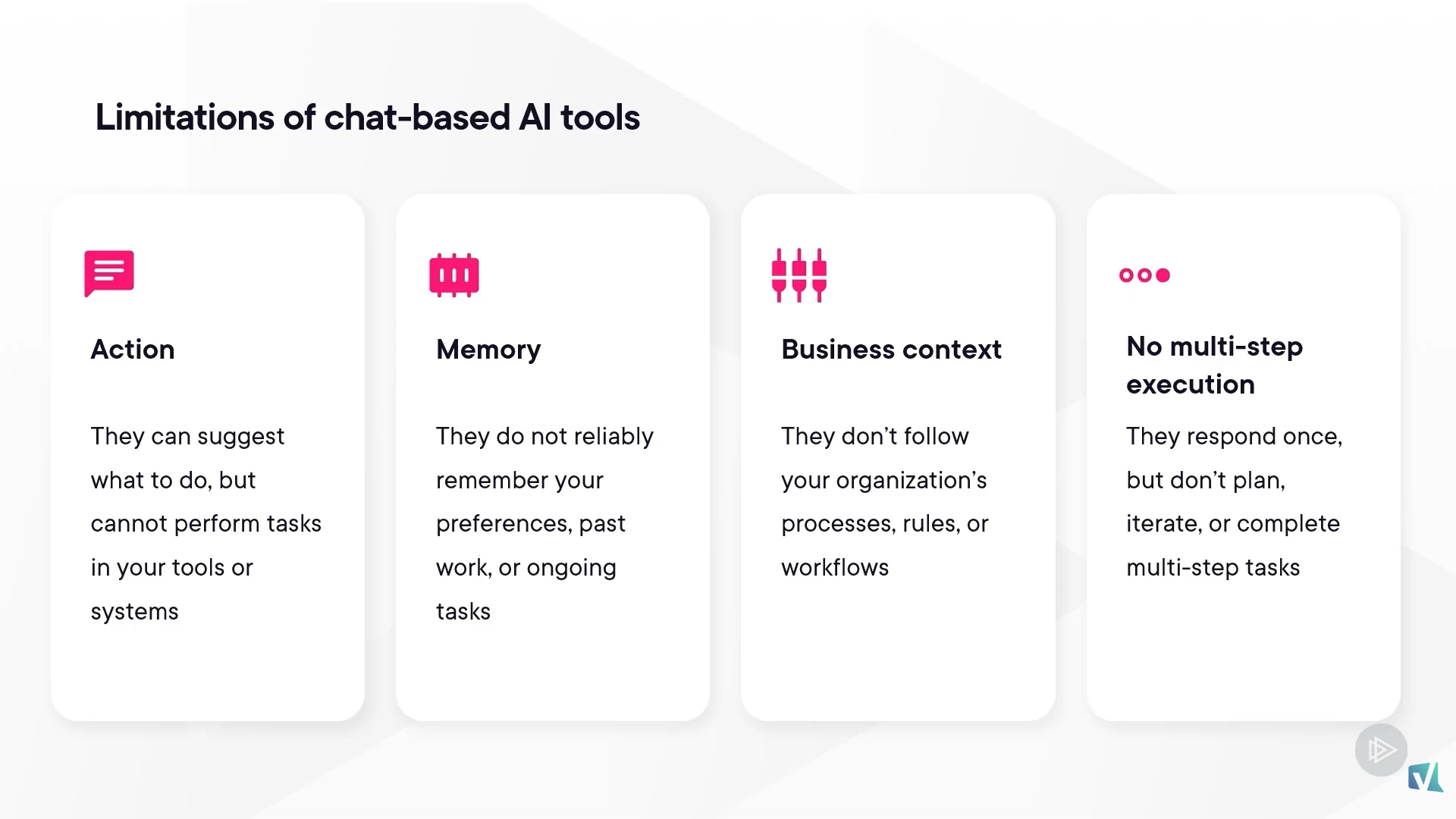
The third limitation is that they are generic. They do not automatically follow your organization’s processes, terminology, or formatting rules. You have to spell all of that out in the prompt, every single time.
The fourth limitation is execution. A chatbot responds once and stops. It does not plan a multi-step task, decide which tools to use, review its own results, and keep going until the work is finished. That last gap is exactly where AI agents come in.
What is an AI agent?
An AI agent is an AI tool that can understand a goal, use tools, and take action to complete tasks on your behalf. Instead of just talking to you, an agent works alongside you. It interprets your intent, interacts with the systems where the data and processes live, and follows through until the job is done.
Having spent the last decade training IT professionals on Microsoft 365 and authoring 100+ Pluralsight courses, I think this is the single biggest shift since the launch of ChatGPT. We are moving from “AI that answers” to “AI that does.”
The 4 capabilities that set AI agents apart from AI chatbots
There are four specific capabilities that elevate an AI agent above a traditional AI chatbot. Together, they explain why AI agents vs AI chatbots is more than a marketing distinction.
1. Role-playing
Each agent has a defined role. You can give it instructions on how it should behave, what its responsibilities are, and how it should respond. This keeps the agent focused on a specific purpose, whether that is helping with research, customer follow-ups, or an internal HR process.
2. Memory systems
Agents do not respond based on a single prompt in isolation. They can remember past interactions and use that context for future ones. They retain your preferences, ongoing tasks, and previous conversations, which makes responses noticeably more relevant over time.
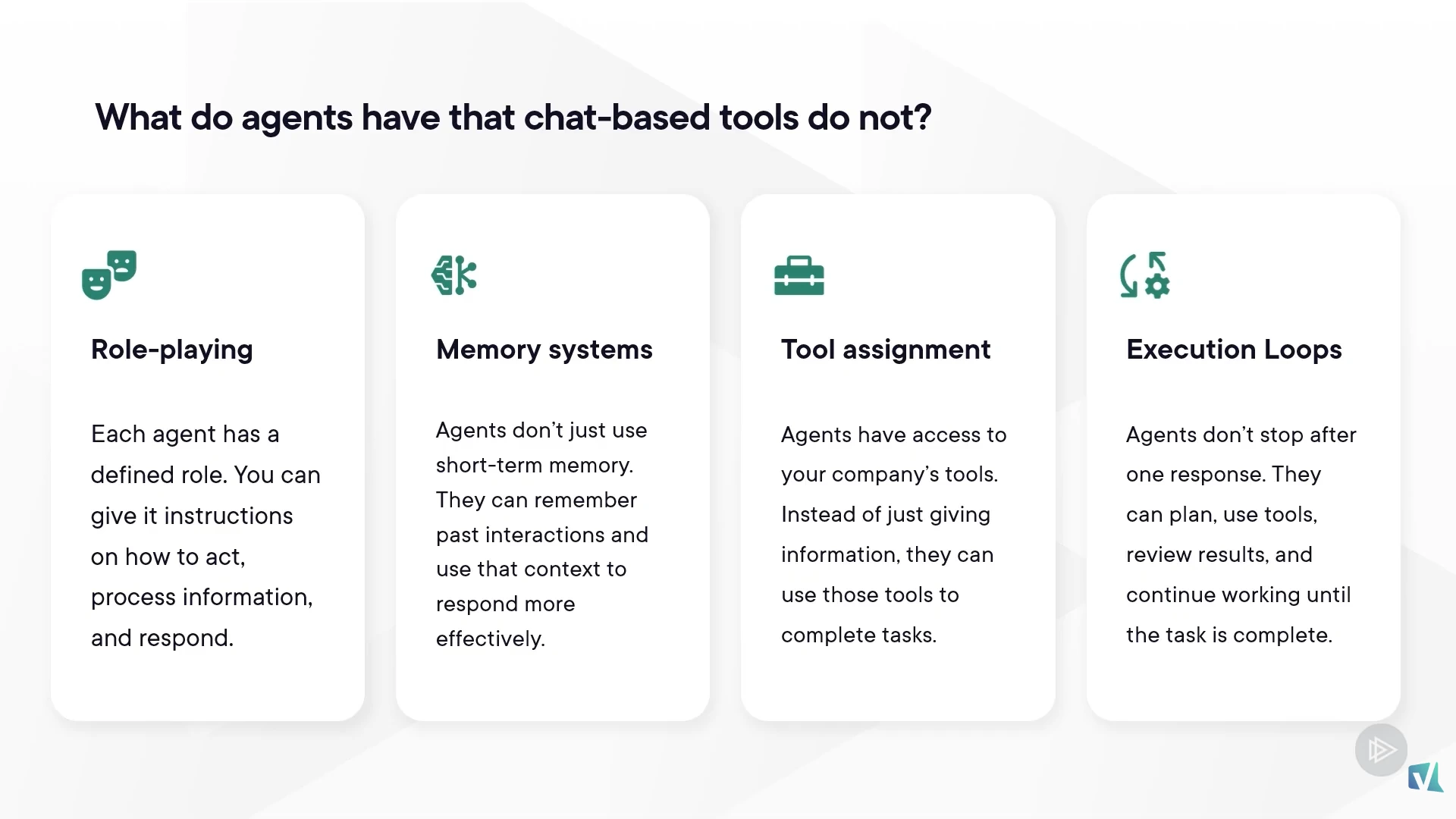
3. Tool assignment
This is where agents start to actually take action. Instead of only providing information, an agent can use tools and connect with other systems to do the work. That includes retrieving data, creating or updating records, and triggering workflows in line-of-business applications. To go deeper on this, the customizing Microsoft 365 Copilot concepts and terms guide is a great companion read.
4. Execution loops
Traditional chatbots respond once and stop. Agents can plan, use tools, review the results, and keep going until the task is complete. That loop is what enables them to handle real multi-step work end-to-end, not just provide a single answer.
The combination of role, memory, tools, and execution is what moves AI from answering questions to genuinely getting things done.
The 3 types of AI agents you should know
Not every agent is built for the same job. There are three main types, and they represent increasing levels of capability from simple to more advanced.
Retrieval agents
Retrieval agents, sometimes called single-turn assistants, focus on pulling information from connected data sources, summarizing it, and answering your questions. They help you find and understand information faster, but they do not take action on your behalf. Think of them as a smarter, more grounded search experience.
Task-based agents
Task-based agents go further. In addition to retrieving information, they can take action: create records, update systems, run workflows, and complete repeatable tasks. These are the most common types of agents in business today because they actually move work forward, not just answer questions. You might also hear them called tool-using agents or workflow-based agents.
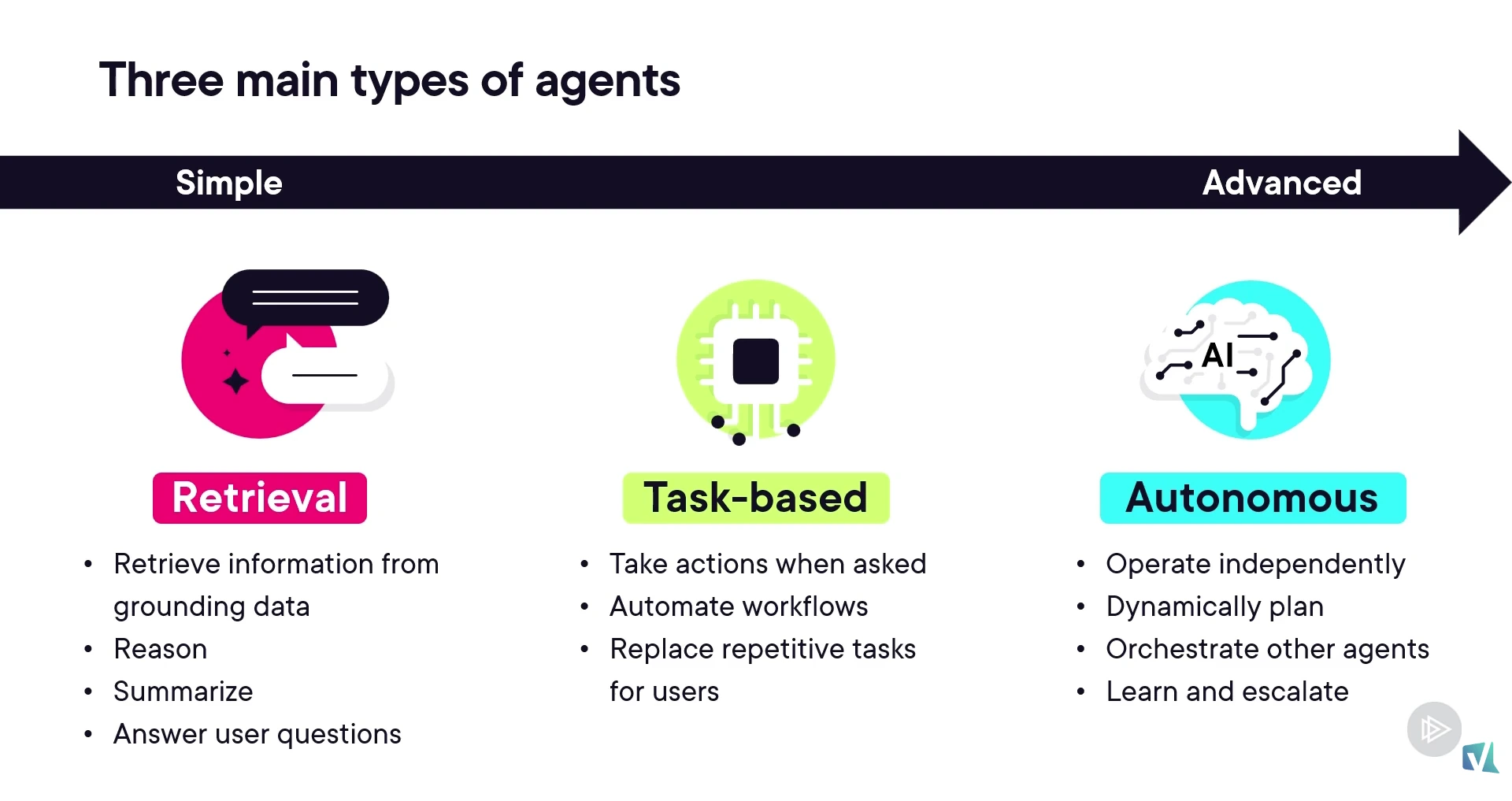
Autonomous agents
Autonomous agents do not always wait for you to ask. They can plan and execute tasks based on events, make decisions using context, and coordinate multiple steps to achieve a goal. This allows them to handle more complex scenarios with less direct input from the user.
You don’t need to be a developer to build an AI agent
A common misconception is that building agents requires deep development skills. That is no longer the case.
At the simplest level, no-code tools let you build agents through visual interfaces without writing a single line of code. If you want to see this in action, my guide to building Copilot agents with no code using Agent Builder walks through the experience step by step. If you need more flexibility, low-code tools let you customize agents with additional configuration and integrations, which is especially useful for task-based agents that connect to existing business systems. And for developers, pro-code options allow fully custom agents to be designed, integrated, and shipped into production scenarios.
Whatever your skill level, there is now a path into building agents. That is a meaningful change for IT pros and citizen developers alike.
What this means for you
If you have been using AI chatbots for the last couple of years and getting decent results, AI agents are the next step, not a replacement. Chatbots are still excellent for general questions, drafting, and exploration. Agents are where AI starts to take real work off your plate, and understanding AI agents vs AI chatbots will only become more important as both technologies mature.
For IT admins, this is a great moment to start mapping which internal processes are good candidates for a task-based agent. Anything that involves repetitive lookups, status updates, ticket triage, or cross-system actions is worth a look. For citizen developers and Power Platform builders, the no-code and low-code agent tooling means you can prototype quickly and prove value before involving a developer.
If you want to formalize your skills, Microsoft is also rolling out new agent-focused credentials. The APL-7008 study guide for creating agents in Microsoft Copilot Studio is a great starting point if you want a structured path to validate what you build.
The honest reality is that the organizations getting the most out of AI in the next 12 months will not be the ones running the most chatbots. They will be the ones who deploy agents that actually do the work.
Ready to start building AI agents in your organization?
If you want a deeper, structured walkthrough with real examples and demos, including a sales RFP agent, an HR support agent, and a custom agent build, the full course is available on Pluralsight. Watch the full AI Agents for Productivity course on Pluralsight (opens in a new tab) to take the next step from understanding agents to actually building them.
Frequently asked questions
Is Microsoft Copilot an AI agent or an AI chatbot?
Microsoft Copilot started as a chatbot experience inside apps like Word, Excel, and Teams, but Microsoft has been expanding it with agent capabilities, especially through Copilot Studio. In practice, Copilot today is a chat-first experience that can call into agents you build, so it sits at the boundary between the two categories.
What is the most common type of AI agent in business today?
Task-based agents are the most common in real-world deployments. They handle repeatable, multi-step work like creating records, updating systems, or running workflows, which delivers measurable value much faster than purely informational agents.
Do I really not need to be a developer to build an AI agent?
Correct. No-code and low-code platforms allow IT pros, citizen developers, and even business users to build functional agents without writing any code. Pro-code options remain available for highly customized scenarios, but they are no longer the only entry point.
When should I choose an autonomous agent over a task-based agent?
Choose an autonomous agent when the work involves event-driven decisions, multi-step coordination, or scenarios where waiting for a user prompt would slow things down. For most internal business processes, a well-designed task-based agent is simpler, easier to govern, and a better starting point.

