
Power Platform Just Hit 80 Million Users: PPCC 2026 Keynote Highlights
 By Vlad Catrinescu Microsoft MVP and MCT · Pluralsight Author
Last year at the Power Platform Community Conference, Microsoft said that low code as we know it is dead. So before the PPCC 2026 keynote, a lot of people in Las Vegas were asking whether the Power Platform is dead as well. Well, I have good news for you, because Charles Lamanna said it pretty clearly: the Power Platform isn’t going anywhere, and it’s more important and healthier than ever.
Key takeaways
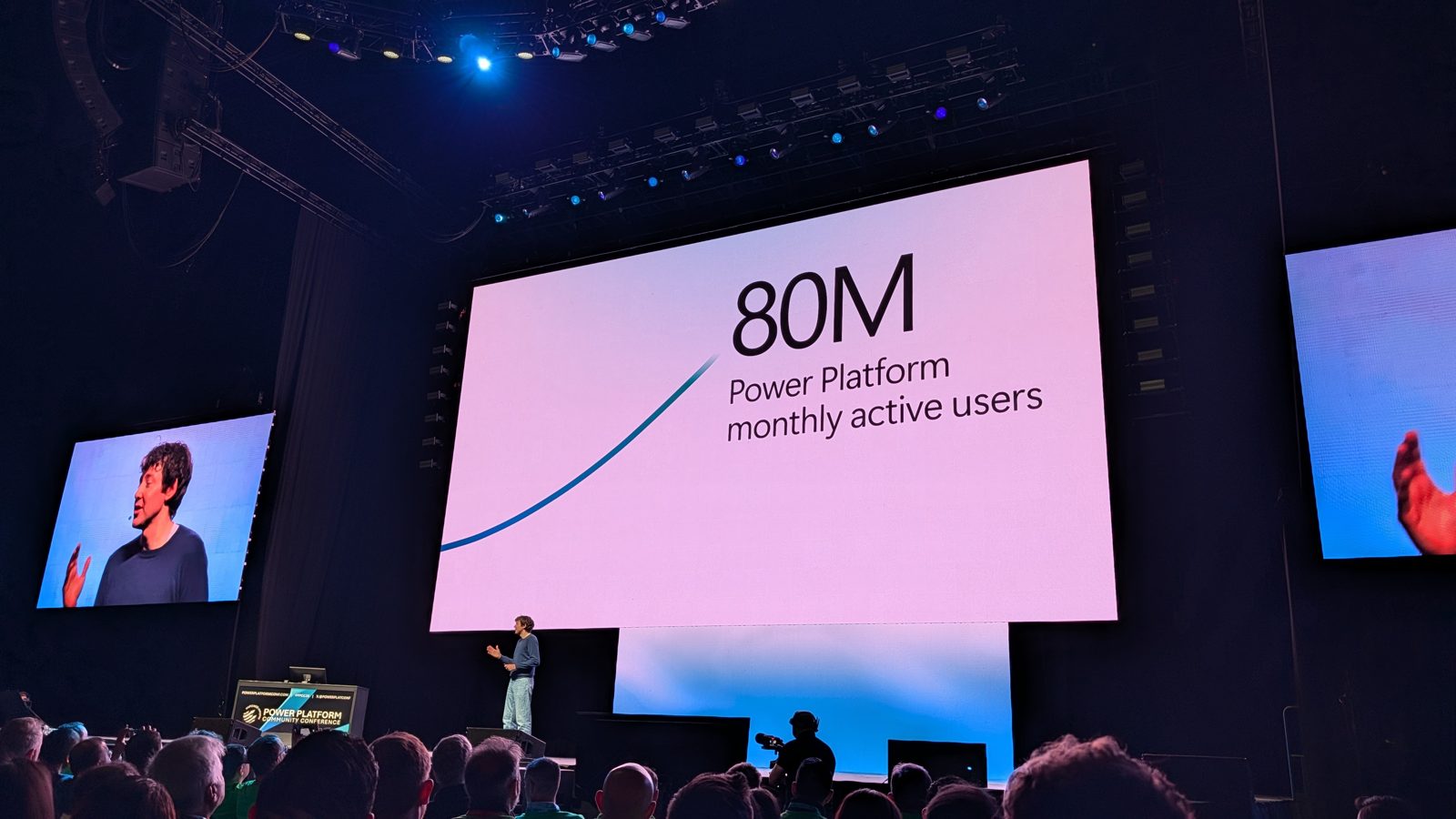
- The Power Platform now has 80 million monthly active users, up from 25 million in 2022 and 56 million last year.
- Microsoft announced an expanded and unified Microsoft Maker Community for everyone building across Power Platform, Copilot Studio and SharePoint.
- You can now build Power Apps directly from the Microsoft Copilot app, and the result is a real app with real code behind it.
- The new Copilot Managed Runtime gives vibe coded apps a Microsoft-hosted home that follows the policies your admins set.
- Agents in Copilot Studio can now get their own identity, with a mailbox and OneDrive, and agent identities are rolling out to everyone right now.
- The conference leaves Las Vegas and heads to Chicago on November 2 to 4, 2027.
Inside the Power Platform Community Conference 2026
I was at the Power Platform Community Conference 2026 in Las Vegas for the keynote, and the announcements matter whether you’re a maker, an IT pro, or the person who has to explain all of this to your team back at the office.
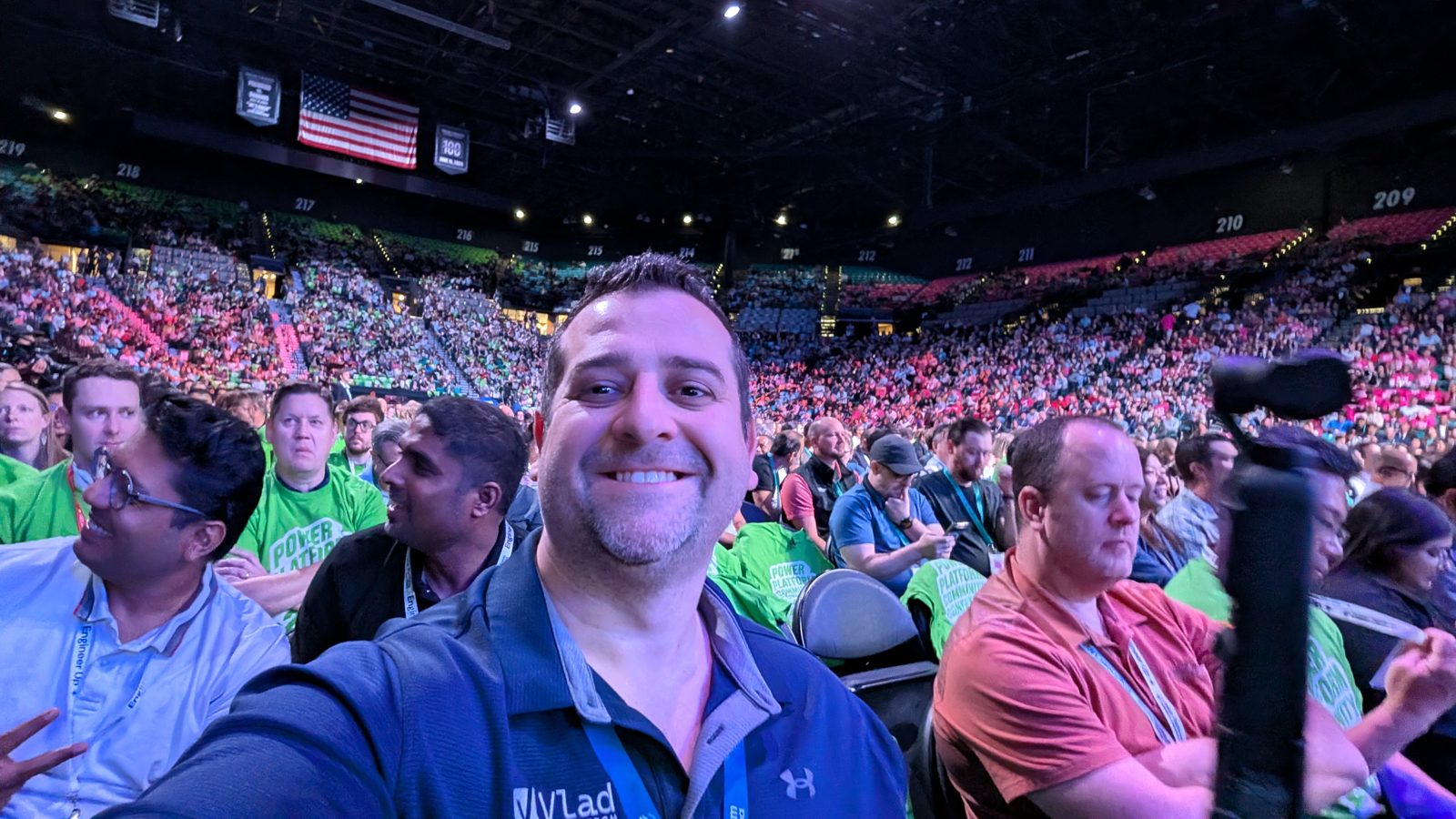
If you’ve never been to this conference, you’re really missing out. There were nearly 10,000 makers there this year, and between the sessions there were puppies. Yes, actual puppies in the expo hall. There was a makers market, an NFL experience where you could see how they use the Power Platform and tech to help their teams perform better, and even a human claw machine where you’re the one picking up the prizes.
The Power Platform now has 80 million monthly active users
Charles kicked things off by reminding us how much the world has changed since the first Power Platform conference in 2022. Back then, if you heard the word agent, you thought of Agent Smith in The Matrix. A prompt was a blinking cursor in a DOS terminal, a token was for playing Pac-Man at the arcade, and a vibe was just a feeling.
Since then, the Power Platform has grown massively, and I have the numbers to prove it. In 2022, the Power Platform had 25 million monthly active users, and today it’s at 80 million. That’s more than three times as many people in just four years. If you’ve been reading my recaps, it was 48 million in 2024 and 56 million last year, so this is the biggest year-over-year jump I’ve seen.
And it’s not just more people using the platform, it’s people doing more with it:
- 20% more people open a Power App every single day compared to last year.
- There are 20% more flow runs, which shows that my favorite product, Power Automate, is doing better than ever.
- AI usage in Power Apps has doubled.
So if you were worried the Power Platform was dying, the numbers tell you otherwise.
A new, unified Microsoft Maker Community
A big part of that growth is the community, and the Power Platform community is thriving, with members in more than 140 countries and regions, and over 90% of the answers coming from people like you and me. It really is the community helping the community.
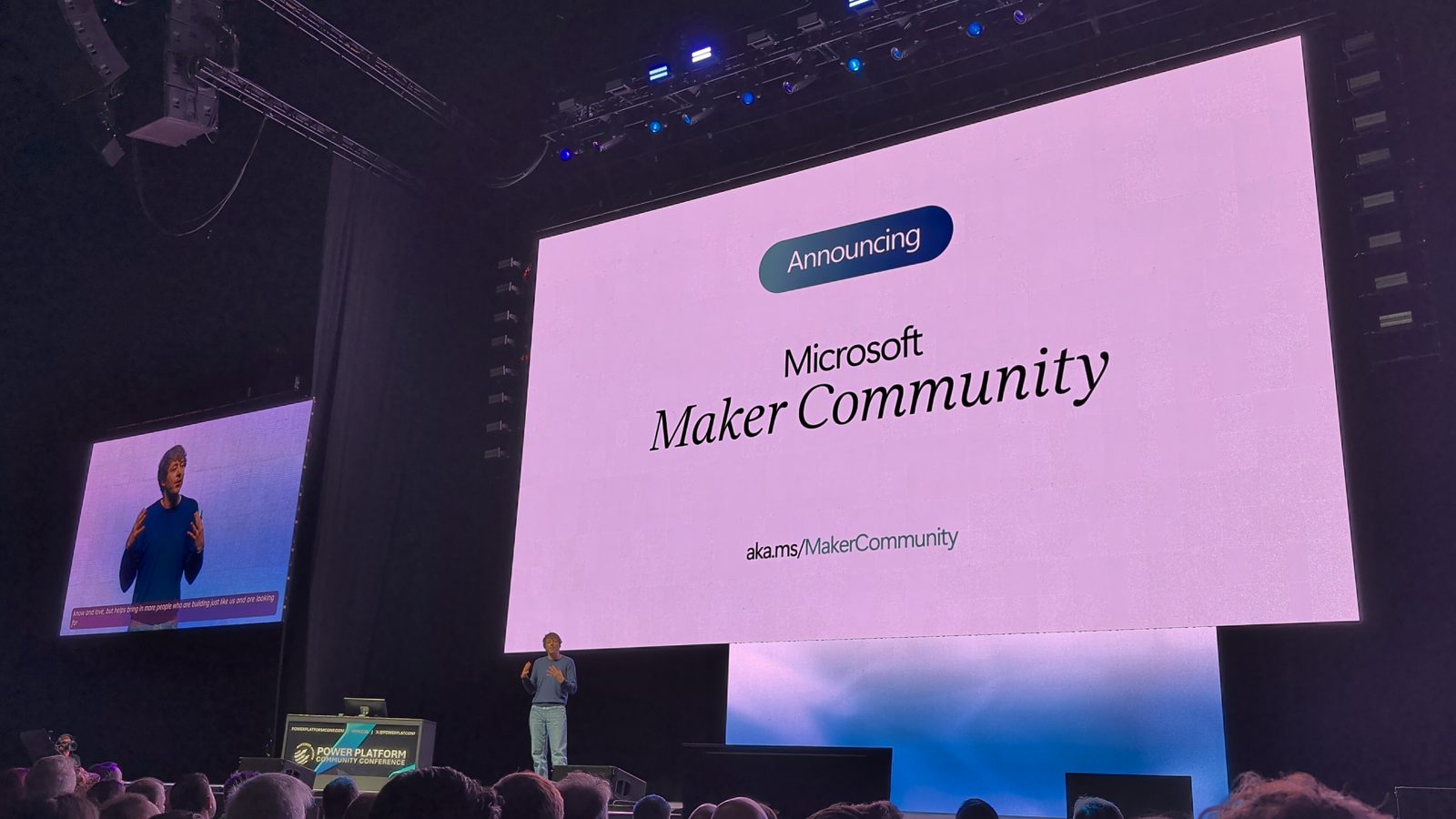
The first announcement of the keynote was about that community: Charles announced an expanded and unified Microsoft Maker Community, one place for everybody building across Power Platform, Copilot Studio and SharePoint. I’ll be honest, that last part caught my attention, and a few other MVPs around me looked at each other and said “SharePoint?” You can find the new community at aka.ms/MakerCommunity (opens in a new tab).
Remember that at Microsoft, the engineering teams for Power Platform and Microsoft 365 are now under the same team, and everybody building is now a maker. So I’m really curious to see how those two communities come together. It might even have an impact on next year’s conference, but that’s my personal opinion, and I come back to it at the end.
Better tools: the first demo had no AI at all
Every demo in this keynote was a real use case from a real company. It wasn’t Contoso, where every demo just works all the time. Ryan Cunningham even joked that he’s starting to think those aren’t actually real companies.
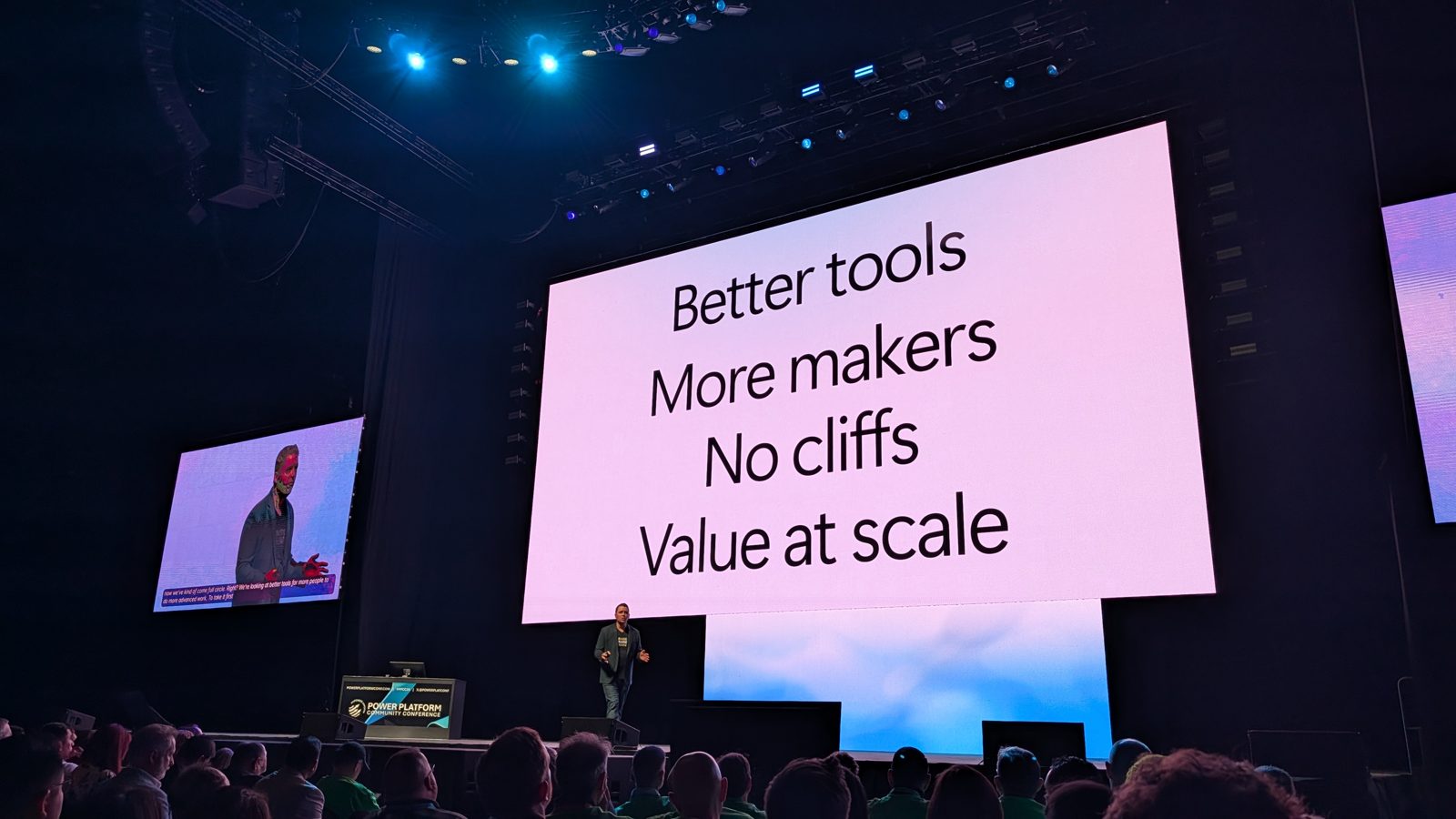
The keynote was organized around four pillars: better tools, more makers, no cliffs, and value at scale. And funny enough, while Microsoft keeps saying there’s never been a better time to build with AI, the first demo had no AI at all. It showed the fundamental improvements Microsoft has made for people who build manually.
Power Apps: a pop-out formula bar and faster controls
You can now pop out the formula bar in Power Apps. So when your formula is dozens or hundreds of lines long, you’re not stuck with a small bar to read it in: you can put it beside your screen. Every new control is also more than 30% faster.
Model-driven apps are getting calendar and card views that you set up with just a few clicks. You could build those with code in the past, but now it takes a few clicks, and the calendar looks just like Outlook.
Power Automate: inline action cards and virtual network connectivity
Power Automate got some love too, which made me happy, because it’s my favorite product and I was a bit worried last year that there wasn’t much for it. The designer now has inline action cards, so you can view and edit an action’s parameters right on the canvas instead of in a panel on the left. You see more at the same time, so it’s kind of a modern take on the original designer.
And for my fellow IT pros, virtual network connectivity lets a cloud flow call a service that’s on-premises without you needing to build a custom connector. It’s safe, it’s secure, and it’s easy.
More makers: build Power Apps from Microsoft Copilot
The next pillar was more makers, and this is where AI comes in. In the new Microsoft Copilot (formerly Microsoft 365 Copilot) app, you have the chat you already use, plus Copilot Cowork, Code, and the brand new Autopilot. What’s new is that you can now build Power Apps from Copilot.
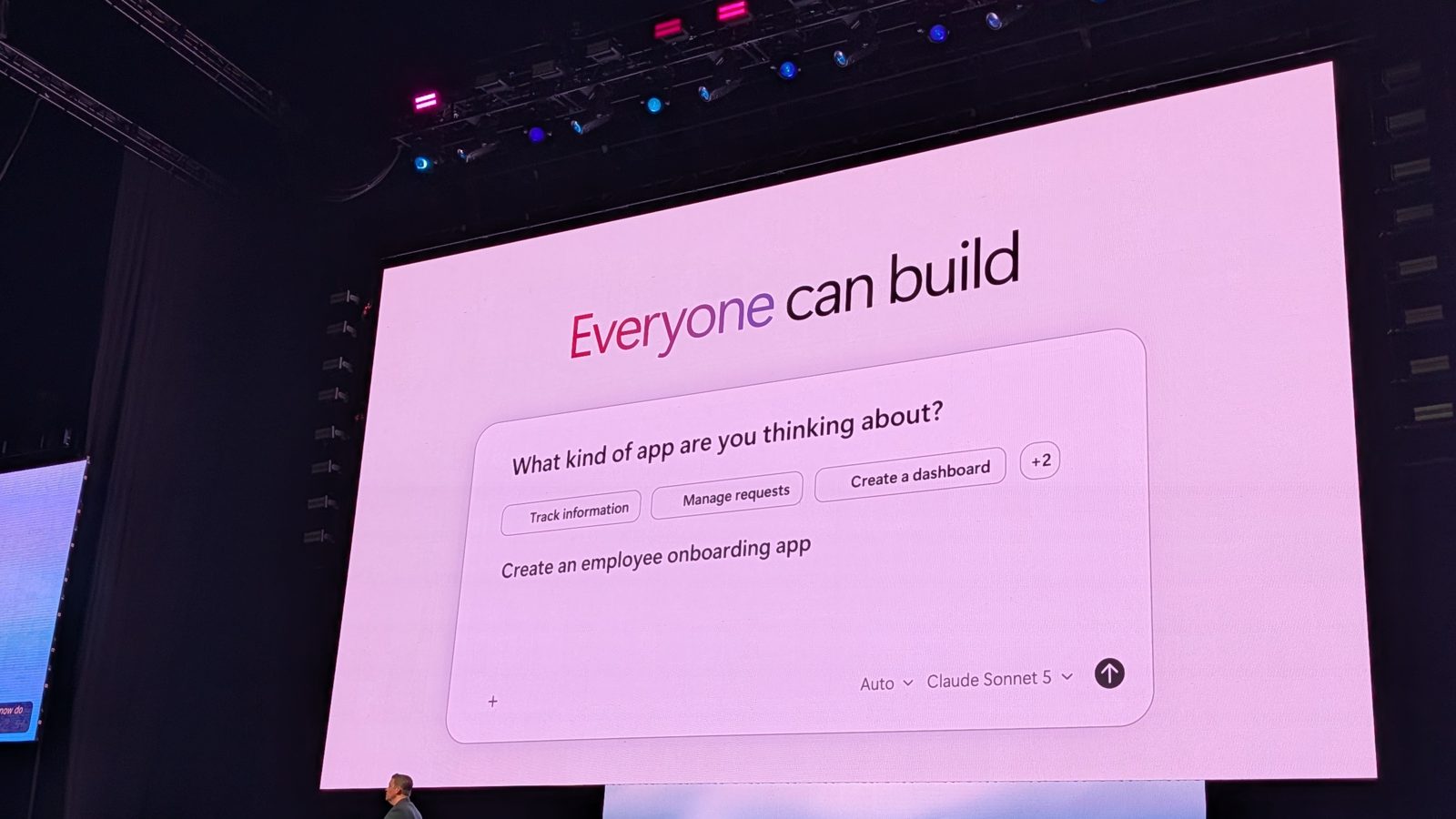
Charles even said he’s built more Power Apps in Copilot in the last two months than in the platform directly in the past two years. An app is now his favorite way to share information, rather than a traditional document or a PowerPoint deck.
We saw a demo where a marine underwriter at Markel Insurance, so a business user, built a full app for her team in Cowork just by describing what she wanted. It’s connected to their data, it sends emails through Outlook, it updates records in Dataverse, and sharing it is as easy as sharing a Word document. The person closest to the problem builds the solution, which is what the Power Platform has always been about, just in a more amplified way now.
No cliffs: low-code apps are code underneath
If you’re an IT pro like me, you’re probably thinking: okay, what happens when that app becomes business critical? This is where the no cliffs pillar comes in.
It took me a while to understand what that meant. In the past, there was a big limit to what you could do with no code and low code. Once you reached it, you had to go to pro code, and that was a big cliff to climb, because you couldn’t just keep working on the same app in Visual Studio Code. You had to rebuild it completely.
But behind every low-code app, there’s actually code. So when you build an app with AI, either as a code app or in Copilot Cowork, it’s still code deployed in the back. As soon as you reach your limit as a vibe coder, a developer can connect to it and take your solution to the next level without rebuilding everything.
The keynote even showed a solution built in Copilot Studio that a developer then opened in Visual Studio Code. He asked GitHub Copilot to explain it, and it drew a diagram of the whole solution. It also found that 3 of the last 12 follow-up emails asked suppliers for information they had already given, and the developer fixed that without ever opening the Copilot Studio designer. So even if you never look at it that way in the UI, it’s code in the back, and with AI and the new ways of hosting, that transition is easier than ever.
The Copilot Managed Runtime fixes the localhost:3000 problem
Let’s talk vibe coding, because Ryan had my favorite joke of the keynote: “Check out my cool new app, it’s at localhost 3000. What? That doesn’t work on your machine?” I’m sure that as an IT pro, someone has already shared an app with you that way, whether a colleague or a family member. We’ve all been there.
That’s exactly what the new Copilot Managed Runtime fixes. Whether you build in Cowork, Copilot Studio, Visual Studio Code, or even a third-party tool, you now have a dedicated runtime where you can safely host your apps. It’s hosted by Microsoft, and it follows the policies your admins set.
Makers finally have a way to host vibe coded apps in a secure, enterprise-compliant way. Personally, though, I’m wondering where the line is. When do you keep an app on the managed runtime, where you pay per use with Copilot credits, and when does a developer take it over and put it on Azure Static Web Apps for a fixed price of around $10 a month, so you know exactly what it costs? It’s brand new, so I’m curious to hear what you would do.
Copilot Studio workflows and the GitHub Copilot harness
The keynote also covered the workflows experience in Copilot Studio, which became generally available in August. So it’s not brand new, but it was still interesting to see it live, combining deterministic steps with everything AI, like classifying emails, calling an agent, or even asking Copilot Cowork to add a task.
In the demo, an insurance company’s shared mailbox got classified, the workflow called the right agents and automations, and the whole run, from the email coming in to a quote ready for the underwriter, cost less than 90 cents. Not 90 dollars, 90 cents. You can also test a single step without running the whole workflow, and you can choose to lay it out left to right or top to bottom. Ryan had some strong feelings about that during the keynote, and I suspect that’s why the top-to-bottom option exists now.
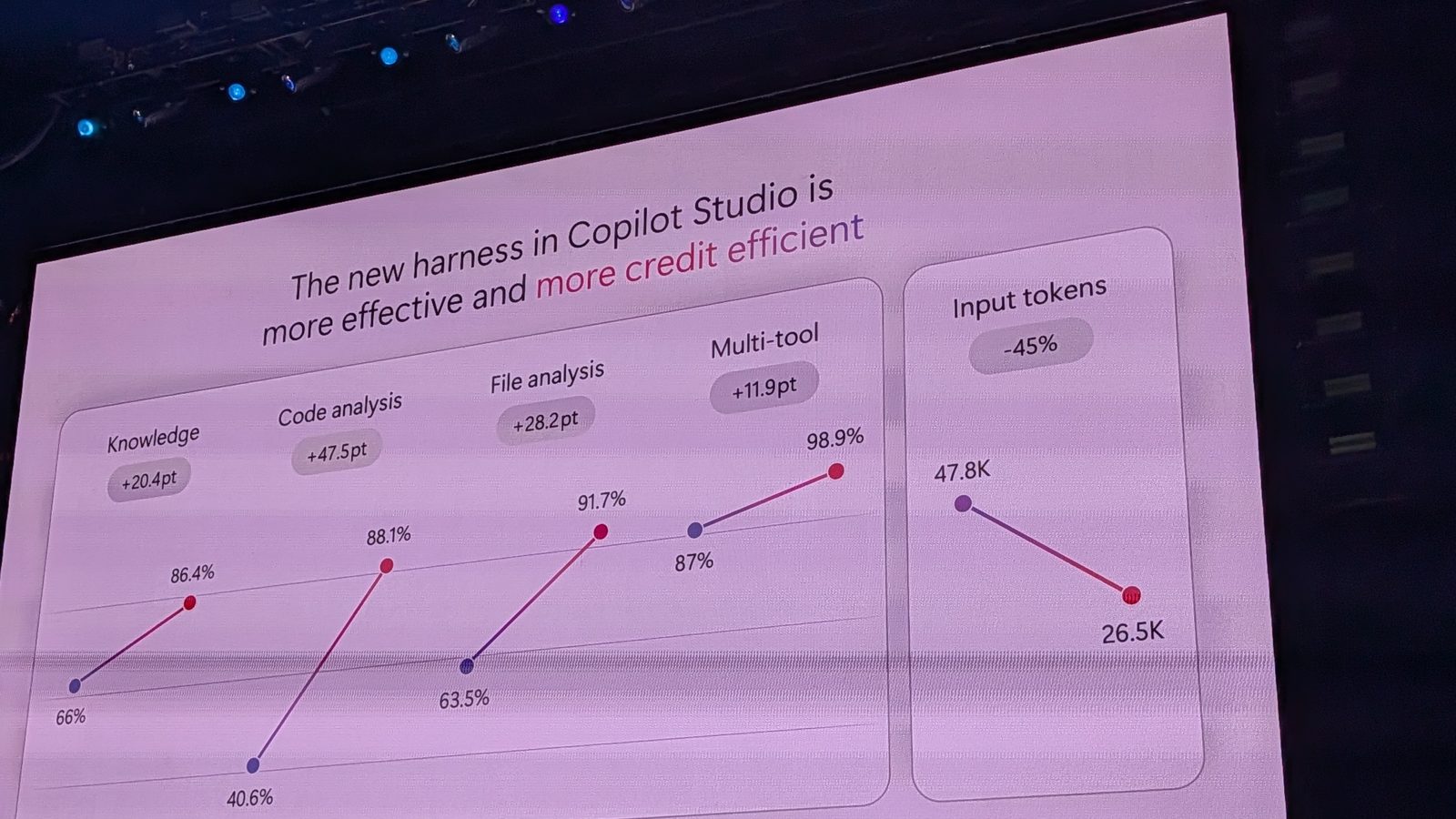
Staying with Copilot Studio, the GitHub Copilot harness isn’t new either, but we got numbers on how much better it is. In Microsoft’s testing, with the same model and the same tasks, code analysis went from about 41% to 88% on the new harness, with about 45% fewer input tokens. So your agents get smarter and cheaper at the same time, and that doesn’t happen very often.
Agents get their own identity, mailbox and OneDrive
I think the biggest showcase for a lot of people was agent identity. Until now, Microsoft mostly pitched agent identity to IT pros, as something to manage, rather than as something that makes you more productive.
What we saw at this keynote is that because an agent has its own identity, it has its own mailbox and its own OneDrive. You can chat with it in Teams, add it to a group conversation, email it, or tag it in a Word document exactly as if it were a user. That applies to Autopilot as well: Charles shared that his own Autopilot is named Apollo, and if you look at the org chart at Microsoft, you’ll actually see Apollo reporting to Charles.
Agent identities are rolling out to everyone in Copilot Studio right now.
The first governance demo on a PPCC keynote stage
The keynote closed with something we’ve never had before at a PPCC keynote: a security and governance demo. With everybody building apps, flows and agents right now, you want to make sure you manage them properly. We saw Agent 365 in the Microsoft 365 admin center, which isn’t new, but it was good to see it demoed.
My highlight was the Power Platform admin plugin with the Power Platform Advisor. It’s not new this week, but it was the first time I saw it live. It’s like an admin agent for Power Platform admins: you go into Cowork and ask it to build reports on what has been created in your environment. It reminds me of the SharePoint admin agent, but for the Power Platform, and I love that Microsoft is making governance easier for every company. It’s the first thing I want to try back at the office.
What this means for you
If you’re a maker, check out all the new experiences and see the new ways you can create apps and flows with AI, whether you’re building them with AI or putting AI inside them. If you haven’t tried it yet, plans in Power Apps are a good place to start building a whole solution from a prompt. If you have Copilot Cowork at work, try building an app with it. Charles’s idea of building an app or a dashboard to share information, instead of a PowerPoint deck or a Word document, is worth trying. It won’t fit every time, but it’s so much more flexible.
If you’re an IT pro, check out the latest in how to manage your environments. As more makers build apps, flows and agents, you need to keep an eye on them and keep them in check. Try the new Power Platform admin plugin, and see which of the tasks you used to do by hand or with PowerShell you can automate with AI. We’re about to see thousands of apps created every year, so keeping an eye on everything matters more than ever.
PPCC 2027 moves to Chicago
The Power Platform Community Conference is leaving Las Vegas and heading to the Windy City: Chicago, November 2 to 4, 2027. There’s a great promo if you register now, with 50% off and a free workshop if you do it fast, and you can register for the 2027 conference here (opens in a new tab).
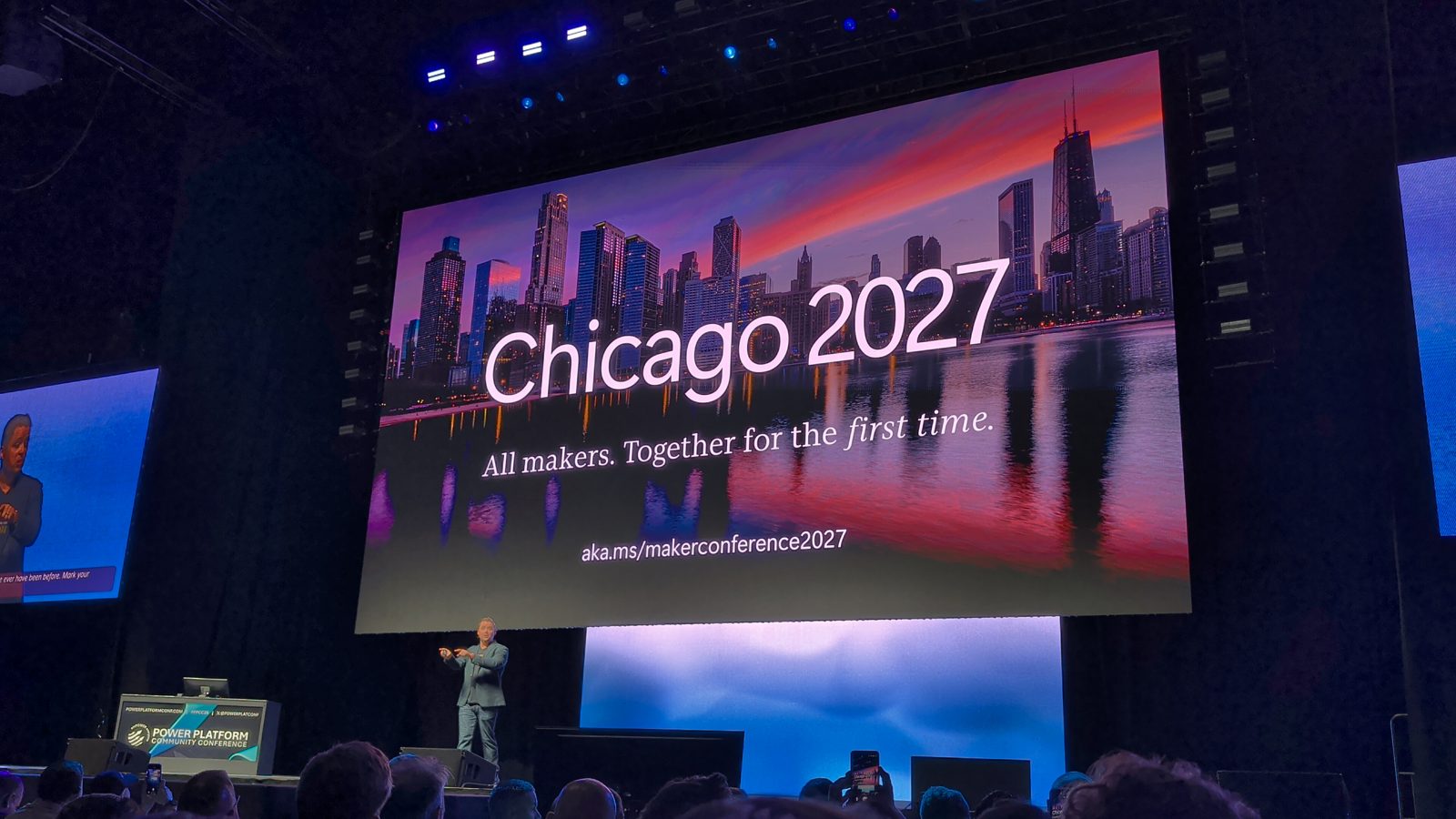
The biggest change for me is the link itself: it’s now a Maker Conference. Charles included SharePoint in the new maker community, so I’m curious whether the 2027 conference will include more SharePoint and Microsoft 365 content, not just Power Platform. Will Microsoft have one big conference? Nothing has been announced yet, but it’s worth thinking about as the definition of a maker, and the tools makers use, keep changing.
Ready to plan your trip to Chicago? I’ll share every new PPCC promo on my Power Platform Community Conference page, so you can register for Chicago at the best price.
Frequently asked questions
Is the Power Platform being replaced by Microsoft Copilot?
No. At the PPCC 2026 keynote, Charles Lamanna said the Power Platform isn't going anywhere and is more important and healthier than ever. Copilot, Autopilot and Code are new ways to build, but what you build in them runs on the same platform, with the same connectors, Dataverse and admin policies.
When and where is PPCC 2027?
The conference moves to Chicago for November 2 to 4, 2027. Microsoft's registration link now calls it the Maker Conference 2027, so expect the name to change as well as the city.
What is the Copilot Managed Runtime?
It's a Microsoft-hosted place to run the apps you build in Copilot Cowork, Copilot Studio, Visual Studio Code or a third-party coding agent. Apps there follow the policies your admins set, and they show up in the Microsoft 365 admin center, so sharing a vibe coded app no longer means sending a localhost link.
What does agent identity give a Copilot Studio agent?
An agent with its own identity gets its own mailbox and OneDrive, and it appears in your org chart like a teammate. You can email it, chat with it in Teams, add it to a group conversation or @mention it in a Word document. Microsoft is rolling it out to everyone in Copilot Studio now.
Can a developer take over an app a business user built with AI?
Yes. Apps built with AI in Copilot Cowork or as code apps are real code underneath, so a developer can open the solution in a tool like Visual Studio Code and keep improving it. That's what Microsoft calls no cliffs: you don't have to rebuild the app when it outgrows low code.

