
Building Apps in Copilot Cowork: From No Code to Pro Code with Damien Bird
 By Vlad Catrinescu Microsoft MVP and MCT · Pluralsight Author
One of the biggest topics of 2026 is vibe coding. But in the enterprise, how do you let business users vibe code and innovate while the IT team still sleeps at night, because everything is hosted on a secure platform? That’s where Copilot Managed Runtime comes in. At the Power Platform Community Conference I sat down with Damien Bird, AI Global Solutions Architect at Microsoft, and he showed me how Copilot Cowork apps go from one prompt to a governed app that a developer can pick up and keep building.
Key takeaways
- You can build an app in Copilot Cowork by describing it in plain language, and it’s hosted for you on Copilot Managed Runtime.
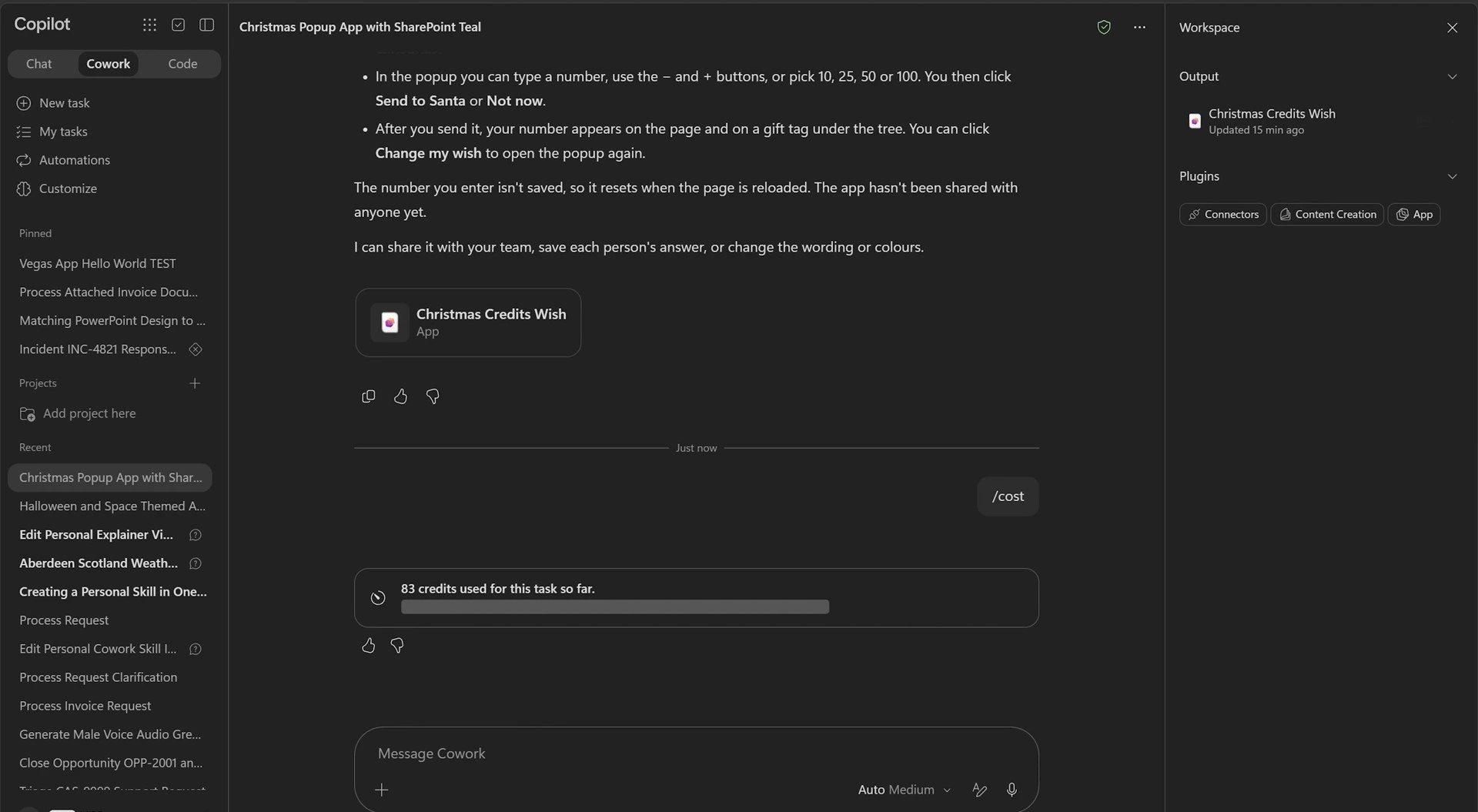
- The first version of our demo app came from one prompt and cost 83 Copilot Credits to build.
- The app is real code, so a developer can clone it, change it with a tool like GitHub Copilot, and push it back.
- After the developer’s changes, Cowork picked up the new version and we kept editing it there.
- Running an app takes a Power Apps Premium license or Copilot Credits, and admins see every app in the Microsoft 365 admin center.
What is Copilot Managed Runtime?
I’ll be honest, before this conversation I had never deployed anything to the managed runtime, so I asked Damien to start from the beginning.
The way he explained it, the platform is built for everyone from no code through to pro code. If you don’t write code, you open Cowork in Microsoft Copilot (formerly Microsoft 365 Copilot), describe a line-of-business app, and prompt your way to it. If you’re a low-code maker, you can build an app in Copilot Studio, and it lands in the same runtime. And if you’re a developer, you either start from scratch and deploy straight to the platform, or you pick up an app that somebody else built in Cowork or Copilot Studio, change it, and push your changes back.
Damien’s session at the conference asked whether you can build an app in Cowork and then use the command line to clone and update it, so that’s what we did.
Building the first version in Copilot Cowork
We kept the first version simple, a “hello world”. Damien opened a new Cowork chat and asked for a simple app with a pop-up window, and he let me pick the theme. I gave him a double challenge: Christmas themed, but in SharePoint teal. The pop-up asks how many Copilot Credits you want as a gift.
He sent the prompt and Cowork started working. You can follow what it’s thinking in the chat, and the app takes shape in a panel on the right. It called its App skill, planned the design, and then built it.
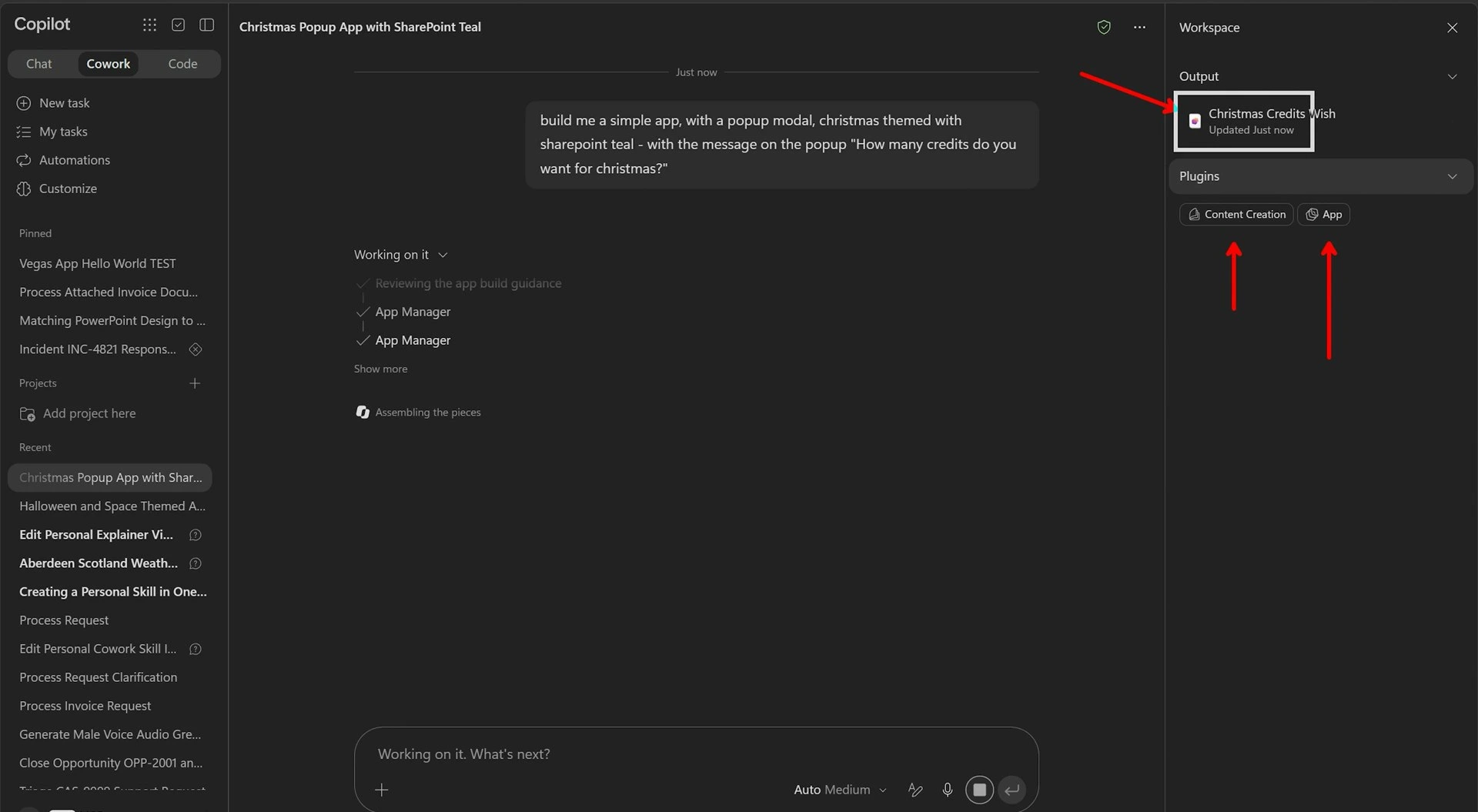
That part takes a little while. In real life this is when you go get a coffee. When we came back, the first version was there: Christmas themed, SharePoint teal confirmed, with a “Make a wish” button that opens the pop-up. All of that came from one prompt.
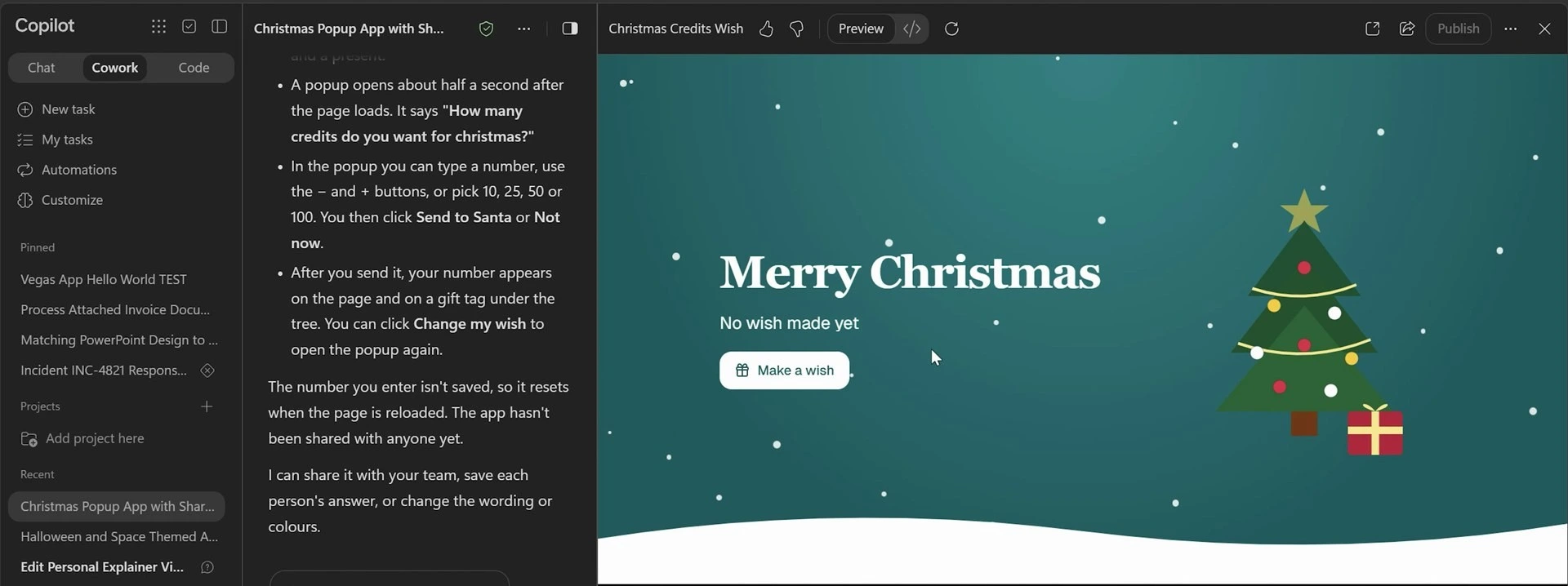
To build an app in Cowork, Microsoft’s documentation says you need a Microsoft Copilot license, access to Cowork, and usage-based billing turned on by your organization, because builds are paid in Copilot Credits. Building apps was also a preview feature in Frontier, Microsoft’s early-access program, when we recorded this in late October 2026, so expect it to change. Microsoft’s Build apps in Copilot Cowork (opens in a new tab) page has the current requirements.
What you get by hosting on Copilot Managed Runtime
While Cowork was building, Damien showed me the slide he likes most, the one with the architecture of the platform.
Whatever you build ends up in Copilot Managed Runtime, and that’s what makes it different from the HTML files everyone is generating right now, or the app that only runs on somebody’s localhost. Because it’s hosted in the Microsoft ecosystem, you get:
- Sign-in through Microsoft Entra, so everyone who opens the app is authenticated.
- A place in the Microsoft 365 admin center, so the app is discoverable and governed.
- Data loss prevention policies.
- Access to Microsoft Graph, Work IQ and connectors.
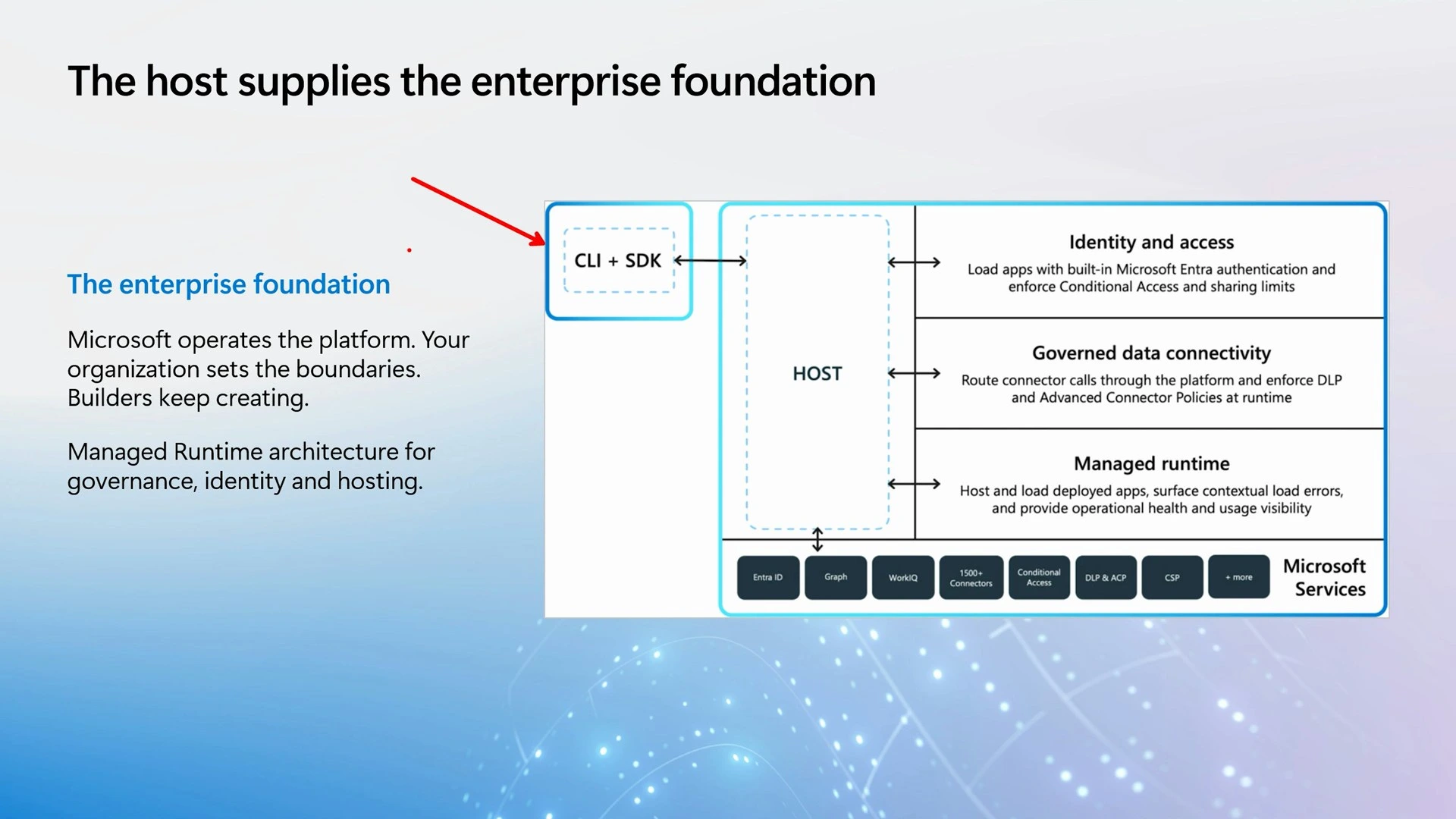
The entry point is up to you. There’s a command-line tool and an SDK, so in theory you can build from any coding agent, not only Microsoft’s. And the code underneath is TypeScript. If you’re a no-code or low-code person like Damien and me, you never have to look at it, but a developer can open it, change it and push it back.
Where the app lives and how you share it
Right now, an app you build in Cowork is saved in your personal developer environment. Damien was clear that this is the default while the platform is in preview, and he expects it to evolve.
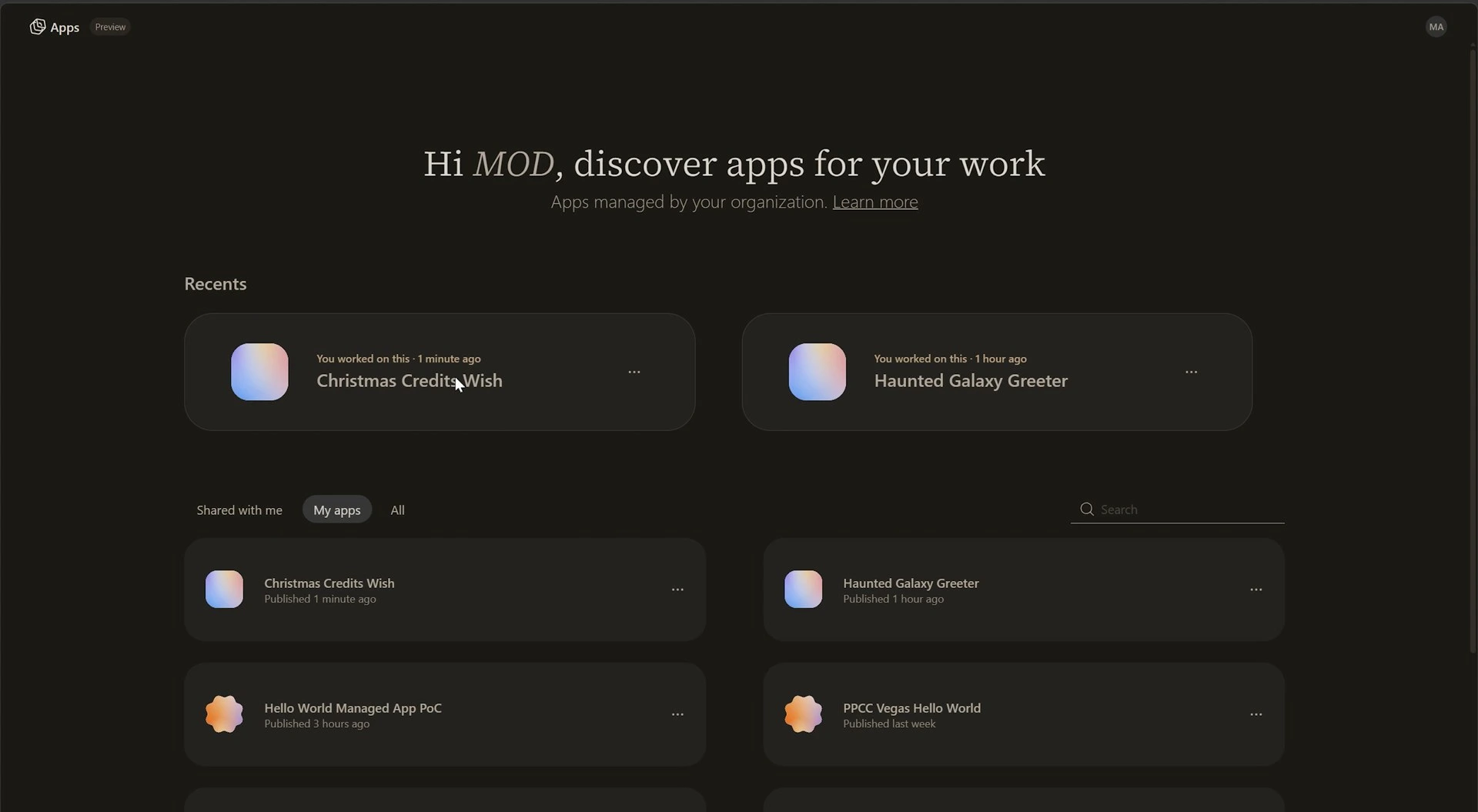
You can find the app in more than one place. It shows up in Copilot Studio, where you can run it, and there’s a separate page that lists your managed apps. From there you can open the app and share it, and sharing uses the same dialog you already know from the rest of Microsoft 365.
Cloning the app and changing it with GitHub Copilot
Damien switched hats, from no-code maker to developer.
- He copied the app’s address from the browser.
- He opened a terminal in a local folder and started GitHub Copilot.
- He asked it, in plain language, to clone the app to his PC.
He didn’t type a clone command. Because the tools were installed on his machine, GitHub Copilot found the right one and ran it. A developer would probably know the exact command, but you don’t need it to get started.
Shortly after, the whole app was in a folder on his PC. It’s the same code you can see behind the preview in Cowork, cloned from the managed runtime.
This is what the “no cliff” message in the PPCC 2026 keynote was about. With canvas apps you could go far in the designer, but if you needed the next level, you started again from scratch in code. Here you have the code. You can change it yourself, or buy a developer a drink and ask for help with the part you can’t do.
Then I got to ask for a change. The first version let me wish for one gift, and I wanted more gifts under the tree: different Microsoft 365 licenses, and Microsoft-owned games too. Damien typed that request into GitHub Copilot. It asked a couple of questions first, such as whether the wishes should be real purchases (no) and where to keep them. For a real app that could be a SharePoint list or Dataverse; for the demo we kept them in the browser.
All of this happened on his local copy. The version online was untouched, and people could keep using it until he pushed.
In your own tenant, the developer route may need an admin first. Microsoft’s documentation says that creating apps with the command-line tool is off by default, and an admin turns it on in the app creation settings of the Microsoft 365 admin center. The steps are in Control whether apps can be created using the CLI (opens in a new tab), so check that setting before you try this.
How much do Copilot Cowork apps cost to build and run?
While GitHub Copilot was working, we talked about cost, and there are two parts to it: building the app and running it.
Building is paid in Copilot Credits. In Cowork, Damien ran the cost command, and the first version of our app had used 83 credits. At one cent per credit before any discount your company has, that’s 83 cents for a basic app.
Running the app gives you two options. A user with a Power Apps Premium license can use the app, within the limits of that license. A user without one pays in Copilot Credits. If you extend the app with AI features, expect Copilot Credits on top either way. Damien compared it to a canvas app with AI Builder: you have the license for the app, and you pay for the AI separately.
Microsoft’s documentation spells out those limits. For a user with Power Apps Premium, running an app doesn’t use Copilot Credits unless the app calls separately billed services such as Work IQ APIs, or goes over the Power Apps Premium request limits. The details are in Manage licensing and Copilot Credits for apps on Copilot Managed Runtime (opens in a new tab).
I also asked what happens when the app calls something in Microsoft Foundry. You pay for the Foundry service, but whether Copilot Credits are charged on top is a question Damien left for the product group.
Pushing the changes back, then back into Cowork
GitHub Copilot reported that the wish list was built and ready to test, and it ran the app locally in the browser. It can also run the interface tests with Playwright, which was part of Damien’s session.
The new wish list worked. It had also removed my SharePoint teal. I told Damien he forgot to say “make no mistakes”.
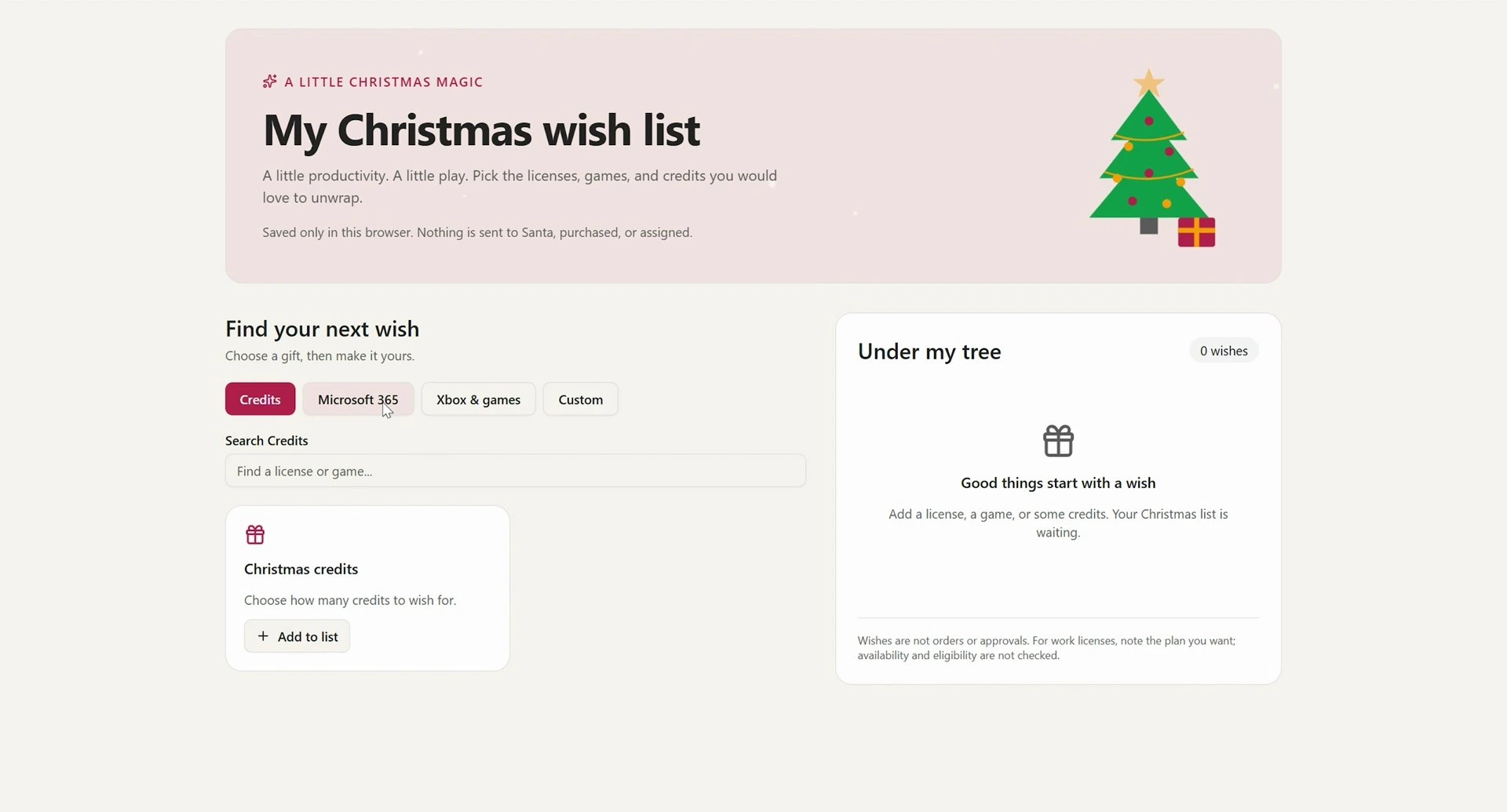
We pushed it anyway, to show the full loop. Damien asked GitHub Copilot to push the app back, then refreshed the app in the browser. A “new version available” message appeared, and the wish list was live.
Then we tried something neither of us had done before. Back in Cowork, in the original chat, Damien wrote that he had made changes outside the conversation. Cowork found the newer version, confirmed there were no unsaved edits, and switched over to it. So you can go from Cowork to code and back.
We used that to fix my branding: one more prompt to bring back the SharePoint teal. The change didn’t show up in the live app until Damien remembered the Publish button. Cowork doesn’t publish for you. You work on a draft until you’re happy with it, and then you publish.
What admins see in the Microsoft 365 admin center
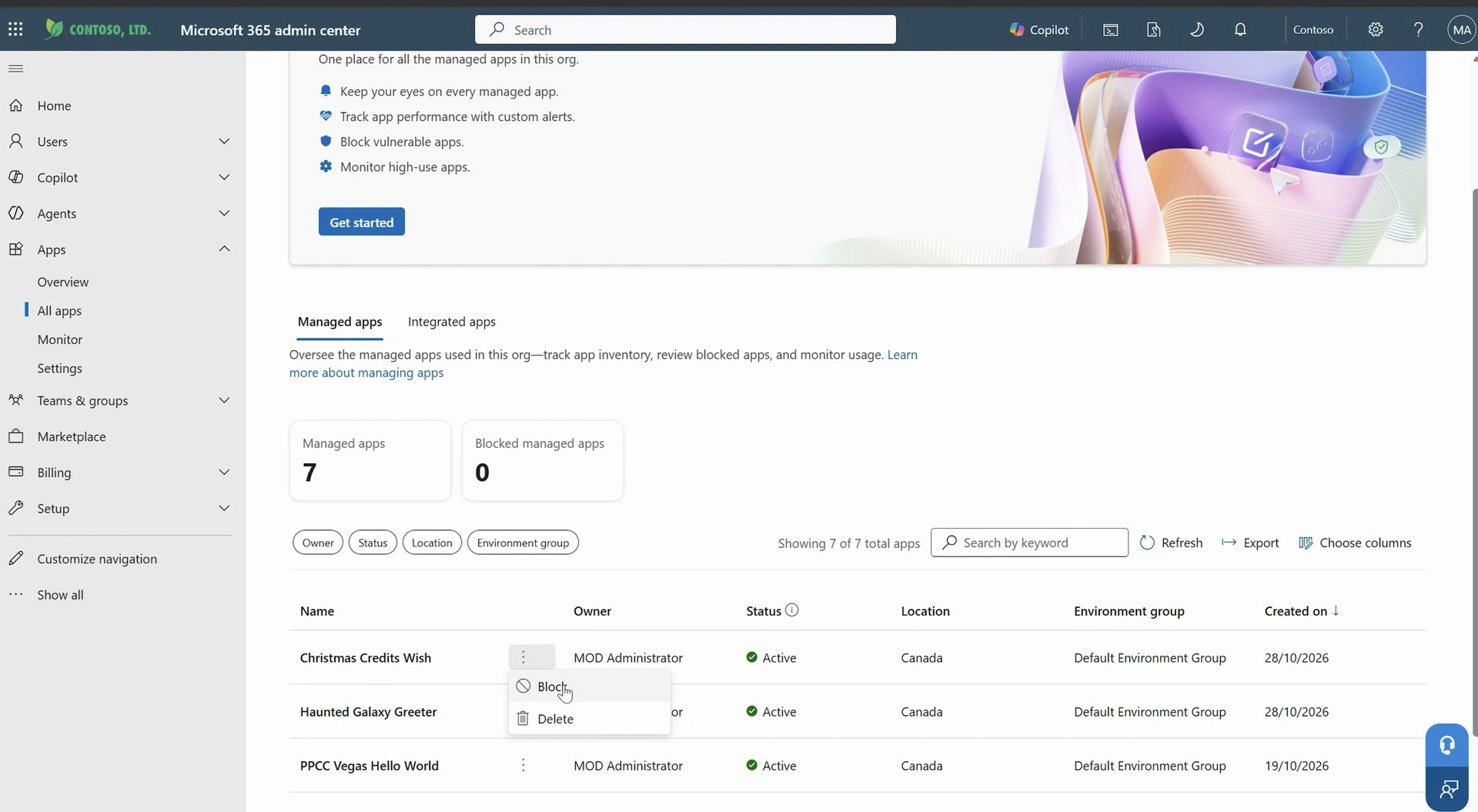
For the admins, Damien opened the Microsoft 365 admin center, where apps have their own area. It has an overview with the number of apps and an inventory of managed apps, and our Christmas wish list was already in it.
From there an administrator can:
- See who owns an app and how much it’s used.
- Monitor it and set up alerts.
- See the connectors it uses and set connector policies, like the ones you know from Power Platform.
- Block an app.
Agents show up in the same admin center, and I covered that side in Microsoft’s unified agent inventory.
Should apps stay in the managed runtime?
Because it’s real code, you could take an app and host it somewhere else, in Azure Static Web Apps for example. I asked Damien whether he expects companies to do that.
He had just heard the opposite. Somebody came up to him after his session and wanted to move apps into Copilot Managed Runtime, because there’s no host to set up. You build, and it’s hosted.
Which one makes sense for you depends on the size of the app, how many people use it, and whether they already have licenses.
What this means for you
If you’re a business user or a maker with access to Cowork, a small app is now a prompt away. Start with something simple, like we did, and check the cost afterwards so you know what a build takes in your tenant.
If you’re a developer, expect people to arrive with a working app and a request for help. You can clone it, work in the tools you already use, and push it back, and they can keep editing it in Cowork after you.
If you’re an admin, look at the apps area in the Microsoft 365 admin center before the first apps show up. Decide who can build, including whether developers can use the command-line tool, set your Copilot Credits policies for building and for running, and check which connectors you allow. If your makers already use plans in Power Apps, this is one more way they will be building.
This is all in preview, so some of what we saw will change, the personal developer environment default in particular.
Ready to build your first app in Copilot Cowork? Start with Microsoft’s overview, What is Copilot Managed Runtime (opens in a new tab). Damien shares a lot more on this as DamoBird365, so go say hello on his YouTube channel (opens in a new tab) and on LinkedIn (opens in a new tab).
Frequently asked questions
Do I need to know how to code to build an app in Copilot Cowork?
No. You describe the app you want in plain language, and Cowork builds it with its App skill. The app is still real code underneath, so a developer can take over later if you need something Cowork can't do for you.
Do users need a Microsoft Copilot license to run an app built in Cowork?
No. Microsoft's documentation says a user can run an app with a Power Apps Premium license or with Copilot Credits. That's separate from what the maker needs to build the app, which is a Microsoft Copilot license, access to Cowork and Copilot Credits.
Where are Copilot Cowork apps stored?
During the preview, an app you build in Cowork is saved in your personal developer environment and hosted on Copilot Managed Runtime. Damien Bird expects that default to evolve as the platform moves out of preview.
Can I keep editing an app in Cowork after a developer changes the code?
Yes, in our demo. After the app was changed with GitHub Copilot and pushed back, Cowork found the newer version and switched to it, and we made one more change from the chat. The change went live only after we pressed Publish.
Is building apps in Copilot Cowork generally available?
Not yet. When we recorded this in late October 2026, building apps in Cowork was a preview feature that required the Frontier program. Preview features can change before general availability.

