
The isCleanMSDeployPackageNeeded task failed unexpectedly when deploying from TFS Build Server
 By Vlad Catrinescu Microsoft MVP and MCT · Pluralsight Author
When deploying a .Net Application to IIS using TFS Build Server and MSBuild, you might get the following error:
C:\Program Files\MSBuild\Microsoft\VisualStudio\v10.0\Web\Microsoft.Web.Publishing.targets (2850): The “IsCleanMSDeployPackageNeeded” task failed unexpectedly. System.NullReferenceException: Object reference not set to an instance of an object. at Microsoft.Web.Publishing.Tasks.Common.Utility.CheckMSDeploymentVersion() at Microsoft.Web.Publishing.Tasks.Common.Utility.get_IsMSDeployInstalled()
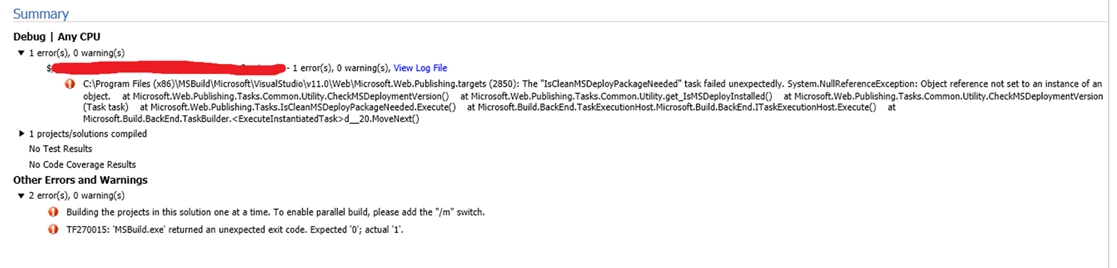
This can simply be because you have not installed Web Deploy 2.0 on your TFS Server. The Web Deploy is actually the one deploying your ASP.Net application to the remote IIS in the background, and if you don’t have it installed on your TFS Server, it won’t find the binaries and give you this error. You can download Web Deploy here: http://www.microsoft.com/en-ca/download/details.aspx?id=25230 (opens in a new tab)

