
AB-650 Exam Review: Where Your Study Hours Should Really Go
 By Vlad Catrinescu Microsoft MVP and MCT · Pluralsight Author
I took the AB-650 exam while it was still in beta. If I had planned my study time around the exam’s title, I would have studied the wrong things, and that’s the main thing I want you to know before you book it. Of course I can’t share any questions because of the NDA which we should all respect, but in this blog post, I want to share with you where I’d put your study hours and what to expect on exam day.
Key takeaways
- The biggest part of the AB-650 is Govern and secure Microsoft 365 tenants and workloads, at 40-45% of the exam, and it’s mostly Microsoft Entra and Microsoft Purview.
- For Purview, you need to know how to configure things like DLP policies and sensitivity labels, not just what they do.
- Settings for Microsoft Copilot (formerly Microsoft 365 Copilot), Microsoft Agent 365 and SharePoint Advanced Management change fast, so click through them yourself before the exam.
- Expect PowerShell, including knowing which older modules Microsoft doesn’t recommend anymore.
- If this is your first Microsoft exam, start with the AB-900 and the SC-900.
- If you were planning on the MS-102, it retires on November 30, 2026, and Microsoft recommends the AB-650 instead.
What the AB-650 exam really tests
The exam is called Administering Microsoft 365 and AI Services, and passing it gets you the Microsoft 365 and AI Services Administrator Associate certification. Microsoft first announced it as the AI Services Administrator Associate, so you’ll see both names out there. If you read either name and go straight to booking, you’ll walk in expecting a Microsoft 365 administration exam with some Copilot on top.
That’s not really what this is. My exam had a lot of Microsoft Entra and a lot of Microsoft Purview, and not that much Microsoft 365 directly. Everything was still about things that affect Microsoft 365, so it makes sense once you’re sitting there. It’s just not where I would have put my study hours based on the title alone.
And I have to be fair to Microsoft, because the study guide does tell you this. Look at how the exam is split, and Govern and secure Microsoft 365 tenants and workloads is worth 40-45%. That’s the biggest area by far, almost half of the exam, and it’s almost entirely Entra and Purview, with Microsoft Defender for Office 365 in there as well.
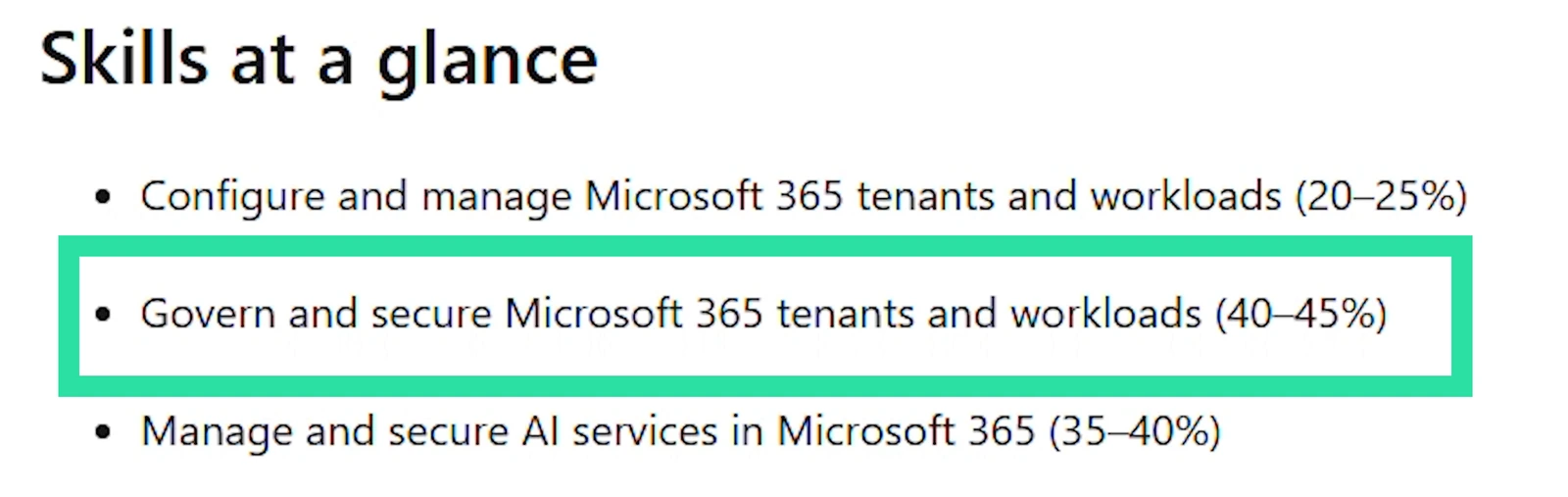
| Skill area | Weight | What’s in it |
|---|---|---|
| Configure and manage Microsoft 365 tenants and workloads | 20-25% | Tenant settings, domains, licenses, Microsoft 365 Backup, mailboxes, teams and SharePoint sites |
| Govern and secure Microsoft 365 tenants and workloads | 40-45% | Microsoft Entra identities and authentication, Microsoft Defender for Office 365, Microsoft Purview |
| Manage and secure AI services in Microsoft 365 | 35-40% | Copilot settings, agents and Microsoft Agent 365, AI usage and cost monitoring |
Even the AI part brings Entra back in, since agents now get their own identities through Microsoft Entra Agent ID. You can see the full breakdown in the AB-650 study guide on Microsoft Learn (opens in a new tab).
So the information is right there. It’s the exam title and the AI Services Administrator name on the certification that pull your attention toward Copilot and agents, when about half of the exam is identity and data protection.
My advice is the same one I’ve been giving IT pros for years, for every exam. Don’t just look at the title, and don’t just look at the marketing around it. Look at the study guide and at how Microsoft splits the exam, because the two don’t always tell the same story. Study everything, but if you’re going to over-invest anywhere, over-invest in Microsoft Entra and Microsoft Purview.
What I would brush up on
Let’s get a bit more practical. I’m calling out these areas because a lot of Microsoft 365 admins don’t use them day to day.
Microsoft Entra ID
Start with Microsoft Entra ID, and that includes authentication methods and Microsoft Entra Password Protection. Don’t forget that most organizations still have hybrid environments, so you need to know how to configure and manage those too, not just cloud-only scenarios. Password Protection is a good one to practice for that, since you can extend its banned password lists to your on-premises Active Directory with agents on your domain controllers.
Microsoft Defender for Office 365
Next is Microsoft Defender for Office 365. Go play with all the different services inside it, and not just on their own, but also how they integrate with Microsoft Purview.
Microsoft Purview
Speaking of Purview, this isn’t the SC-900, where you just need to know what each product does at a high level. You need to know how to actually configure it: data loss prevention (DLP) policies, sensitivity labels, sensitive information types. Reading about them isn’t enough, so get into the portal and build a few of each.
Copilot and Agent 365 in the Microsoft 365 admin center
This is a big one for the AI part of the exam. You need to know where everything is in the Microsoft 365 admin center for managing Copilot, and for Microsoft Agent 365.
I know what you might be thinking, and I agree: that whole area is brand new and moving fast. That’s how Microsoft ships things today, so remembering a blog post you read three months ago might not be enough. Go click through the admin center yourself before the exam. Microsoft’s study guide even says the exam can include preview features when they’re commonly used.
SharePoint Advanced Management
And don’t forget SharePoint Advanced Management. This is another one where you need to look at the latest, because it moves fast. Restricted Content Discovery (opens in a new tab), or RCD for short, changed behavior recently. Microsoft announced the change in message center post MC1427972, and the rollout started in late July 2026.
With the new behavior, files you recently accessed on a site with RCD turned on no longer show up for you in Copilot or Microsoft 365 search. Before, if you had recently viewed, edited or shared a file, you could still find it. The update also removes the Copilot button, the AI menus and Create pages with AI from those sites. Some older documentation still describes the old behavior, so make sure you know what changed. I also go deeper on RCD in my post on SharePoint agent governance.
Learn where things live across the admin centers
A broader tip for the entire exam is to learn where things live across the different admin centers. For any given task, know all the places you could configure it, because some settings exist in more than one admin center. Creating a user is the easy example, since you can do it in the Microsoft 365 admin center or in the Microsoft Entra admin center. At associate level, knowing which admin center is best, or which one gives you the option Microsoft is asking about, is an important distinction.
How much PowerShell is on the AB-650?
Because this is an associate exam, you also need to know PowerShell. The PowerShell questions I got weren’t that difficult, but I also spend way more time in PowerShell than the average IT pro, so that might be why they felt easy to me.
At a high level, know which modules you have, how to connect to each service, and what a few commands look like for each module. If you want a quick refresher, these are the main ones:
| Service | Module | Connect with |
|---|---|---|
| Microsoft Entra ID and Microsoft Graph | Microsoft Graph PowerShell | Connect-MgGraph |
| Exchange Online | ExchangeOnlineManagement | Connect-ExchangeOnline |
| Microsoft Purview (Security & Compliance PowerShell) | ExchangeOnlineManagement | Connect-IPPSSession |
| SharePoint | Microsoft.Online.SharePoint.PowerShell | Connect-SPOService |
| Microsoft Teams | MicrosoftTeams | Connect-MicrosoftTeams |
You also need to know the past modules. You might get questions where more than one option would work, but some of them use modules that Microsoft doesn’t recommend anymore, like the Azure AD and MSOnline modules that Microsoft Graph PowerShell replaced (opens in a new tab). So know which modules to use today.
Where to start if this is your first Microsoft exam
If this is your first Microsoft certification exam, or you’re just starting with Microsoft 365 and Copilot administration, I would start with the AB-900 (Microsoft 365 Copilot and Agent Administration Fundamentals) and the SC-900 (Microsoft Security, Compliance, and Identity Fundamentals). They aren’t required for the AB-650, but they give you a lot of the foundation on Microsoft 365, Copilot, Purview and Defender, and you can build up to the associate level from there. My AB-900 study guide and SC-900 study guide have free resources for both.
What to expect on exam day
I can’t share the number of questions on the exam, but Microsoft says (opens in a new tab) most of its exams have between 40 and 60, and you get 100 minutes for an associate exam, or 120 if it may contain labs. For an associate-level exam like this one, expect the more advanced question types too: scenarios, questions where you put steps in the right order (Microsoft calls those build list questions), and pretty much every other question type Microsoft uses. You can try them all in Microsoft’s free exam sandbox (opens in a new tab).
Is the AB-650 a fair exam?
If I had to give an opinion, I think it’s a really fair exam, and a really fair test of how the job of a Microsoft 365 administrator has changed in the era of AI. For a long time, a lot of us mostly needed to know how to manage SharePoint. Now we need to understand identity better, because identity is the first way people get hacked. We need to understand data protection and Purview. And now we’re governing agents that have their own identities, all on top of the workload administration we already do.
So I think it points people in the right direction, with the right knowledge. Just go in with the right expectations about where the weight actually sits. If you’re a SharePoint, Teams or Exchange admin and you haven’t really touched Purview or Entra ID, learn those before you sit the exam.
What this means for you
If you’re a Microsoft 365 admin, this is the certification that lines up with what the job looks like now. And if you were planning to take the MS-102, keep the date in mind: Microsoft retires it on November 30, 2026, and recommends the AB-650 certification instead.
To get ready, I would go in this order:
- Read the AB-650 study guide and check yourself against the Govern and secure section first, since it’s 40-45% of the exam.
- In a test tenant, build a few DLP policies, sensitivity labels and sensitive information types, and spend time in Defender for Office 365.
- Click through the Copilot and Agent 365 settings in the Microsoft 365 admin center, and read up on the new RCD behavior.
- Practice connecting to each service with the current PowerShell modules.
- If this is your first Microsoft exam, take the AB-900 and the SC-900 first.
Ready to start studying for the AB-650? My AB-650 study guide covers every skill measured on the exam, with free study notes and resources. And if you want to go deeper on Microsoft 365, Copilot and Purview, check out my 100+ courses on Pluralsight (opens in a new tab).
Frequently asked questions
Is the AB-650 replacing the MS-102 exam?
Yes. Microsoft is retiring Exam MS-102 on November 30, 2026, along with the Microsoft 365 Certified: Administrator Expert certification, and it recommends the AB-650 certification as the replacement. If you already have the Administrator Expert certification, it stays valid until it expires.
When do you get your AB-650 beta exam results?
Not on exam day. Beta exams are scored once the exam goes live, and Microsoft releases the results about 10 days after that. Microsoft expects the AB-650 to become generally available in October 2026, and if you pass the beta, it counts toward the certification.
Can you use Microsoft Learn during the AB-650 exam?
Yes. You can open Microsoft Learn during associate and expert exams, and the AB-650 is an associate exam. You don't get extra time for it, though, so use it to double-check something, not to look up every answer.
Is there a practice assessment for the AB-650?
Not yet. Microsoft says practice assessments usually come out within 8 weeks of an exam leaving beta. Until then, the exam sandbox is a good way to get used to the question types.
Can you take the AB-650 exam in a language other than English?
Not right now. English is the only language listed on the exam page, but you can request an extra 30 minutes if the exam isn't available in your language.

