
Step By Step Guide to configure the “Replicating directory changes” for SharePoint 2010 and 2013
 By Vlad Catrinescu Microsoft MVP and MCT · Pluralsight Author
This guide is a step by step guide with Screenshots to give the “Replicating Directory changes” rights to the SharePoint user profile account that will be used to synchronize the user profiles.The screenshots were taken in Windows Server 2012, however the steps are identical or very similar in Windows Server 2008 and 2008 R2.
The Guide
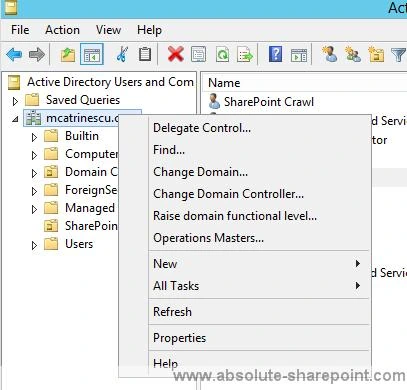
In Active Directory Users and Computers, right-click the domain, and then click Delegate Control.
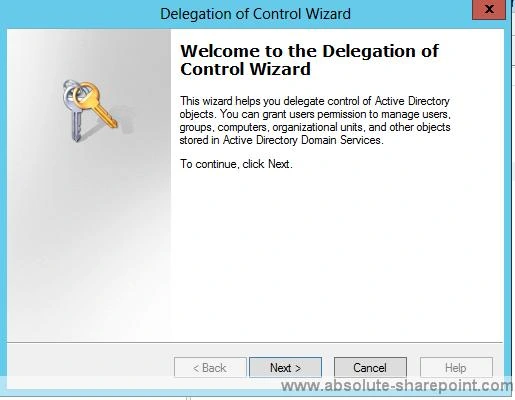
On the first page of the Delegation of Control Wizard, click next.
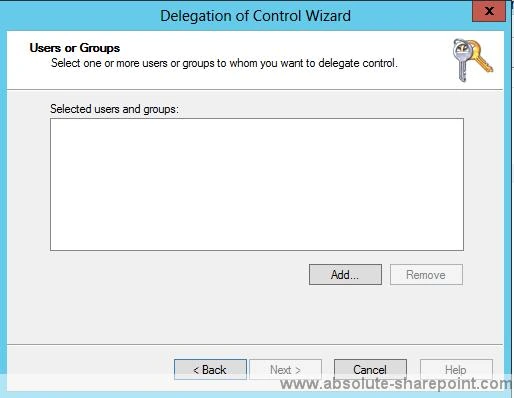
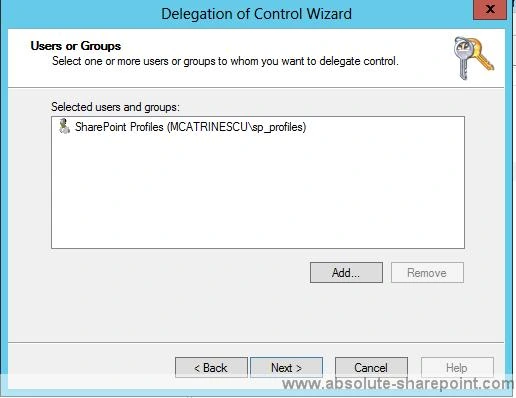
On the Users or Groups page, click Add.
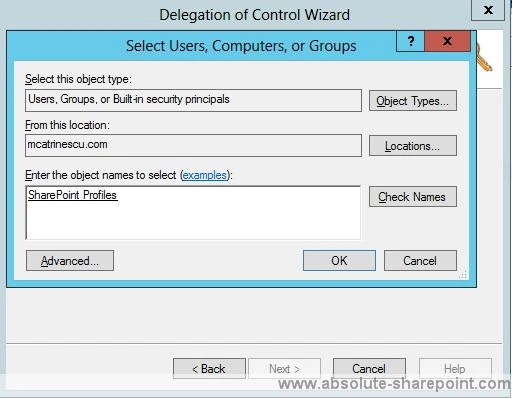
Type the name of the synchronization account, and then click OK.
Click Next.
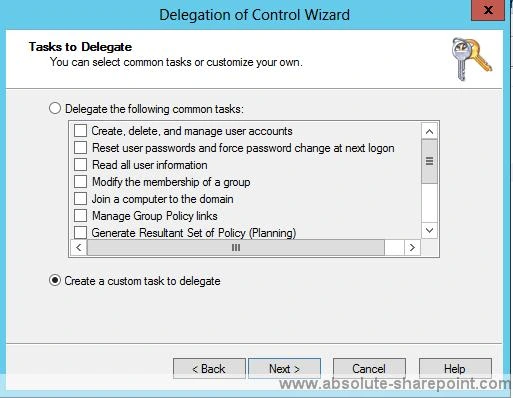
On the Tasks to Delegate page, select create a custom task to delegate, and then click Next.
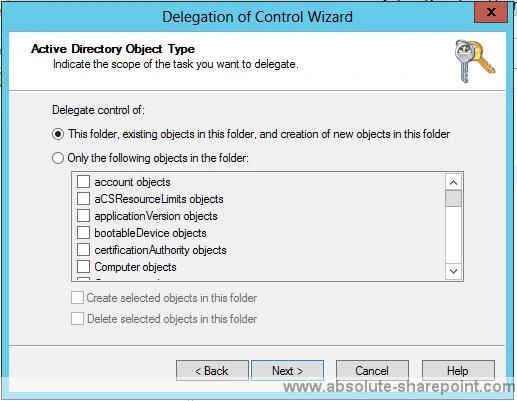
On the Active Directory Object Type page, select this folder, existing objects in this folder, and creation of new objects in this folder, and then click next.
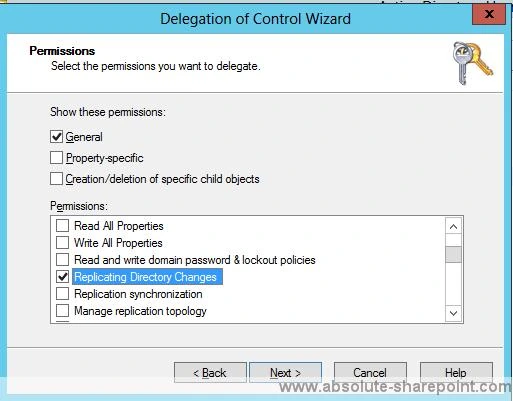
On the Permissions page, in the Permissions box, select Replicating Directory and then click Next.
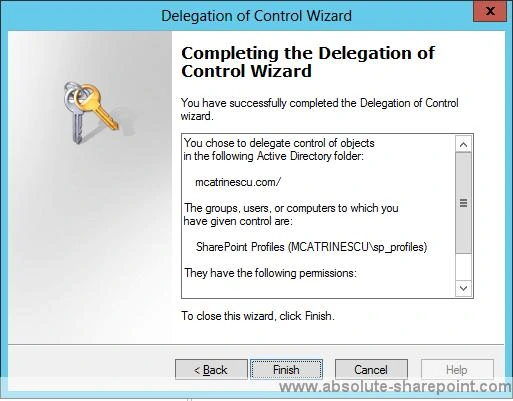
Click Finish.
If you need to send the Guide to somebody, or download it for future reference, I also made it in PDF and you can download it here: Step By Step Guide to configure Replicating Directory Changes (opens in a new tab)

