
Community Site is Missing the Enable Auto Approval Option
 By Vlad Catrinescu Microsoft MVP and MCT · Pluralsight Author
While I was doing a Proof of Concept for Community sites in SharePoint 2013, I wanted to show how users can automatically join communities without being approved by an administrator. However, when I went into the Community Settings I realized that my Community Site is Missing the Enable Auto Approval Option.
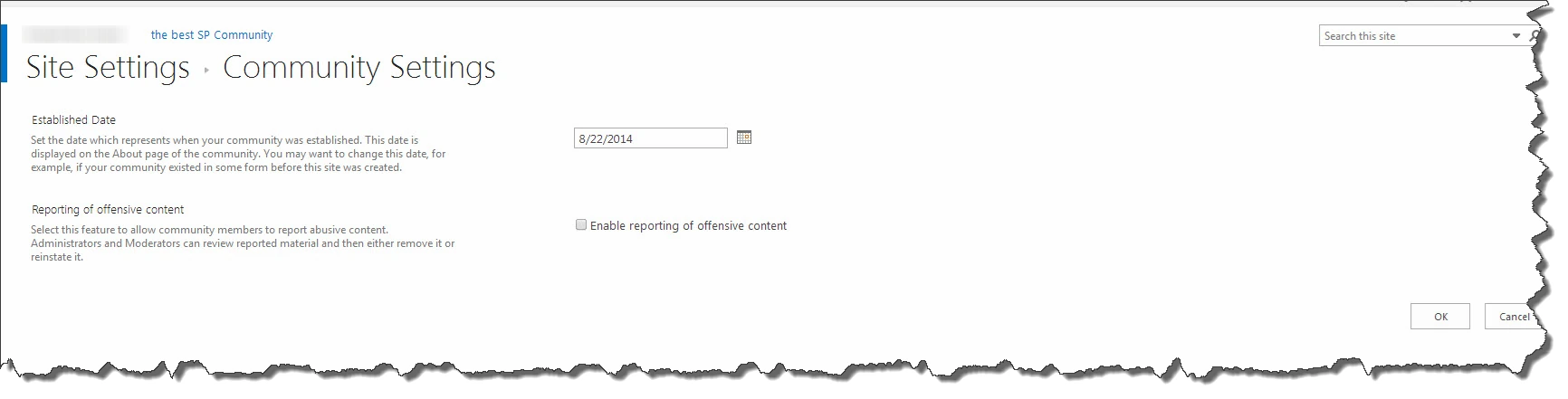
When it should look like this 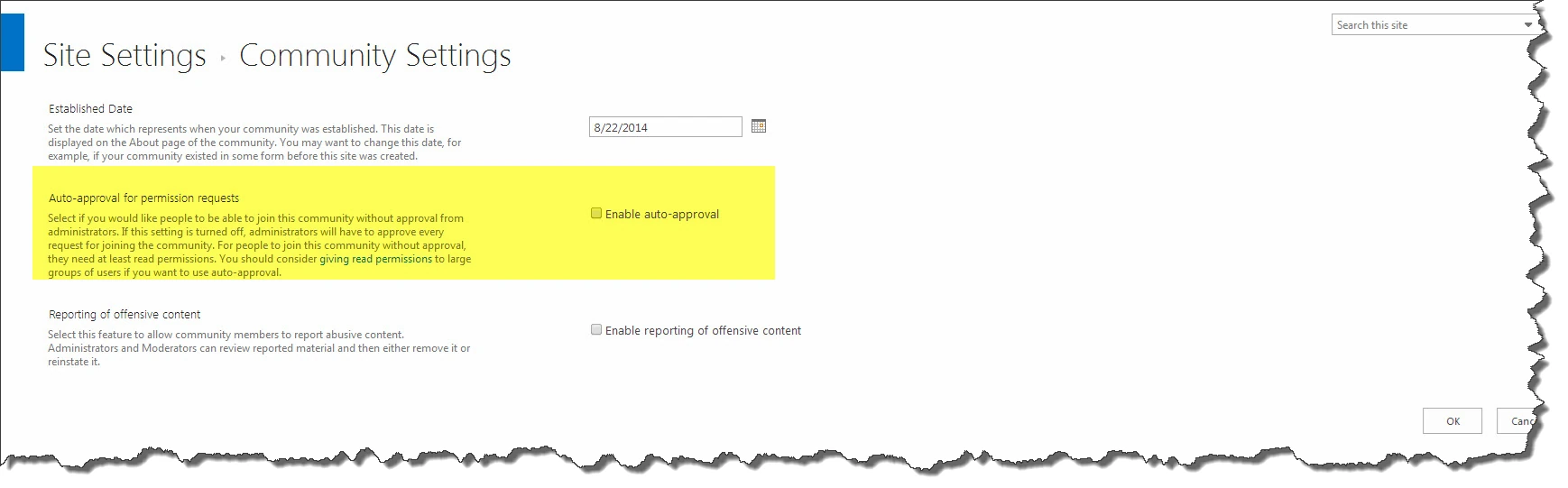
I checked in Microsoft’s code to see if this is a bug, or made on purpose by the SharePoint Team, and it’s in fact made on purpose by the SharePoint team!
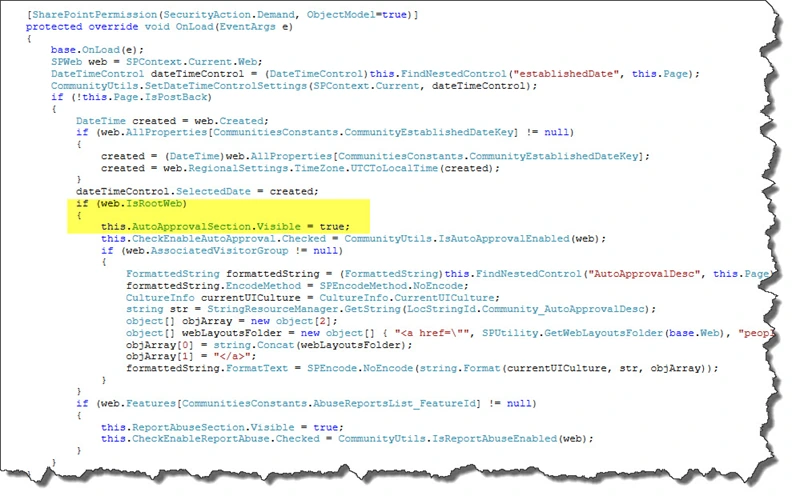
I found out that the “Auto-Approval for permission request” section only appears when your community is a site collection and not a sub-site! So, if you need this functionality, make sure you create your community as a Site Collection!

