
Microsoft 365 Conference 2026 Recap: Top Announcements
 By Vlad Catrinescu Microsoft MVP and MCT · Pluralsight Author
The Microsoft 365 Conference 2026 in Orlando wrapped with two back-to-back keynotes from Jeff Teper and Ryan Cunningham, packed with announcements across SharePoint, Microsoft Teams, Microsoft Copilot, and Agent 365. This recap cuts through the marketing buzz and focuses on what actually matters for IT pros: the SharePoint Skills public preview, Agent 365 going GA on May 1, the new Shadow AI pane, channel agent workflows in Microsoft Teams, and the multi-model story between Microsoft and Anthropic. Here is what was announced and what it means for your day-to-day job.
Key takeaways
- SharePoint Skills are now in public preview and included in Microsoft 365 and SharePoint AI licensing. Jeff Teper called this his favorite announcement of the week.
- Agent 365 hits general availability on May 1, priced at $15 per user per month standalone or included with E7. A new Shadow AI pane helps IT block unsanctioned AI use through Intune policies.
- Microsoft Copilot now offers a true multi-model experience: Claude models, OpenAI models, or Auto. The Researcher Critique feature pairs a GPT class model with a Claude class model for higher quality output.
- Channel agent workflows in Microsoft Teams can trigger Azure DevOps, GitHub Copilot, Asana, and Jira automations from a single chat message or emoji reaction.
- The new SharePoint UI announced at the SharePoint 25-year party is now generally available, and Viva Connections plus Viva Amplify are being folded back under the SharePoint brand.
- Vibe coding for the enterprise launched on vibe.powerapps.com, with NASA as the headline customer running 47,000 monthly active Power Platform users on the same stack.
Microsoft 365 Conference 2026: Two Keynotes, One Story
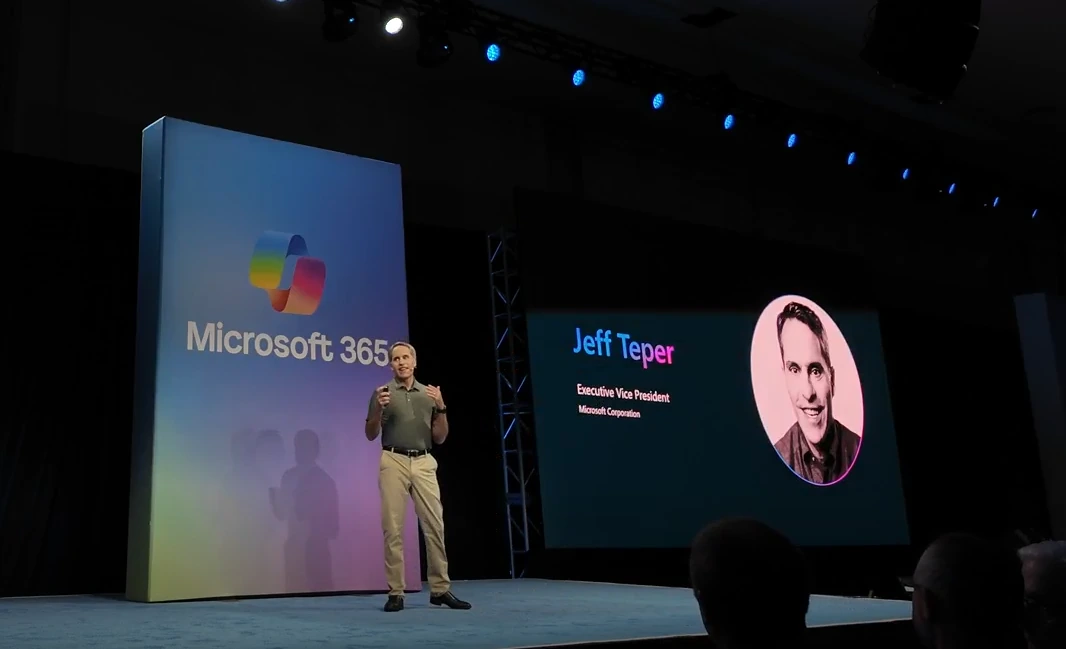
Jeff Teper, the father of SharePoint, opened the Microsoft 365 Conference 2026 with a keynote covering Microsoft Copilot, Microsoft Teams, and SharePoint. Ryan Cunningham followed immediately with a session on apps, agentic AI, and governance. Because the Power Platform team and the Microsoft 365 team are now one combined organization at Microsoft, both leaders represented the same product family on stage. With no break between the two sessions, the experience felt more like one extended keynote than two separate ones.
What Was New for Microsoft Copilot
From a usage point of view, Jeff Teper shared that over 90 percent of the Fortune 500 has now deployed Microsoft Copilot. That is a significant adoption milestone. From a feature point of view, however, this keynote was less about brand new announcements and more about cementing the Microsoft and Anthropic partnership and showcasing recent investments.
Multi-Model Support With Claude and OpenAI
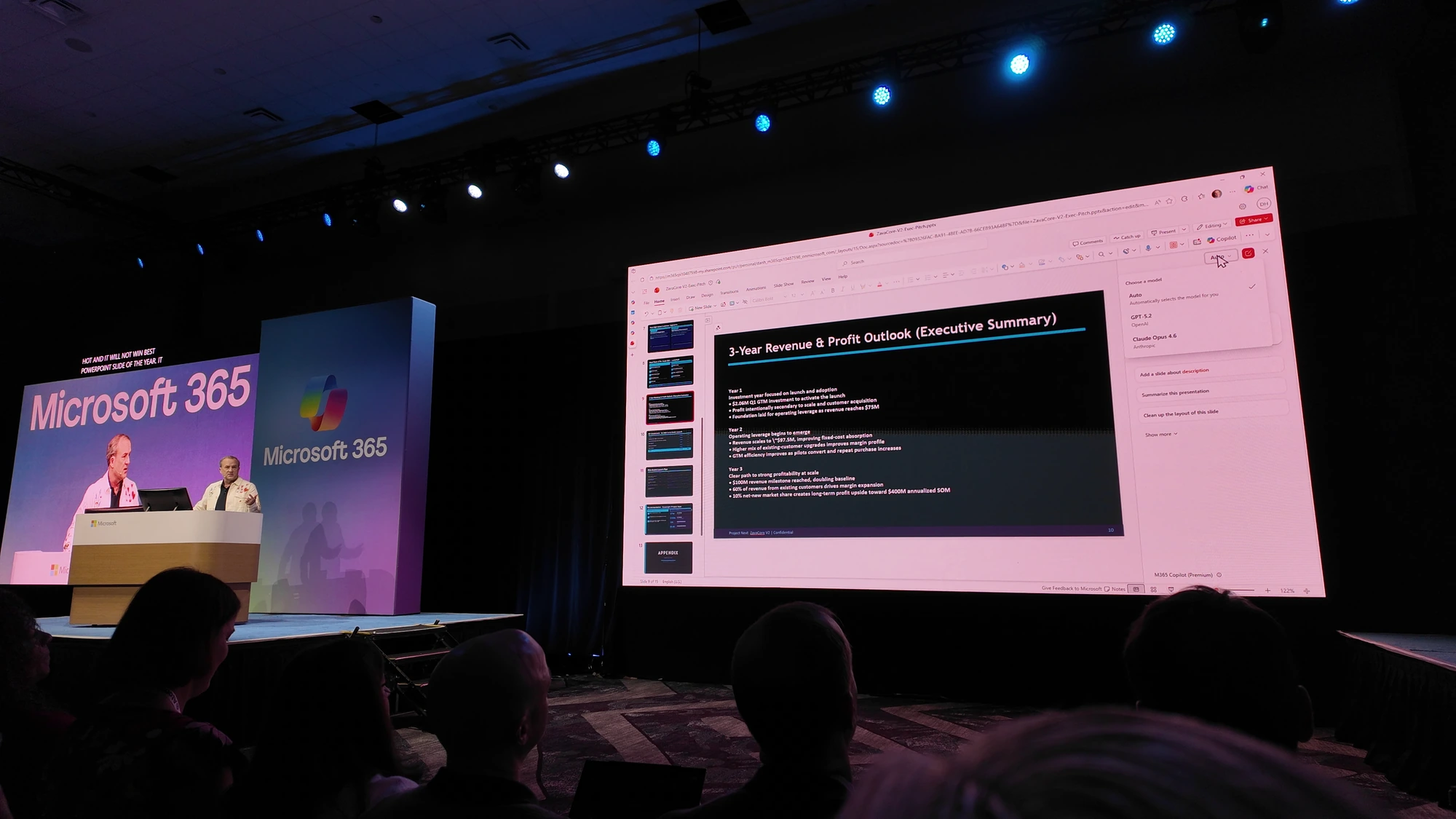
Microsoft is doubling down on the multi-model approach in Microsoft Copilot. As a user, you can now choose between Claude models, OpenAI models, or let Copilot pick automatically with Auto mode. If the multi-model story is new to you, my guide to customizing Microsoft 365 Copilot concepts and terms walks through the building blocks. The most memorable Copilot demo of the keynote was Dan Holm using Claude inside PowerPoint to take a boring finance slide and turn it into something visually polished. For PowerPoint work, Claude has been particularly strong, and that is a case where I would skip Auto and pick Claude directly. The multi-model story also extends into Copilot Studio, where makers can now build agents on top of Anthropic models like Opus 4.7. This is a meaningful shift for anyone building custom agents because it removes the assumption that maker tools are locked to a single model family.
Researcher and the Critique Agent
The Researcher Critique feature is not technically new. Microsoft blogged about Council and Critique a few weeks before the conference, but seeing it on stage made the value of multiple models in Microsoft Copilot click. Researcher now runs a GPT class model and a Claude class model in tandem. The first model handles the planning, research, and drafting. The second model steps in as an expert reviewer, evaluating and refining the draft before you ever see it. The result is that the first thing you read is already higher quality than a single model pass. Worth flagging for IT admins: in the keynote demo, Researcher applied the right sensitivity label and security policies to its output automatically, so the AI governance story is built in rather than bolted on.
Copilot Cowork Versus Claude Cowork
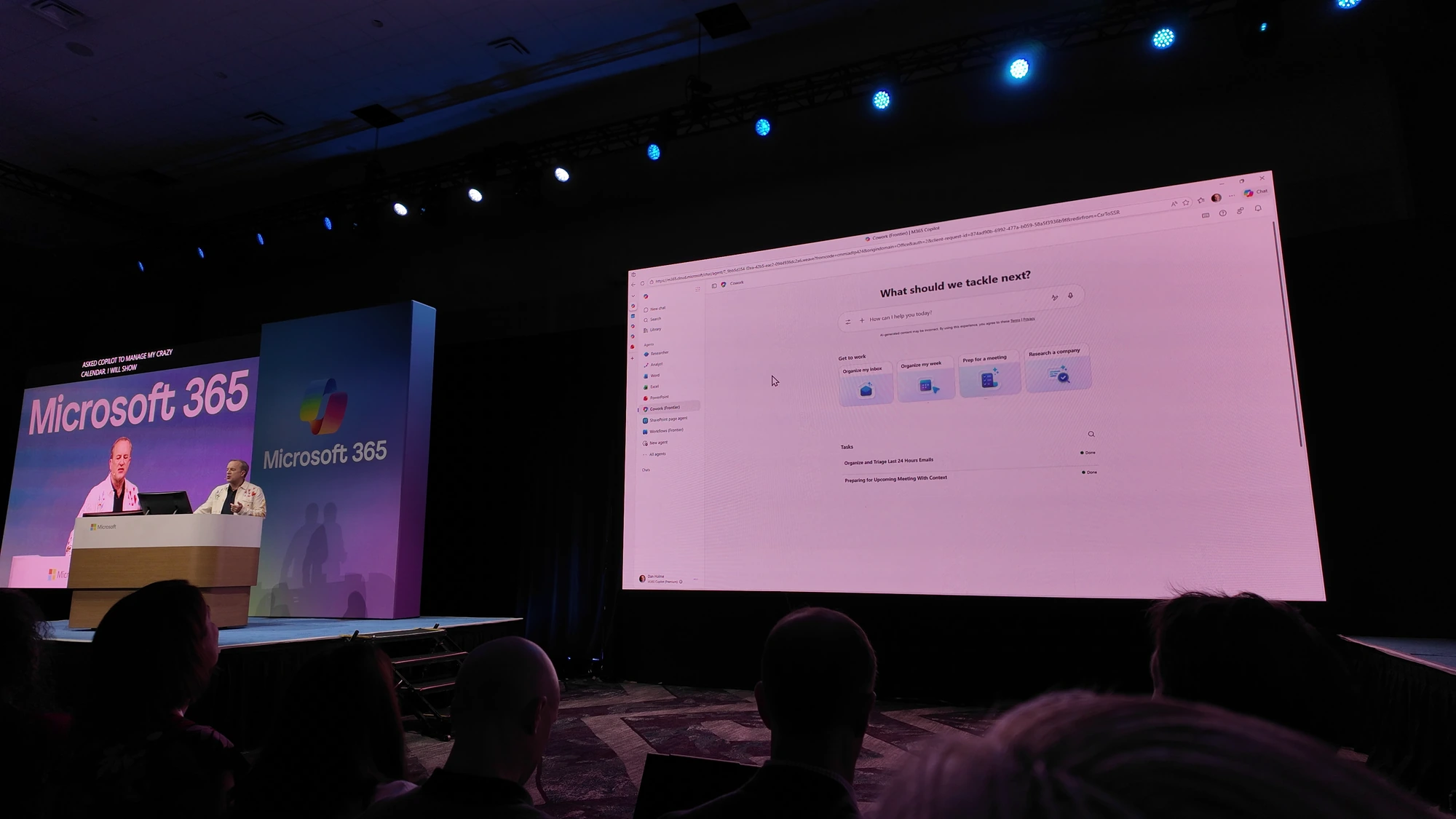
Microsoft also showed Copilot Cowork, which launched a few weeks before the conference. Copilot Cowork takes the underlying technology behind Anthropic’s Claude Cowork and adds Microsoft’s two enterprise ingredients on top: Work IQ for grounding in your organizational data, and Microsoft’s security and compliance controls. For a deeper look at Work IQ, I covered it in detail with Microsoft’s Adam Harmetz on knowledge agent licensing and Work IQ. Both products share the Cowork name, but they are not the same tool.
Copilot Cowork runs in the Microsoft cloud, so you don’t need a dedicated mini PC sitting in a closet to run overnight tasks. The trade-off is that it can reach fewer services and data sources outside the Microsoft 365 boundary. Claude Cowork runs locally on your device, which means it can access your PC directly, run PowerShell and Bash scripts, and plug into a much wider range of third-party services. The catch is that you need a PC running 24/7 for overnight tasks, and connecting it to enterprise data may raise concerns with your security and compliance team.
Personally, I run a mini PC at home dedicated to overnight Claude Cowork tasks. Most IT pros will need to figure out which Cowork is the right fit for each scenario before rolling either one into production.
Microsoft Teams Updates From the Microsoft 365 Conference 2026
Microsoft Teams got a healthy mix of fundamental improvements and new AI capabilities at the Microsoft 365 Conference 2026.
Fundamentals: Loop Pages, Threaded Discussions, and Catch Up
Jeff Teper reminded the audience that loop pages inside channels and Slack-style threaded discussions both shipped recently. If those are features you have been waiting for, you now have multiple ways to use them inside Microsoft Teams.
The brand-new feature on the fundamentals side is Catch Up. On mobile, you can now swipe through your notifications and either mark them as read or keep them unread for later. The idea is to triage on the go and answer back from your desktop where the real work happens.
Customizable Meeting Controls
The meeting toolbar in Microsoft Teams is being redesigned with customizable controls. If you have ever clicked Leave when you meant to stop sharing, this update is for you. It is a small change, but it is a good reminder that Microsoft is still investing in the fundamentals and not putting every engineer on Microsoft Copilot.
Facilitator and Channel Agents
On the AI side, the facilitator agent keeps the meeting agenda visible at the top, takes continuous notes, and merges context from the meeting transcript, the chat, and the live web to answer ad hoc questions. You can ask it to produce a one-pager directly from a chat conversation.
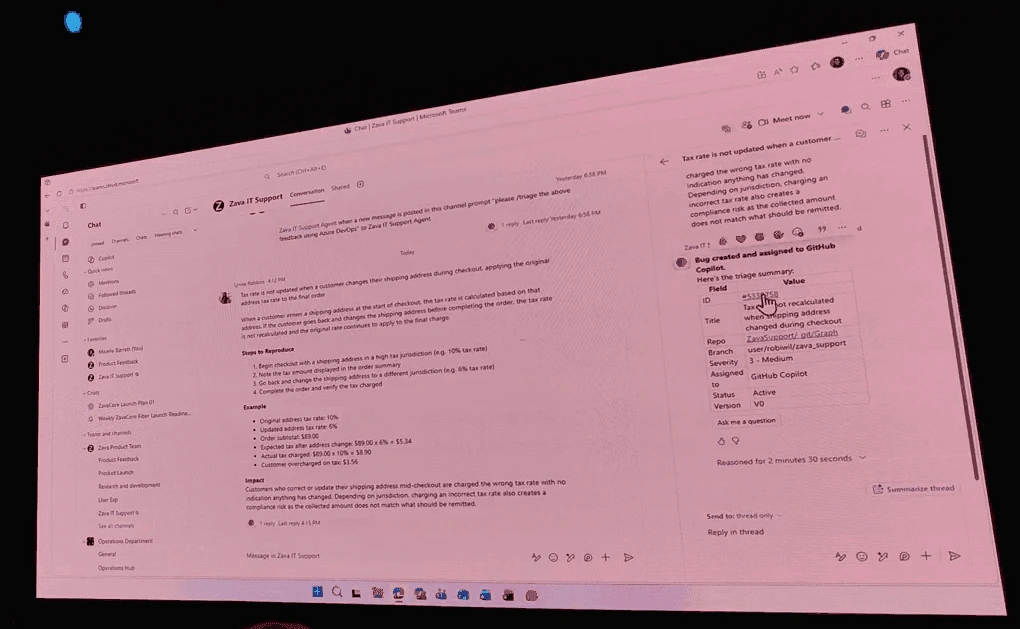
Even more interesting is the channel agent, which can drive real business workflows. The keynote demo showed a feedback message in a Microsoft Teams channel triggering an automation that created a bug in Azure DevOps, assigned it to GitHub Copilot, opened a pull request, and tagged the engineering manager for review. The entire chain ran in a few minutes from a single Microsoft Teams message, and the trigger could even be an emoji reaction. Channel agents can also integrate with Asana, Jira, and other systems.
If you run any kind of triage process, this is the kind of automation that can save real hours. It also lowers the bar for IT pros who never built a Power Automate flow because the channel agent can be configured with an inline prompt.
SharePoint Got the Biggest News at M365 Conf 2026
SharePoint, dare I say the best tool in the stack, got the biggest chunk of real announcements.
New SharePoint UI Goes Generally Available
The new SharePoint UI announced at the 25-year party in March is now generally available. That includes the new portal, the cleaner navigation for Discover, Publish, and Build, and the unified OneDrive experience that is now consistent across Microsoft Teams, SharePoint, and Outlook. Microsoft also confirmed during keynote week that a new Outlook mobile experience is on the way, so the Outlook side of that story is not standing still either.
Viva Connections and Viva Amplify Rebrand to SharePoint
Announced just before the conference, Viva Connections and Viva Amplify are being rebranded back under the SharePoint name. Viva Connections Mobile will literally be renamed to SharePoint, and you will see that experience inside Microsoft Teams Mobile with a combined feed of news articles from across your organization.
I have to laugh a bit at this one. When Viva launched, half the internet declared it a SharePoint killer. A few years later, the apps are coming home to SharePoint where they belong. Having watched the SharePoint platform evolve for over a decade, the brand has only gotten stronger. Ten years ago people were asking if SharePoint was dying. Today nobody asks that, because SharePoint sits at the center of Microsoft Copilot grounding.
AI Comes to SharePoint Lists
Microsoft finally fixed one of the biggest pain points for SharePoint power users. AI is now built into SharePoint Lists. You can ask natural language questions on your list data, create new items by describing them, and format columns without writing a single line of JSON. The same experience now works on lists, document libraries, news posts, and sites.
SharePoint Skills Public Preview
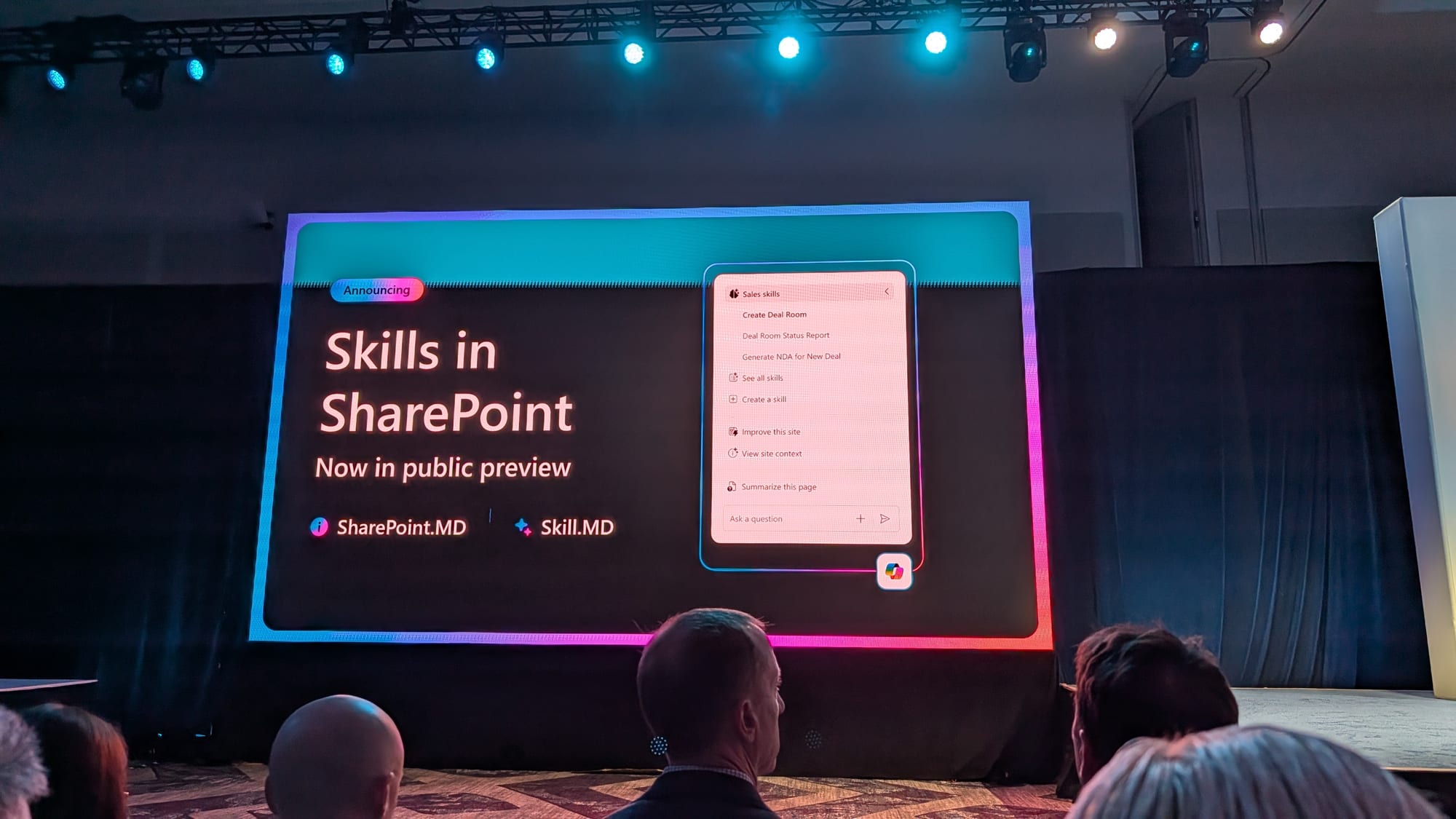
The biggest SharePoint announcement at the Microsoft 365 Conference 2026 is SharePoint Skills, now in public preview. Jeff Teper called this his favorite announcement of the week, and I agree completely.
A quick but important note on licensing: SharePoint Skills are included in your Microsoft 365 license and the SharePoint AI license, which is included in Microsoft Copilot. They are available in public preview today, so you can start getting value from them right now.
The workflow is simple. You describe a SharePoint process in plain English, something like “Create a deal with these four folders inside, these two templates, and this metadata.” SharePoint saves it as a reusable skill that lives in your site. Anyone with access can invoke the skill by asking “Create me a new deal folder” or “Create a new deals workspace.” The skills are markdown files stored directly in the site, and they are versioned, governed, and editable using the SharePoint controls you already know.
I could spend hours talking about SharePoint Skills, and I already made a full walkthrough video on how they work, including the file structure and how to build them for your team. The link is below in the CTA section.
One detail many people missed in the keynote slides: the SharePoint Skills UI shown on stage included a grouping of “Sales skills” with multiple skills underneath, plus controls to see, create, and view site skills. None of that grouping UI is in the public preview yet, so Microsoft was clearly teasing capabilities that have not been formally announced.
Agent 365 Hits General Availability on May 1
Ryan Cunningham’s keynote opened with the biggest agent news of the week. Agent 365 reaches general availability on May 1, only a week after the conference.
Agent 365 Pricing
Agent 365 launches at $15 per user per month standalone, or it is included as part of E7. I am not going deep on Agent 365 licensing in this recap, but those numbers will help you start the conversation with your procurement team.
Agent 365 is your control plane for every agent in your organization. It provides a single registry across first-party Microsoft agents, agents built on the Microsoft 365 SDK, and even agents brought in from Amazon Bedrock or Google. The keynote demos confirmed that more platforms are on the way.
The New Shadow AI Pane
A new Shadow AI pane in Agent 365 caught my attention because I had not seen it before. The keynote demo showed a user running an unsanctioned AI client connecting to company data from a Windows PC. Agent 365 surfaced that activity, and IT pushed an Intune policy from the same pane to block it. If you are building governance around generative AI, this is a meaningful addition.
Onboarding Agents With Governance Templates
The Shadow AI pane is the discovery side of Agent 365. The onboarding side is where IT admins will spend most of their time. Agent 365 introduces governance templates, which are bundled groups of policies spanning Microsoft Entra, Microsoft Purview, Microsoft Defender, and SharePoint. When someone in your organization publishes an agent, you decide who gets access, whether the agent should be pre-installed for those users, and which template applies. Once you accept the permissions, the agent goes live with the guardrails you set.
Templates matter because they let you scale governance instead of hand-configuring every agent. As your organization moves from a handful of agents to hundreds, that consistency is what keeps Shadow AI off and innovation on.
One Billion Agents by 2028, and Microsoft’s Internal Number
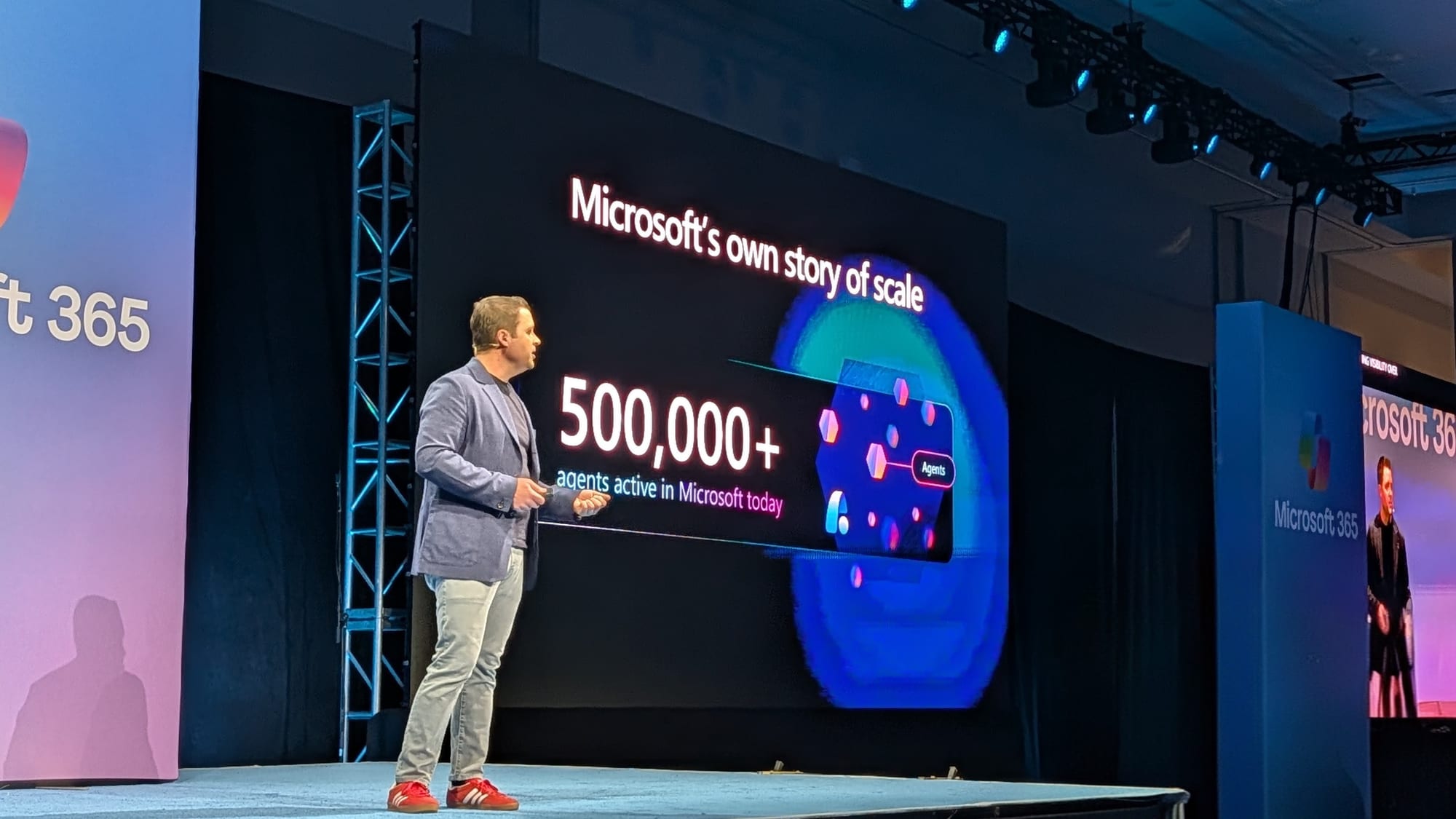
Microsoft and IDC have shared the projection that there will be over one billion agents worldwide by 2028. I was a non-believer when I first heard it. Then Ryan shared a statistic that made the projection feel a lot more realistic. Microsoft internally manages more than 500,000 agents today, against 228,000 employees globally. That is more than two agents per employee, and agents have been a real category for less than a year. Awesome and a little scary at the same time.
Vibe Coding and the NASA Power Platform Story
Ryan Cunningham’s keynote also introduced vibe coding for the enterprise on the new vibe.powerapps.com surface, paired with one of the strongest customer proof points of the week: NASA running real workloads on Power Platform.
What Vibe Coding Looks Like in Power Platform
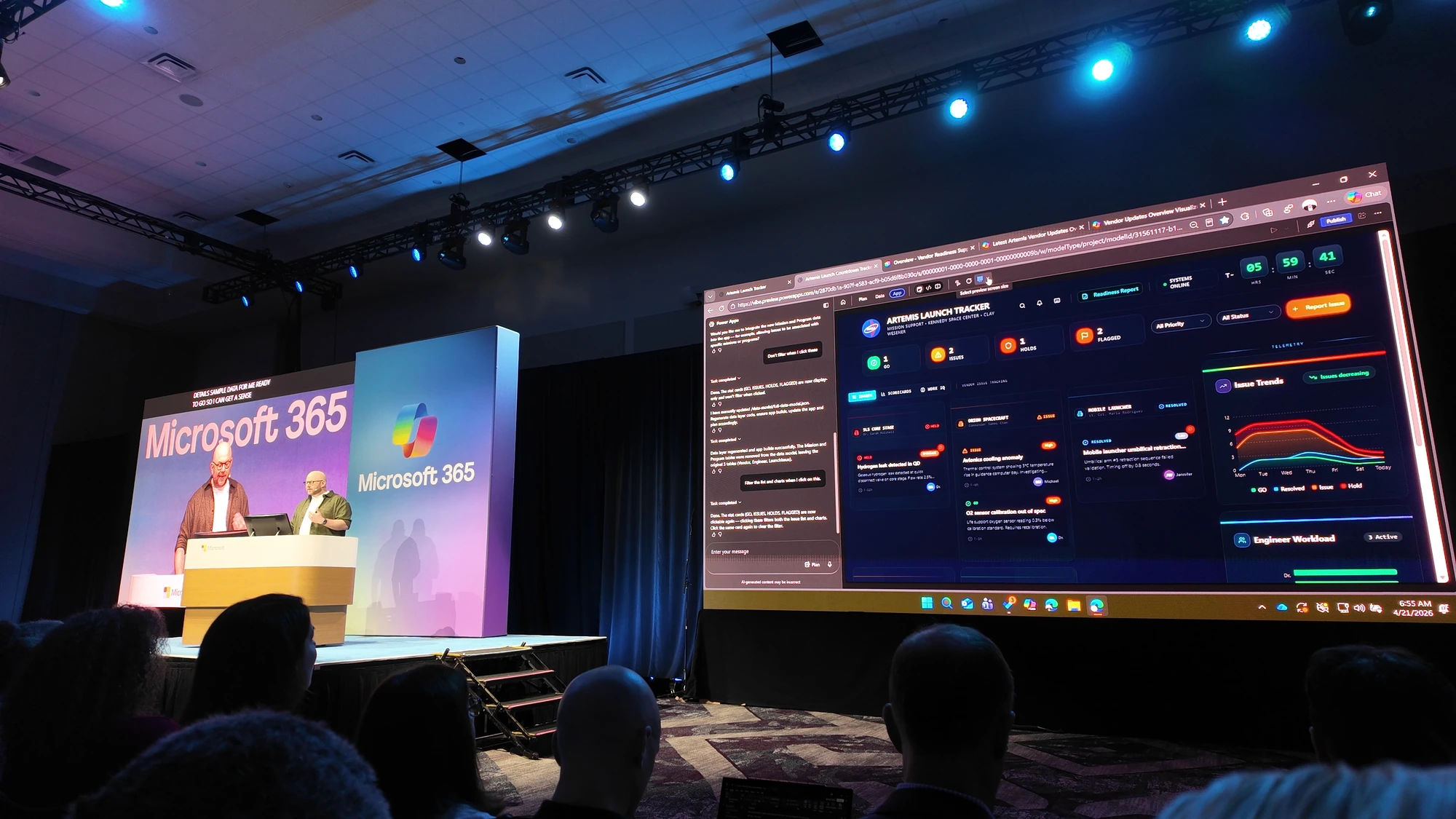
The premise is simple. You describe the app you want in plain language, the agent asks clarifying questions, and you get back a plan covering the UX design, functional requirements, data model, and design direction before any code is written. After you accept the plan, the agent generates the app, including sample data, a responsive mobile layout by default, and the underlying Dataverse tables. Inline edits let you switch between visual point-and-click changes and prompt-driven changes inside the same surface.
Two integrations are worth calling out for IT pros. First, Work IQ is built in, so generated apps can pull context from Microsoft Teams meetings, email, and other organizational signals without manual wiring. Second, the data layer ships into Dataverse by default, the same platform that backs Dynamics 365, secured by Microsoft Entra. The app you generate is not a sandbox toy. It is publishable across your organization with the governance you already use.
You can layer a custom agent on top via Copilot Studio. In the keynote demo, Clay Westner stood up an agent powered by Anthropic Opus 4.7 with access to vendor agreements in SharePoint and the Dataverse and Power Apps MCP service, all without re-explaining context the underlying app already knew.
NASA on Power Platform: 47,000 Monthly Actives and a Real Artemis Use Case
Chris from NASA joined Ryan on stage to talk about the agency’s Power Platform program. The numbers are striking. NASA has roughly 51,000 employees with full premium access to Power Apps and Power Platform, and approximately 47,000 of them are active every month. That is essentially saturation, with hundreds of deployed applications and 800 solutions in production.
The headline use case was DWACR, the Display Work Authorization Package Operations and Maintenance Systems Requirements Compact Unique Identifier. Despite the acronym-of-acronyms name, the app consolidated three legacy systems into a single Power Platform solution that gave 20 organizations across NASA, all the way up to the administrator’s office, a real-time view of testing and prep work from T-minus 45 hours down to T-minus zero on the recent Artemis launch.
The story I appreciated most was Chris’s framing of where AI rollouts go wrong. He compared it to surfing: the worst place to be when the wave is coming is in the break, getting battered. The play that worked at NASA was a data SWAT team to clean up source data first, followed by an AI enablement team to connect the dots, applied to a focused subset of the petabytes of data NASA holds. That is a much healthier rollout pattern than “give everyone Microsoft Copilot tomorrow.”
My Top 3 Picks From the Microsoft 365 Conference 2026
If I had to call out the three announcements with the biggest day-to-day impact in the next few months, here is my list.
First, SharePoint Skills. This will change how teams use AI in SharePoint. It will help you automate boring tasks with less code, and it is in public preview already.
Second, channel agent workflows in Microsoft Teams. This makes it easier to automate the things many of us were too lazy to build in Power Automate. With an inline prompt inside a channel, you might actually build the automation this time.
Third, Agent 365. The IT pro in me is genuinely excited to get hands-on. Microsoft has been showing the same Agent 365 slides and demos for months. With GA on May 1, it is finally time to test what is included, what is missing, and what works in real environments.
What This Means for You
If you manage Microsoft 365 or SharePoint, three of these announcements should hit your radar this quarter. Start by enabling the SharePoint Skills public preview in a test site so your team can experiment before the GA wave. The licensing is already covered if you have Microsoft 365 or Microsoft Copilot, so there is no procurement friction.
For Agent 365, line up a conversation with your procurement and security teams before May 1 so you can either pilot the standalone $15 SKU or fold it into an E7 bundle. Pay specific attention to the Shadow AI pane, because it is the first solid governance answer to the BYO-AI problem most organizations are quietly facing.
For Microsoft Copilot, take the time to understand which model excels at which task. Auto is fine for general work, but for visual tasks like PowerPoint design, Claude is worth selecting manually. If you support knowledge workers, share the model picker with them and explain the difference. They will get better results.
Want to Build Your First SharePoint Skill?
Ready to put SharePoint Skills to work? SharePoint Skills is the announcement that will reshape how you automate inside SharePoint, and the public preview is open right now. Watch the full walkthrough where I break down the file structure, show how to build skills for your own team, and demo what is possible today: SharePoint Skills tutorial on YouTube (opens in a new tab).
Frequently asked questions
When does Agent 365 hit general availability?
Agent 365 reaches GA on May 1, 2026. It is priced at $15 per user per month standalone, or it is included as part of the Microsoft 365 E7 SKU. Agent 365 acts as a control plane for first-party Microsoft agents, agents built on the Microsoft 365 SDK, and external agents from platforms like Amazon Bedrock and Google. If you are studying the agent administration space more broadly, my AB-900 study guide on Copilot and agent administration fundamentals is a useful primer.
Are SharePoint Skills included in my Microsoft 365 license?
Yes. SharePoint Skills are included in the Microsoft 365 license and the SharePoint AI license, which is itself included with Microsoft Copilot. The feature is in public preview today, so eligible tenants can start building skills without waiting for GA.
What is the difference between Copilot Cowork and Claude Cowork?
Copilot Cowork runs in the Microsoft cloud and is grounded by Work IQ and Microsoft’s security and compliance stack, but it has a smaller surface area of services it can reach. Claude Cowork runs locally on your device, so it can interact with your PC, run PowerShell and Bash scripts, and connect to many more third-party tools, but it requires a 24/7 machine and raises additional governance considerations for enterprise data.
Does the SharePoint UI announced at the 25-year party still apply?
Yes. The new SharePoint UI announced in March at the SharePoint 25-year party is now generally available. The rollout includes the new portal, the cleaner Discover, Publish, and Build navigation, and the unified OneDrive experience consistent across Microsoft Teams, SharePoint, and Outlook.

