Microsoft Certification Study Guide
SC-200 Microsoft Security Operations Analyst certification badge

SC-200 Study Guide

Microsoft Security Operations Analyst

Free study notes for every skill the exam measures, plus the books, courses and practice tests I recommend.

The SC-200 Study Guide helps you prepare for the SC-200: Microsoft Security Operations Analyst exam, which leads to the Microsoft Certified: Security Operations Analyst Associate certification. It is built for the people who live in the security operations center: triaging alerts, responding to incidents, hunting for threats, and engineering the detections that catch the next one across Microsoft Sentinel, Microsoft Defender XDR, Microsoft Entra ID, Microsoft Purview, and Microsoft Defender for Cloud.

Everything here lines up with the skills Microsoft measures: free Microsoft Learn paths and my own study notes for self-study, plus the books, courses and practice tests I recommend when you want more. No exam dumps, ever.

Exam length
100 min, 2 hr with labs
Passing score
700 / 1000
Skills measured
3 domains, 54 skills
Guide reviewed
September 2026

Resources by the way you like to study

10 hand-picked, free and paid

Books

2 resources

Many learners prefer studying from books, which is why Microsoft continues to publish the Exam Ref series. Just keep in mind that books can lag behind exam updates, so always check the publication date and whether the skills measured changed since.

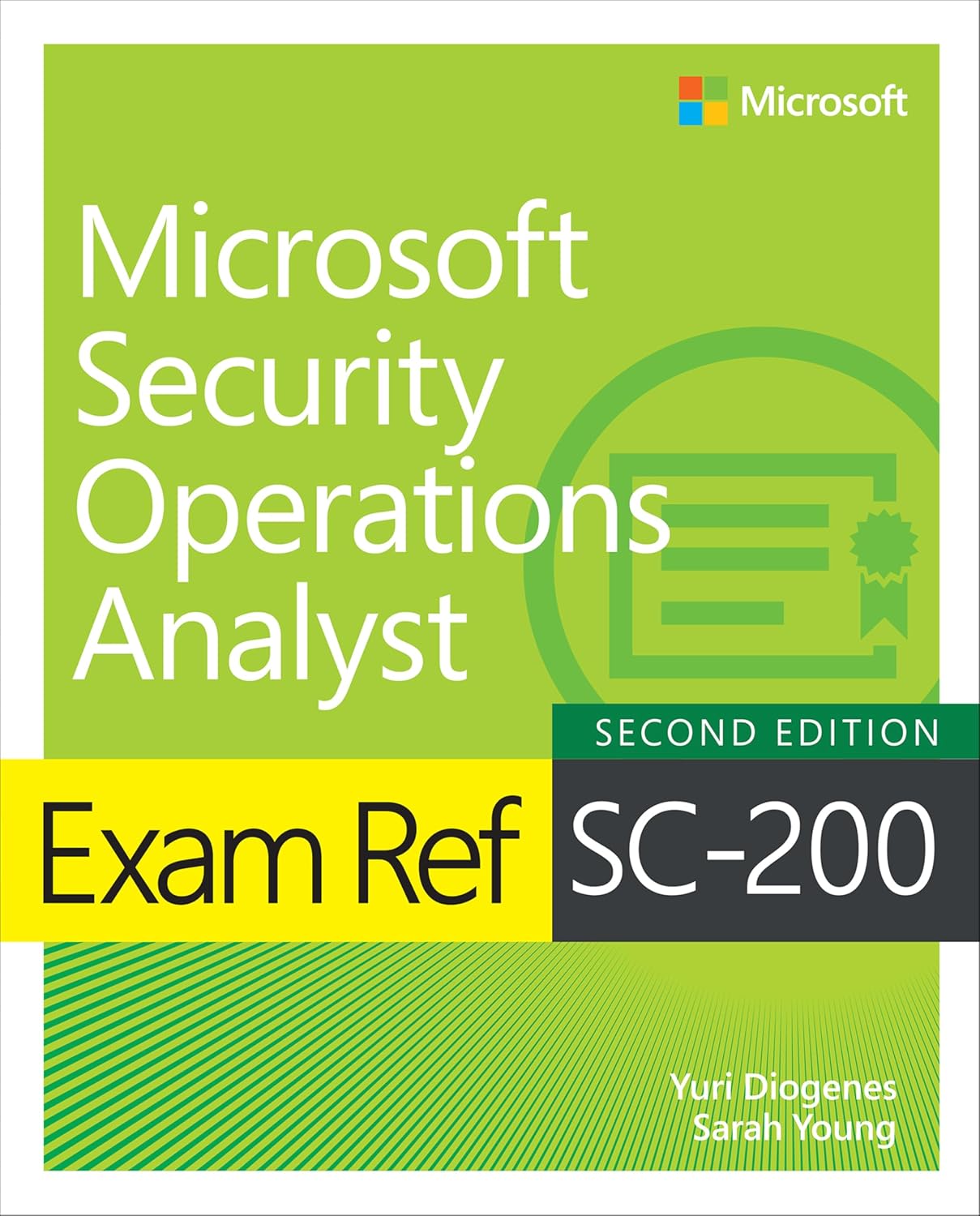
Exam Ref SC-200 Microsoft Security Operations Analyst, book cover Recommended

Exam Ref SC-200 Microsoft Security Operations Analyst

Prepare for Microsoft Exam SC-200 and help demonstrate your real-world mastery of skills and knowledge required to work with stakeholders to secure IT systems, and to rapidly remediate active attacks. Designed for Windows administrators, Exam Ref focuses on the critical thinking and decision-making acumen needed for success at the Microsoft Certified Associate level.

See price on Amazon (opens in a new tab)
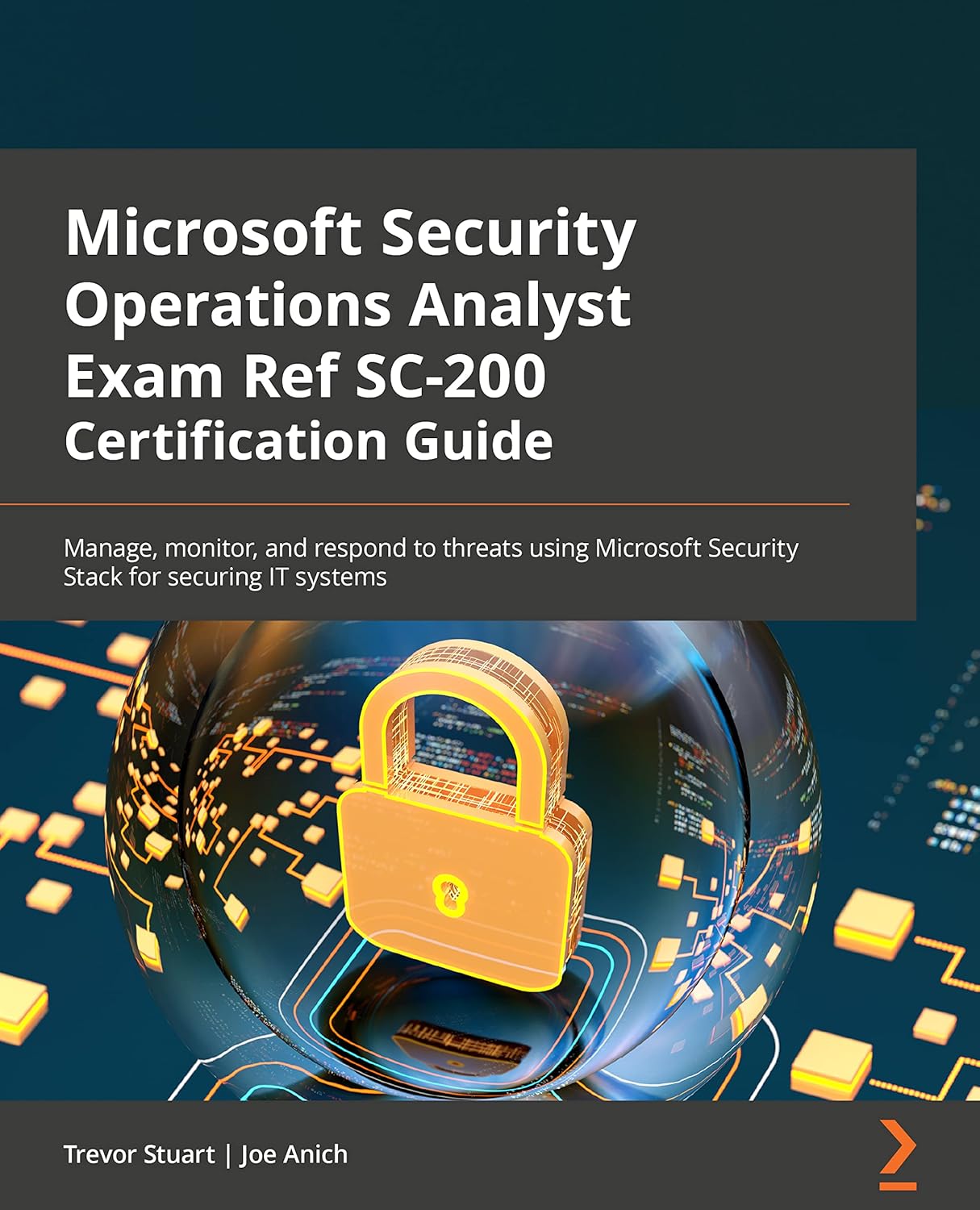
Microsoft Security Operations Analyst Exam Ref SC-200 Certification Guide, book cover

Microsoft Security Operations Analyst Exam Ref SC-200 Certification Guide: Manage, monitor, and respond to threats using Microsoft Security Stack for securing IT systems

Security in information technology has always been a topic of discussion, one that comes with various backgrounds, tools, responsibilities, education, and change! The SC-200 exam comprises a wide range of topics that introduce Microsoft technologies and general operations for security analysts in enterprises. This book is a comprehensive guide that covers the usefulness and applicability of Microsoft Security Stack in the daily activities of an enterprise security operations analyst.

See price on Amazon (opens in a new tab)

On-Demand Video Training

4 resources

On-demand training lets you learn at your own pace, on your own schedule. Whether it's expert-led video courses from platforms like Pluralsight or Udemy, or hands-on modules from Microsoft Learn, you get flexible access to practical, real-world learning when you need it most.

Not all training platforms are the same. Some, like Pluralsight, rely on vetted authors and curated content, while others function as open marketplaces where quality can vary. I only recommend courses that are highly rated and closely aligned with the skills you need, and I still encourage reviewing course details and feedback before enrolling.

Pluralsight Recommended

Microsoft Security Operations Analyst (SC-200) Certification Path

Practice test includedFree trial

This path is designed to address the Microsoft Security Operations Analyst SC-200 certification exam. The Microsoft Security Operations Analyst collaborates with organizational stakeholders to secure information technology systems for the organization. Their goal is to reduce organizational risk by rapidly remediating active attacks in the environment, advising on improvements to threat protection practices, and referring violations of organizational policies to appropriate stakeholders.

Watch on Pluralsight (opens in a new tab)
Udemy

SC-200 Microsoft Security Operations Analyst Course & SIMs

Practice test included

This Udemy course prepares you for the SC-200: Microsoft Security Operations Analyst certification with a mix of expert instruction, hands-on labs, and real-world simulations. You'll learn key concepts and practical skills for detecting, investigating, and responding to security threats using Microsoft security tools like Microsoft Sentinel, Microsoft Defender XDR, and Microsoft Defender for Cloud. Labs and simulations are available 24/7 so you can practice at your own pace and build the confidence needed to succeed on the SC-200 exam.

Watch on Udemy (opens in a new tab)
Udemy

SC-200: Microsoft Security Operations Analyst

Practice test included

This Udemy course prepares you for the SC-200: Microsoft Security Operations Analyst exam with expert-led video lessons, hands-on demonstrations, and practical examples. You'll learn how to detect, investigate, and respond to security threats using tools like Microsoft Sentinel, Microsoft Defender XDR, and Microsoft Defender for Cloud. The course bridges theory with real-world scenarios to build the skills needed for both the exam and a career in security operations.

Watch on Udemy (opens in a new tab)
YouTube

SC-200: Defend against cyberthreats with Microsoft's security operations platform

The free video series from the Microsoft Learn channel that walks through the SC-200 content end to end, eleven videos on Microsoft Sentinel, Microsoft Defender XDR and Microsoft Defender for Cloud. Worth your time if you want Microsoft's own material in video form without paying for a course, and a good second pass after the Learn paths.

Watch on YouTube (opens in a new tab)

Practice Tests

2 resources

These are practice exams, not exam dumps. I don't support dumps, as they undermine the value of the certification for everyone. Practice tests are a great way to validate your knowledge and get exam-ready after completing the content in this SC-200 study guide.

Microsoft

Free Practice Assessment for Exam SC-200

Free

Microsoft's own free practice assessment for the SC-200, delivered through Microsoft Learn. The questions are written to match the style, wording and difficulty of the real exam rather than its content, so it is the cheapest way to find out whether you are ready before you pay for a seat.

Take the practice test (opens in a new tab)
Whizlabs

Exam SC-200: Microsoft Security Operations Analyst Associate

Clear your SC-200 Certification with help from our 2 full-length practice exams with a total of 100+ unique practice questions. Get a complete understanding of the Microsoft Security Operations Analyst exam. Our SC-200 Practice tests give you a complete idea of the exam. The practice questions are created by a certified and experienced Microsoft security professional.

Take the practice test (opens in a new tab)

Microsoft Learn Modules

1 resource

Microsoft Learn is a great free way to learn about the SC-200 exam content! It contains mostly text-based articles, while also providing you small quizzes at the end of every module.

The course syllabus below is Microsoft's own list of the learning paths and modules that cover the exam. When you want one topic rather than the whole curriculum, every skill in my study notes links the exact Microsoft Learn page for it.

Microsoft

Course SC-200T00-A: Defend against cyberthreats with Microsoft's security operations platform

Free

Microsoft's official SC-200 course page. The syllabus lists every Microsoft Learn path and module the course teaches, and all of them are free to work through at your own pace.

Start on Microsoft Learn (opens in a new tab)

Live Training

1 resource

Live training is delivered through Microsoft Official Courses, scheduled with Microsoft Learning Partners and taught by Microsoft Certified Trainers. This format offers real-time interaction, allowing you to ask questions and learn directly from an expert, though it is typically the most expensive training option.

Microsoft

Course SC-200T00-A: Defend against cyberthreats with Microsoft's security operations platform

Learn how to investigate, respond to, and hunt for threats using Microsoft Sentinel, Microsoft Defender XDR and Microsoft Defender for Cloud. In this course you will learn how to mitigate cyberthreats using these technologies. Specifically, you will configure and use Microsoft Sentinel as well as utilize Kusto Query Language (KQL) to perform detection, analysis, and reporting. The course was designed for people who work in a Security Operations job role and helps learners prepare for the exam SC-200: Microsoft Security Operations Analyst.

Find a class (opens in a new tab)

Some links on this page are affiliate links. If you use them, I may earn a commission at no extra cost to you.

Skills measured and study notes

54 skills, free to study here

Built for the skills measured that take effect on 21 October 2026.

0 of 54 studied

The SC-200 exam covers three domains, and I have broken down every single skill below with plain-language explanations, the facts the exam can actually ask, and a Microsoft Learn link for each one. This is a hands-on exam for a hands-on role, so treat these notes as a map of the portals rather than a list of definitions. If you cannot picture where a setting lives, you have not studied it yet.

Here is how the three domains break down by weight:

Tip: The heaviest domain is managing the security operations environment at 40-45%, and most of it is configuration work in Microsoft Sentinel and Microsoft Defender for Endpoint. Spend your time there first, then come back for hunting, which is the smallest domain but the one that rewards actual KQL practice.

Domain 1 Manage a Security Operations Environment 40-45% of the exam 0 / 27 studied

This domain is the setup work a security operations analyst does before an incident ever arrives: wiring up notifications, tuning Microsoft Defender for Endpoint, building automation in Microsoft Sentinel, getting data into the workspace, and writing the detections that turn that data into alerts. Expect scenario questions that hand you a requirement and ask which connector, rule type, or automation level meets it.

Configure automation for Microsoft Defender XDR and Microsoft Sentinel

01

Configure email notifications in Microsoft Defender XDR, including incidents, actions, and threat analytics

Email notification rules decide who hears about what, and Microsoft Defender XDR keeps three separate kinds in one place. The important exam skill is knowing that these live in a different settings page from the older alert and vulnerability notifications, because the portal has two of almost everything here.

What you need to know

  • All three types live in Settings > Microsoft Defender XDR > General > Email notifications, on the Incidents, Actions, and Threat analytics tabs
  • An incident rule can be scoped by alert severity, service or detection source, and device group, and it can use a different severity per source
  • Incident notification settings include Send only one notification per incident, Include organization name in the email, and Include tenant-specific portal link
  • An Actions rule filters on action source (manual, automated, or both), the specific actions, device groups, and action status (completed, failed)
  • A Threat analytics rule fires when a report is newly published or updated, and can be narrowed to a report type or tag such as Ransomware
  • Creating any of these requires the Manage security settings permission, and under RBAC you only see the device groups you manage

Exam tip: Incident, action, and threat analytics notifications are under Settings > Microsoft Defender XDR, but alert and vulnerability notifications are under Settings > Endpoints. Two pages, two wizards, and the exam likes to swap them.

Microsoft Learn resource: Get incident notifications by email in Microsoft Defender XDR (opens in a new tab)

02

Configure alert notifications in Microsoft Defender XDR, including tuning, suppression, and correlation

Alert tuning is how you stop a known-benign activity from filling the queue, and it replaced the older alert suppression experience. Correlation is the opposite lever: it controls whether related alerts across device groups become one incident or several.

What you need to know

  • Alert tuning lives at Settings > Microsoft Defender XDR > Rules > Alert tuning, or from the Tune alert button on an alert
  • The three tuning actions are Hide alert (Microsoft Defender for Endpoint alerts only, prevents incident creation), Resolve alert (auto-resolves the alert and related incidents), and Set as behavior (stores the signal as a behavior instead)
  • Built-in alert tuning rules ship enabled, but they do not apply to alerts from custom detection rules or custom indicators
  • Restrict correlation to within scoped device groups sits under Settings > Endpoints > Advanced features, and it splits a cross-group incident into several so a local SOC sees only its own
  • Changing the correlation setting affects future correlations only, never incidents that already exist
  • The three alert classifications are True positive, Informational, expected activity, and False positive, and the default is Not set

Exam tip: Suppression hides the alert, an exclusion stops the scan, and an indicator allows or blocks the artifact everywhere. If a question asks you to stop a file from being scanned, the answer is not a suppression rule.

Microsoft Learn resource: Investigate alerts in Microsoft Defender XDR (opens in a new tab)

03

Configure Microsoft Defender for Endpoint advanced features

The Advanced features page is one long list of toggles, and the exam tests which capability a given toggle unlocks and what it depends on. Several of them require Microsoft Defender Antivirus to be in active mode rather than passive.

What you need to know

  • The page is at Settings > Endpoints > Advanced features, and changes only apply after you select Save preferences
  • Download quarantined files is on by default, and needs Microsoft Defender Antivirus in active mode with cloud-delivered protection and sample submission enabled
  • Allow or block file requires Microsoft Defender Antivirus as the active antimalware solution with cloud-based protection on
  • Custom network indicators requires Windows 10 version 1709 or later, or Windows 11
  • Hide potential duplicate device records is on by default and hides duplicates from the device inventory, but duplicates still appear in advanced hunting, alerts, and incidents
  • Live response and Live response for servers are two separate toggles, and turning on the first does not turn on the second

Exam tip: The Automated Investigation toggle is gone from this page. Automated investigation is now on by default, so a question offering "enable automated investigation in Advanced features" is describing a control that no longer exists.

Microsoft Learn resource: Configure advanced features in Defender for Endpoint (opens in a new tab)

04

Configure rules settings in Microsoft Defender for Endpoint

The Rules section of the Endpoints settings holds the tenant-wide lists that shape what Microsoft Defender for Endpoint blocks, uploads, and skips. Indicators are the headline item, and their limits come up often.

What you need to know

  • The Rules section holds Alert suppression, Indicators, Web content filtering, Automation uploads, Automation folder exclusions, and Custom data collection
  • The indicator limit is 15,000 per tenant, and Microsoft does not support raising it; CSV import is capped at 500 indicators per batch
  • Indicator types are file hashes, IP addresses, URLs and domains, and certificates, with actions Audit, Warn, Block, Block and remediate, and Allow
  • Allow indicators generate no alerts by design, and block or warn indicators produce only generic informational-severity alerts
  • Automation folder exclusions apply only to automated investigation and remediation, and need Microsoft Defender for Endpoint Plan 2; excluded files are still scanned by antivirus
  • Web content filtering can take up to 2 hours to reach devices, a policy with no categories selected becomes audit-only, and the most restrictive policy wins per category

Exam tip: A custom allow indicator supersedes a web content filtering block. When a scenario has one control allowing and another blocking the same URL, work out which layer wins rather than assuming the block does.

Microsoft Learn resource: Manage automation file uploads in Microsoft Defender for Endpoint (opens in a new tab)

05

Configure custom data collection in Microsoft Defender for Endpoint

Custom data collection rules let you send extra endpoint telemetry to Microsoft Sentinel that the default Microsoft Defender for Endpoint tables do not carry. They are narrow on purpose: five tables, a hard event ceiling, and dynamic tags only.

What you need to know

  • Create them at Settings > Endpoints > Rules > Custom data collection > Create rule
  • The five supported tables are DeviceCustomProcessEvents, DeviceCustomImageLoadEvents, DeviceCustomFileEvents, DeviceCustomNetworkEvents, and DeviceCustomScriptEvents
  • The ceiling is 75,000 events per device, per rule, per rolling 24 hours; when a device hits it, only that rule stops collecting
  • Prerequisites are Microsoft Defender for Endpoint Plan 2 and a connected Microsoft Sentinel workspace, which you must select explicitly even when it is already connected
  • Scoping uses dynamic tags from Asset Rule Management only; manual or static tags are not supported, and dynamic tags refresh roughly hourly
  • Rule deployment and edits take 20 minutes to 1 hour to reach targeted devices, and the data is billed as Microsoft Sentinel ingestion

Exam tip: These are not Azure Monitor data collection rules. Both are called rules and both shape what gets collected, but a DCR belongs to the Azure Monitor Agent and these belong to the Microsoft Defender for Endpoint sensor.

Microsoft Learn resource: Create and manage custom data collection rules in Microsoft Defender for Endpoint (opens in a new tab)

06

Configure security policies for Microsoft Defender for Endpoint, including attack surface reduction (ASR) rules

Endpoint security policies let you configure antivirus, firewall, EDR, and attack surface reduction from the Microsoft Defender portal rather than from Intune. ASR rules are the part the exam leans on, and the mode names matter as much as the rule names.

The five ASR rule modes:

  1. Not configured (5): the rule is off, and unlike Disabled it carries no risk of policy conflict
  2. Off or Disabled (0): the rule is off
  3. Audit (2): the rule logs what it would have blocked, and allows it
  4. Block (1): the rule blocks the activity
  5. Warn (6): the rule blocks but offers the user an Unblock option that lasts 24 hours

What you need to know

  • Policies live at Endpoints > Configuration management > Endpoint security policies, and the wizard runs Basics, Configuration settings, Assignments, Review and create
  • The three standard protection rules recommended in Block mode without extensive testing are Block abuse of exploited vulnerable signed drivers, Block credential stealing from the Windows LSA subsystem, and Block persistence through WMI event subscription
  • ASR requires Microsoft Defender Antivirus in active mode with real-time protection and cloud-delivered protection on, and ASR rules are Windows only
  • Devices managed through security settings management check in every 90 minutes; an on-demand policy sync applies in about 10 minutes
  • Audit-mode detections surface in advanced hunting with DeviceEvents | where ActionType startswith "Asr"
  • Every ASR rule honours Microsoft Defender Antivirus process exclusions, but only some honour file and folder exclusions

Exam tip: Audit logs and allows silently. Warn blocks but lets the user through for a day. If a scenario wants to measure impact before enforcing, the answer is Audit, not Warn.

Microsoft Learn resource: Attack surface reduction rules overview (opens in a new tab)

07

Manage automated investigation and response capabilities in Microsoft Defender XDR

Automated investigation and response examines the evidence in an alert, reaches a verdict, and either takes the remediation action or queues it for approval. How much it does on its own is set per device group, and everything it does is visible in the Action center.

What you need to know

  • Every piece of evidence gets one of three verdicts: Malicious, Suspicious, or No threats found
  • The automation level is set per device group at Settings > Endpoints > Permissions > Device groups, in the Remediation level column
  • Remediation actions for email and content are never taken automatically; they always wait for approval in the Action center
  • The Action center has a Pending tab for approve and reject, and a History tab that also allows undo for reversible actions such as device isolation
  • Approving Microsoft Defender for Endpoint remediation needs Security Administrator or the Active remediation actions role; approving Microsoft Defender for Office 365 remediation also needs the Search and Purge role
  • Pending remediation actions time out after seven days, and a timed-out action behaves like a rejected one

Exam tip: As of September 1, 2026, automated investigation no longer runs as a separate, manually triggerable experience in Microsoft Defender for Endpoint; those detection and response capabilities now run automatically inside the default Microsoft Defender Antivirus protection stack, and an on-demand investigation is replaced by a full antivirus scan. Automated investigation and response for Microsoft Defender for Office 365 is unchanged. The published skills measured still use the older wording, so read those questions carefully.

Microsoft Learn resource: Configure automated investigation and response capabilities in Microsoft Defender XDR (opens in a new tab)

08

Configure automatic attack disruption in Microsoft Defender XDR

Automatic attack disruption contains an attack in progress by cutting off the assets the attacker controls, without waiting for an analyst. It is deliberately conservative, and every action it takes can be reversed.

What you need to know

  • Microsoft maintains a confidence level of 99% or higher before a containment action fires, and every automatic action is reversible by the SOC
  • The automated response actions include Contain device, Contain IP, Contain user, Disable user, and Revoke user session
  • The minimum Microsoft Defender for Endpoint sensor version for the Contain user action is v10.8470
  • Device discovery must be set to Standard discovery for the automatic Contain device action to work on unmanaged devices
  • Attack disruption works whether Microsoft Defender Antivirus is in active, passive, or EDR block mode
  • Exclusions are set at Settings > Microsoft Defender XDR > Automated responses > Devices, using either device groups or a rule against a device tag

Exam tip: Contain device blocks communication from that device on every onboarded device. Isolate device blocks traffic on the device itself while keeping Microsoft Defender services reachable. Contain IP is for devices that were never onboarded. Three actions, three different scopes.

Microsoft Learn resource: Configure automatic attack disruption in Microsoft Defender XDR (opens in a new tab)

09

Configure and manage device groups, permissions, and automation levels in Microsoft Defender for Endpoint

Device groups do three jobs at once: they scope who can see which devices, they set the automation level for remediation, and they shape how incidents correlate. Rank is what decides which group a device lands in.

What you need to know

  • Device groups are created at Settings > Endpoints > Permissions > Device groups, with a limit of 2,000 groups per tenant
  • Matching rules use device name, domain, tags, and OS platform, with up to 10 values per property type
  • Rank 1 is the highest, and a device that matches several groups joins only the highest-ranked one; unmatched devices land in Ungrouped devices (default), which cannot be ranked or deleted
  • A device group with no Microsoft Entra groups assigned to it is accessible to all users
  • The automation levels are Full - remediate threats automatically, three Semi levels that differ by which folders need approval, and No automated response
  • Tenants created on or after August 16, 2020 default to full automation; older tenants default to Semi - require approval for all folders

Exam tip: Switching from basic permissions management to RBAC is irreversible, and after the switch users with read-only access lose portal access until they are assigned a role.

Microsoft Learn resource: Create and manage device groups in Microsoft Defender for Endpoint (opens in a new tab)

10

Create and configure automation rules in Microsoft Sentinel

Automation rules are the no-code layer of Microsoft Sentinel automation. They can change an incident themselves, or call a playbook when the job needs something outside Sentinel.

What you need to know

  • Create them at Microsoft Sentinel > Configuration > Automation > Create > Automation rule
  • The three triggers are When incident is created, When incident is updated, and When alert is created
  • The only condition available on the alert trigger is the analytics rule name, and alert-triggered automation works only with scheduled, near-real-time, and Microsoft security analytics rules
  • Built-in actions that need no playbook are Add task, Change status, Change severity, Assign owner, and Add tag, plus Run playbook
  • Limits per workspace or incident include 512 automation rules, 20 actions and 50 conditions per rule, and 150 alerts per incident
  • Each trigger type has its own queue, all incident-create rules run before any incident-update rules, and rules always run sequentially rather than in parallel

Exam tip: An expiration date on an automation rule disables it automatically, which is the intended pattern for suppressing noise during a penetration test or a maintenance window.

Microsoft Learn resource: Automate threat response in Microsoft Sentinel with automation rules (opens in a new tab)

11

Create and configure Microsoft Sentinel playbooks

A playbook is an Azure Logic Apps workflow that Microsoft Sentinel can call. It is what you reach for when the response has to touch something outside Sentinel, such as opening a ticket, posting to Teams, or calling a firewall API.

What you need to know

  • Playbooks are created from Configuration > Automation > Create, as a playbook with an incident, alert, or entity trigger
  • The incident trigger receives the incident with all of its alerts and entities, the alert trigger receives one alert, and the entity trigger receives a single entity
  • Two Logic Apps plans are supported, Consumption and Standard, and a Standard playbook is one workflow inside a logic app
  • Microsoft Sentinel Playbook Operator runs a playbook manually, Logic App Contributor creates and edits one, and Microsoft Sentinel Automation Contributor lets automation rules run playbooks and is never assigned to a person
  • Microsoft Sentinel runs playbooks under a service account that needs Microsoft Sentinel Automation Contributor on the resource group where the playbook lives
  • Managed identity is the recommended and default authentication method when connecting a playbook to Microsoft Sentinel

Exam tip: Only incident-trigger playbooks can run from incident-trigger automation rules, and only alert-trigger playbooks from alert-trigger rules. Mismatched triggers are a favourite distractor.

Microsoft Learn resource: Create and manage Microsoft Sentinel playbooks (opens in a new tab)

Configure the Microsoft Sentinel SIEM and platform

12

Specify Microsoft Sentinel roles

Microsoft Sentinel has five built-in Azure roles, and the exam tests the gaps between them rather than what each one obviously does. The gaps are playbooks and workbooks, which need roles from outside the Sentinel set.

What you need to know

Role What it does Notable gap
Microsoft Sentinel Reader View data, incidents, workbooks, recommendations Cannot run or edit playbooks
Microsoft Sentinel Responder Reader, plus manage incidents Can open an incident but cannot run its playbook
Microsoft Sentinel Contributor Responder, plus create and edit resources and Content hub items Still cannot create or edit playbooks
Microsoft Sentinel Playbook Operator List, view, and manually run playbooks Cannot author them
Microsoft Sentinel Automation Contributor Lets automation rules run playbooks Never assigned to a user account
  • Creating or editing a playbook needs Logic App Contributor, which is not a Microsoft Sentinel role
  • Creating or deleting a workbook needs a Microsoft Sentinel role and Workbook Contributor
  • Microsoft recommends assigning roles at the resource group level so playbooks are covered by the same assignment
  • The Microsoft Sentinel data lake uses Microsoft Entra ID roles rather than Azure RBAC, and writing to data lake tables needs Security Operator, Security Administrator, or Global Administrator

Exam tip: A Responder who cannot run a playbook is the single most tested permission gap in this area. Give that person Playbook Operator as well.

Microsoft Learn resource: Roles and permissions in the Microsoft Sentinel platform (opens in a new tab)

13

Manage data retention for XDR and Microsoft Sentinel tables, including Analytics, Data lake, and XDR tiers

Retention is now a per-table decision across two tiers, and the tier you choose decides which Microsoft Sentinel features still work on that table. Moving a table to the data lake saves money and costs you real-time detection.

The three tiers:

Analytics tier. The hot tier. Analytics rules, hunting, workbooks, and every other Microsoft Sentinel feature read from it, and query costs are included. Maximum analytics retention is two years.

Data lake tier. The cold tier, from 30 days to 12 years. No real-time analytics and no interactive threat hunting; you reach it through KQL jobs, notebooks, and summary rules instead, and queries are billed separately.

XDR default tier. Advanced hunting data kept for 30 days under the Microsoft Defender XDR licence, outside both Microsoft Sentinel tiers.

What you need to know

  • Total retention has a maximum of 12 years, and it is the overall lifespan rather than a period added on top of analytics retention
  • Analytics-tier data is mirrored to the data lake for the same period at no extra cost
  • Extending supported XDR tables to 31 to 90 days puts them in the Analytics tier with free storage for Sentinel-enabled workspaces, though Sentinel ingestion charges apply
  • Shortening total retention waits 30 days before data is removed, so a mistake can be reverted; analytics retention changes apply immediately
  • Data lake ingestion latency is roughly 90 to 120 minutes
  • Restore and data export work only in the Analytics tier, while search jobs and summary rules work in both

Exam tip: Microsoft Learn is inconsistent on the Microsoft Sentinel analytics-tier default, quoting both 30 and 90 days on different pages. The number every page agrees on is Microsoft Defender XDR at 30 days, and Microsoft Sentinel solution tables extending to 90 days for free.

Microsoft Learn resource: Manage data tiers and retention in Microsoft Sentinel (opens in a new tab)

14

Create and configure Microsoft Sentinel workbooks

Workbooks are the reporting and dashboarding layer, built on Azure Monitor workbooks. The one fact people get wrong is what a workbook actually stores.

What you need to know

  • Workbooks are at Microsoft Sentinel > Threat management > Workbooks, split into Templates and My workbooks
  • Saving a workbook stores only its JSON definition; no data is saved with it, and the queries run fresh each time it opens
  • A workbook is an Azure resource, saved in the Microsoft Sentinel workspace's resource group and tagged by that workspace
  • Templates must be installed first, either from a packaged solution or as a standalone item in the Content hub
  • A template's Required data types field tells you what must be ingested before the visualizations show anything
  • Microsoft recommends querying through an ASIM parser rather than a raw table, so the workbook keeps working as data sources change

Exam tip: Viewing a template is not the same as creating a workbook. View template shows it read-only, and only Save creates the Azure resource you can edit.

Microsoft Learn resource: Visualize and monitor your data by using workbooks in Microsoft Sentinel (opens in a new tab)

15

Optimize the Microsoft Sentinel platform, including SOC optimization recommendations

SOC optimization gives you two kinds of recommendation that pull in opposite directions: one reduces what you pay for low-value data, the other increases coverage. Knowing which kind a scenario calls for is the skill.

What you need to know

  • The two types are Data value (improve or reduce the cost of low-value tables) and Coverage (threat-based, AI MITRE ATT&CK tagging, and risk-based recommendations)
  • Recommendations are recalculated every 24 hours
  • Data value optimizations only evaluate billable tables that ingested data in the past 30 days
  • A table used by UEBA or by a threat intelligence matching analytics rule is never recommended for an ingestion change
  • Threat-based coverage thresholds are High above 75% of recommended rules activated, Medium 30 to 74%, and Low 0 to 29%
  • SOC optimization uses the standard Microsoft Sentinel roles; there is no dedicated role for it

Exam tip: Data value recommendations usually mean ingesting less, and coverage recommendations usually mean ingesting more or enabling more rules. When a question gives you a cost problem, it wants data value; when it gives you a detection gap, it wants coverage.

Microsoft Learn resource: Optimize your security operations (opens in a new tab)

Ingest data into the Microsoft Sentinel SIEM and platform

16

Select data connectors based on data source requirements, including Windows logs and security events

Choosing a connector is really choosing an integration method, and each method carries its own prerequisites. The Windows connectors are the ones the exam returns to, because three of them look interchangeable and are not.

What you need to know

  • Connectors arrive as part of a solution installed from the Content hub; the Data connectors page lists only what is installed
  • The integration methods are service-to-service, agent-based through the Azure Monitor Agent, diagnostic settings-based, API-based through the Codeless Connector Framework, and Azure Functions or Logic Apps
  • Windows Security Events via AMA and Security Events via Legacy Agent both write to the SecurityEvent table
  • Windows Forwarded Events writes to WindowsEvent, and Windows DNS Events via AMA writes to ASimDnsActivityLog
  • AMA-based connectors need outbound port 443, and any non-Azure machine needs the Azure Arc Connected Machine agent installed first
  • Each connector page shows a support tier: Microsoft-supported, partner-supported, or community-supported

Exam tip: Running the legacy agent connector and the AMA connector at the same time writes both copies into SecurityEvent, so you pay twice and hunt through duplicates. Migrate, do not run both.

Microsoft Learn resource: Microsoft Sentinel data connectors (opens in a new tab)

17

Configure collection of Windows Security events by using Windows Security Events via AMA, including data collection rules

This connector is the standard way to get Windows Security logs into Microsoft Sentinel, and the data collection rule attached to it is where you decide how much you pay. The four presets are worth memorizing.

The four collection presets:

  1. All events: the Windows Security log and the AppLocker channels only, not Application, System, or Setup
  2. Common: the full audit trail, including sign-out (4634), 4672, 4768, 4771, 4778, 5140, 5145, and 6272
  3. Minimal: the breach-indicative, low-volume set, including 1102, 4624, 4625, 4657, 4663, 4688, 4719, 4720, 4732, 4740, 4799, 4825, 5024, and 8001 to 8007
  4. Custom: your own XPath queries

What you need to know

  • The connector ships in the Windows Security Events solution and writes to the SecurityEvent table
  • Minimal deliberately omits event 4634, the sign-out event, which Common includes
  • Custom collection uses XPath version 1.0 only, with up to 20 expressions per box and up to 100 boxes in one rule
  • The Azure Monitor Agent is installed automatically on the machines you select in the Resources step of the DCR wizard
  • The DCR's subscription and resource group need not match the monitored machines, but must be in the same tenant
  • The minimum permission is read and write on the Microsoft Sentinel workspace

Exam tip: A data collection rule filters at the source, so a filtered event never becomes billable ingestion. That makes the DCR the first place to look when a question asks how to cut Windows event costs.

Microsoft Learn resource: Connect Microsoft Sentinel to other Microsoft services with a Windows agent-based data connector (opens in a new tab)

18

Plan and configure collection of Windows Security events by using Windows Event Forwarding (WEF)

Windows Event Forwarding collects events on a Windows Event Collector server and lets one agent ship them all, which is how you cover machines you cannot put an agent on. The catch is where the data lands.

What you need to know

  • The Windows Forwarded Events connector needs Windows Event Collection running with the Azure Monitor Agent installed on the collector, not on each source
  • Forwarded events land in WindowsEvent, including forwarded Security-log events, which are never written to SecurityEvent
  • A subscription is either source-initiated (clients push, configured by Group Policy) or collector-initiated (the collector pulls and lists every source), never both
  • The three built-in delivery optimizations are Normal (pull, 5-item batches, 15-minute timeout), Minimize bandwidth (push, 6-hour timeout), and Minimize latency (push, 30-second timeout)
  • The two event formats are Rendered Text (the default, which includes the description and roughly doubles event size) and Events (compact binary XML)
  • The client's local event log is the buffer, so if it wraps before forwarding, events are lost silently with no gap indicator at the collector

Exam tip: Many built-in Windows analytics rules query SecurityEvent and will never fire on WEF data sitting in WindowsEvent. If a scenario says the rules stopped alerting after a move to WEF, that is why.

Microsoft Learn resource: Use Windows Event Forwarding to help with intrusion detection (opens in a new tab)

19

Plan and configure Syslog via AMA and Common Event Format (CEF) via AMA connectors

Syslog and CEF both arrive on a Linux log forwarder through the same daemon and the same ports. What separates them is the stream named in the data collection rule and, as a result, the table the data lands in.

What you need to know

Syslog via AMA CEF via AMA
Solution Syslog Common Event Format
DCR stream Microsoft-Syslog Microsoft-CommonSecurityLog
Destination table Syslog CommonSecurityLog
  • The Azure Monitor Agent supports syslog formatted per RFC 3164 and RFC 5424
  • The syslog daemon (rsyslog or syslog-ng) listens on TCP and UDP port 514 and hands messages to AMA on TCP port 28330 from AMA version 1.28.11 onward
  • The forwarder needs a dedicated Linux VM, the Azure Arc agent if it is not an Azure VM, Python, and rsyslog or syslog-ng
  • In the portal you pick a minimum log level per facility, so choosing LOG_ERR also collects LOG_CRIT, LOG_ALERT, and LOG_EMERG
  • Using the same facility for both connectors duplicates data across both tables; fix it in the source config or with an ingestion-time transformation
  • One DCR can carry both streams at once

Exam tip: Same agent, same daemon, same ports, different stream and different table. When a question asks why CEF data is showing up in the Syslog table, look at the stream name in the DCR.

Microsoft Learn resource: Ingest syslog and CEF messages to Microsoft Sentinel with the Azure Monitor Agent (opens in a new tab)

20

Configure collection of Azure activity logs by using Azure Policy and resource diagnostic settings

The Azure activity log is the subscription-level record of every control-plane operation: who created, changed or deleted a resource, and when. Activity logs reach Microsoft Sentinel through diagnostic settings rather than through an agent, and Azure Policy is how you apply those settings across a whole subscription instead of one resource at a time.

What you need to know

  • The Azure Activity connector writes activity logs to the AzureActivity table and does not support data collection rules
  • If you used the legacy Azure Activity method, select Disconnect All on the connector's Configuration step before configuring the diagnostic settings version
  • A single resource is connected at Diagnostic settings > Add diagnostic setting > Send to Log Analytics
  • At scale, the connector launches an Azure Policy assignment wizard; on the Remediation tab you must select Create a remediation task, or the policy applies only to resources created afterwards
  • Assigning the policy requires the Owner role on the assignment scope
  • A policy-managed diagnostic settings connector shows as connected only if activity log data arrived in the past 14 days

Exam tip: Activity logs and resource logs are not the same thing. The activity log records control-plane operations on the subscription and lands in AzureActivity; resource logs record what happens inside a resource and land in AzureDiagnostics for most services, which is where Key Vault and Azure SQL diagnostic data goes.

Microsoft Learn resource: Connect Microsoft Sentinel to other Microsoft services by using diagnostic settings-based connections (opens in a new tab)

21

Ingest threat indicators into Microsoft Sentinel

Threat intelligence reaches Microsoft Sentinel by four routes, and they differ in who initiates the transfer. Knowing which route fits a described setup is the exam skill.

The four import paths:

Microsoft Defender Threat Intelligence connector. Microsoft's own indicators. The free tier carries public IOCs and open-source intelligence; premium adds Microsoft indicators and Microsoft-enriched OSINT.

Threat Intelligence - TAXII. Microsoft Sentinel acts as a TAXII client, polling a server you configure with a friendly name, API root URL, collection ID, and polling frequency. Supports TAXII 2.0 and 2.1.

Threat intelligence upload API. Your threat intelligence platform pushes to Microsoft Sentinel. It needs no data connector, but it does need a Microsoft Entra application holding the Microsoft Sentinel Contributor role.

Threat Intelligence Platform connector. The older Microsoft Graph tiIndicators route, now deprecated.

What you need to know

  • Indicators land in the ThreatIntelIndicators and ThreatIntelObjects tables, which replaced the legacy ThreatIntelligenceIndicator table
  • The upload API allows 100 STIX objects per request and 100 requests per minute
  • Microsoft Sentinel automatically reingests all threat intelligence every 7 to 10 days, deduplicating on the object's Id property
  • Ingestion rules apply only to data arriving through data connectors, never to indicators added by the upload API or created manually, and a new rule takes up to 15 minutes to take effect
  • The four Traffic Light Protocol values are White, Green, Amber, and Red
  • Matching analytics ingests only the indicators that actually match, rather than the whole feed

Microsoft Learn resource: Threat intelligence in Microsoft Sentinel (opens in a new tab)

22

Create custom log tables in the workspace to store ingested data

A custom log table is where data goes when no built-in table fits. The naming rules and the required column are the facts that get tested.

What you need to know

  • Custom tables carry the _CL suffix; the Azure portal appends it automatically, but CLI, REST, Bicep, and ARM do not
  • Every table in a Log Analytics workspace must have a TimeGenerated column, and Azure Monitor adds one to the DCR transformation if the sample data lacks it
  • The three table plans are Analytics (the default), Basic, and Auxiliary or Lake
  • In the DCR, outputStream is the table name prefixed with Custom- and suffixed _CL for a custom table, or prefixed with Microsoft- for a built-in one, and transformKql: "source" passes records through unchanged
  • Column names must start with a letter, use letters, digits, and underscores only, and run 2 to 45 characters; custom columns added to built-in tables must end in _CF
  • A DCR with "kind": "Direct" creates its own ingestion endpoint, so no data collection endpoint is needed unless the workspace uses Private Link

Exam tip: A Custom Logs via AMA table is stricter than a Logs Ingestion API table: it must consist of exactly TimeGenerated and RawData. Same _CL suffix, different schema requirement.

Microsoft Learn resource: Add or delete tables and columns in Azure Monitor Logs (opens in a new tab)

Configure detections

23

Create custom detection rules by using Advanced Hunting in Microsoft Defender XDR

A custom detection rule turns an advanced hunting query into a scheduled detection that raises alerts and can take response actions. The query has to return specific columns, and the frequency you choose silently sets the lookback.

What you need to know

  • Create one from Advanced hunting, run the query, then select Create detection rule, or from Hunting > Custom detection rules
  • The query must return Timestamp or TimeGenerated, plus ReportId, and for Microsoft Defender for Endpoint tables also DeviceId
  • Frequency options are Every 24 hours, Every 12 hours, Every 3 hours, Every hour, Continuous (NRT), and Custom, and a new rule first checks the past 30 days
  • The lookback is fixed per frequency for Microsoft Defender XDR data: 24 hours looks back 30 days, 12 hours looks back 48 hours, 3 hours looks back 12 hours, and hourly looks back 4 hours
  • Continuous (NRT) requires the query to reference exactly one table with no joins, unions, externaldata, or comment lines
  • A rule can generate at most 150 alerts per run, and custom details are capped at 20 key-value pairs and 4 KB combined

Exam tip: Custom detections evaluate ingestion_time(), not the event timestamp, and Microsoft explicitly warns against filtering on Timestamp in the query. The service has already applied the lookback for you.

Microsoft Learn resource: Create custom detection rules in Microsoft Defender XDR (opens in a new tab)

24

Manage custom detection rules in Microsoft Defender XDR

Once rules exist, managing them is about knowing which actions are available and when a change actually takes effect. In a unified portal the same list also shows Microsoft Sentinel analytics rules, which behave differently.

What you need to know

  • The list is at Hunting > Custom detection rules, with columns for Last run, Last run status, Next run, and Status
  • Run executes the rule immediately and resets the interval for the next scheduled run; it is available for custom detection rules, not analytics rules
  • Editing a rule takes effect at the next scheduled run, not immediately
  • Delete turns the rule off and permanently removes it
  • The Triggered alerts tab sets alert status and classification, links an alert to an incident, and reruns the triggering query in advanced hunting
  • A user can only create or edit rules scoped to device groups they have permission for

Exam tip: Microsoft Sentinel analytics rules support alert suppression, custom alert grouping, and rerunning over a past time window; custom detection rules support on-demand runs, native Microsoft Defender XDR response actions, and near-real-time streaming. Match the requirement to the rule type.

Microsoft Learn resource: Manage existing custom detection rules (opens in a new tab)

25

Configure and manage analytics rules in Microsoft Sentinel SIEM, including scheduled, near-real time (NRT), threat intelligence, and machine learning

Analytics rules are where Microsoft Sentinel turns logs into alerts and incidents. Four types matter for the exam, and their limits are what separate them.

What you need to know

Rule type Schedule Key limits
Scheduled Interval and lookback each 5 minutes to 14 days, 5-minute delay 512 enabled, 1,024 total; 150 alerts per rule run
Near-real time (NRT) Fixed: runs every minute, 1-minute lookback, 2-minute delay 50 enabled, 100 total, counted separately; 30 alerts
Threat intelligence Single built-in rule, not customizable Matches CEF, Syslog, and Windows DNS against domain, IP, and URL indicators
ML Behavior Analytics Single built-in rule, not customizable Detects anomalous SSH and RDP sign-in behaviour
  • The scheduled rule interval must be shorter than or equal to the lookback, and the query runs on a built-in five-minute delay to absorb ingestion latency
  • Alert grouping allows up to 150 alerts per incident, with a default grouping window of 5 hours, configurable from 5 minutes to 7 days
  • NRT rules query ingestion time rather than TimeGenerated, and neither their schedule nor an alert threshold is configurable
  • Entity mappings are limited to 10 per rule and 500 entities per alert
  • Microsoft security rules and Fusion are unavailable once Microsoft Defender XDR incident integration is on or the workspace is onboarded to the Defender portal, because Defender XDR creates the incidents instead

Exam tip: NRT rules only work properly on log sources with an ingestion delay under 12 hours, because they query by ingestion time with a one-minute window. A slow source simply never matches.

Microsoft Learn resource: Threat detection in Microsoft Sentinel (opens in a new tab)

26

Analyze attack vector coverage by using the MITRE ATT&CK matrix

The MITRE ATT&CK page maps your active detections onto the attack matrix so you can see which techniques you would actually catch. It answers coverage questions, not detection questions.

What you need to know

  • The page is at Microsoft Sentinel > Threat management > MITRE ATT&CK, and it is in preview
  • Microsoft Sentinel is currently aligned to MITRE ATT&CK version 18
  • By default the matrix reflects active scheduled query rules and near-real-time rules
  • Simulated coverage shows the posture you would have if you enabled detections that are available but not configured
  • In the Defender portal the details pane also shows recommended coverage, the ratio of active detections and products against everything recommended for that technique
  • The MITRE tactics and techniques you set on an analytics rule flow through to its alerts and the incidents built from them

Exam tip: Custom detection rules in Microsoft Defender XDR let you set tactics and techniques, but reflecting them on the MITRE ATT&CK page is still listed as planned. Only analytics rules drive the matrix today.

Microsoft Learn resource: View MITRE ATT&CK framework coverage in Microsoft Sentinel (opens in a new tab)

27

Configure anomalies in Microsoft Sentinel

Anomaly rules are the one analytics rule type that never raises an alert. They write to a table you then query or correlate, which is exactly the fact the exam tests.

What you need to know

  • Anomaly rules write results to the Anomalies table and never create alerts or incidents on their own; they are enabled by default
  • They live at Configuration > Analytics > Anomalies, and out-of-the-box rules cannot be edited or deleted
  • To tune one you Duplicate it; the copy takes the original's name with "- Customized" appended, starts disabled, and carries the Flighting status
  • Promoting a customized rule from Flighting to Production automatically moves the original to Flighting, since only one version can be in Production
  • The Score field runs between 0 and 1, where higher means greater deviation from expected behaviour
  • Only the top 3,000 anomalies per anomaly type are published, ranked by score

Exam tip: Two engines fill the same Anomalies table. UEBA anomalies answer who is behaving unusually and are toggled through UEBA settings; ML anomaly detection rules answer what activity is unusual and are tunable in the analytics rule interface.

Microsoft Learn resource: Work with anomaly detection analytics rules in Microsoft Sentinel (opens in a new tab)

Domain 2 Respond to Security Incidents 35-40% of the exam 0 / 17 studied

This is the day job: an incident lands in the queue and you work out what happened, which assets are involved, and what to do about it. The skills span every Microsoft Defender workload plus Microsoft Sentinel, Microsoft Entra ID, and Microsoft Purview, so expect questions that start in one product and ask where the evidence for the next step lives.

Respond to alerts and incidents in Microsoft Defender XDR

28

Investigate and remediate threats by using Microsoft Defender for Office 365, including automatic attack disruption

Threat Explorer is where email investigations start, and the Take action wizard is where they end. Which of the two Explorer experiences you get depends entirely on your Microsoft Defender for Office 365 plan.

What you need to know

  • Real-time detections ships with Plan 1; Threat Explorer ships with Plan 2 and adds more views, saved queries, and threat hunting and remediation actions
  • Both are under Email & collaboration in the Microsoft Defender portal, and Threat Explorer is at security.microsoft.com/threatexplorerv3
  • Take action on 100 or fewer messages allows multiple actions; on 101 to 200,000 messages Threat Explorer offers only Move or delete or Propose remediation, and they are mutually exclusive
  • Propose remediation > Create new triggers a soft-delete pending action that an admin approves in the Action center, which is the two-step approval pattern
  • Zero-hour auto purge (ZAP) retroactively acts on mail already delivered to cloud mailboxes, searching the last 48 hours of delivered email, and does not apply to on-premises mailboxes
  • Attack disruption for Microsoft Defender for Office 365 requires mailboxes in Exchange Online with mailbox audit logging for at least MailItemsAccessed, UpdateInboxRules, MoveToDeletedItems, SoftDelete, and HardDelete

Exam tip: Moving or deleting messages from mailboxes requires the Search and Purge role, which by default belongs only to the Data Investigator and Organization Management role groups. Being a Security Administrator is not enough.

Microsoft Learn resource: Threat hunting in Threat Explorer and Real-time detections in Microsoft Defender for Office 365 (opens in a new tab)

29

Investigate and remediate threats or compromised entities identified by Microsoft Purview

Microsoft Purview alerts, especially insider risk management and data loss prevention, now surface alongside everything else in the Microsoft Defender portal. The permission split between analysts and investigators is the detail worth learning.

What you need to know

  • Insider risk management raises one aggregated alert per user, adding new insights to the same alert rather than creating more
  • Insider risk, Microsoft Purview DLP, and Microsoft Entra ID alerts correlate into a single incident in the Defender portal's Incidents and alerts queue, with status synced between the two portals
  • Creating a case from an alert requires the Insider Risk Management or Insider Risk Management Investigators role group
  • Dismissing alerts is open to a wider set, including Insider Risk Management Analysts, and up to 400 alerts can be dismissed at once
  • Alert severity is High, Medium, or Low
  • Administrative units scope which alerts a restricted admin sees; unrestricted admins always see every alert

Exam tip: An Insider Risk Management Analyst can dismiss an alert but cannot create a case from it. If a scenario needs a case opened, the person needs the Investigators role group.

Microsoft Learn resource: Investigate Microsoft Purview Insider Risk Management activities (opens in a new tab)

30

Investigate and remediate alerts and incidents identified by Microsoft Defender for Cloud workload protections

Microsoft Defender for Cloud protects the workloads themselves: virtual machines, storage, SQL, containers, and more. Its alerts carry MITRE mapping and a set of response options grouped on one tab.

What you need to know

  • Alerts come from the Defender plans you have enabled per resource type, and they stay visible for 90 days even if the resource is deleted
  • Each alert is mapped to the MITRE ATT&CK matrix so the kill chain intent shows in the alert details
  • The Take action tab groups the options into mitigate the threat, prevent future attacks, trigger an automated response with a Logic App, and suppress similar alerts with a suppression rule
  • Alerts can be exported to CSV, or streamed to Microsoft Sentinel, a third-party SIEM through Event Hubs, or an ITSM tool
  • Microsoft Defender for Cloud has its own security incidents feature that correlates related alerts into one attack pattern
  • Setting an alert status to Dismissed is a manual triage action, separate from suppression

Exam tip: Three different things are called an incident here. A Microsoft Defender for Cloud alert is one detection, a Microsoft Defender for Cloud security incident is its own correlation, and a Microsoft Defender XDR incident is the cross-product one you see in the unified portal.

Microsoft Learn resource: Security alerts and incidents (opens in a new tab)

31

Investigate and remediate security risks identified by Microsoft Defender for Cloud Apps

Microsoft Defender for Cloud Apps watches what happens inside SaaS applications. Its four policy types enforce in different ways, which is what makes them worth separating in your head.

The four policy types:

Activity policies. Rule-based, evaluating the activity log in real time against conditions you write.

Anomaly detection policies. Machine learning and UEBA, enabled automatically with a 7-day learning period before they start alerting.

File policies. Content-based policies over files in connected apps. These are retiring on January 6, 2027, with Microsoft pointing to Microsoft Purview DLP and auto-labelling instead.

Session policies. Real-time control over an active session, which requires Conditional Access App Control.

What you need to know

  • Session policies work by proxying the session, so they need a Microsoft Entra Conditional Access policy set to Use Conditional Access App Control
  • Session controls include block or protect download, block upload of unlabelled files, require step-up authentication, block potential malware, and block access
  • App governance covers OAuth apps registered in Microsoft Entra ID, Google, and Salesforce, and its alerts appear in the Defender portal filtered by the service source App governance
  • A risky OAuth app can be banned manually from the OAuth apps page, or revoked automatically by a policy action
  • The user governance actions are Notify user on alert, Require user to sign in again, Confirm user compromised, and Suspend user, and none of the four support guest users

Microsoft Learn resource: Conditional Access app control in Microsoft Defender for Cloud Apps (opens in a new tab)

32

Investigate and remediate compromised identities that are identified by Microsoft Entra ID

Microsoft Entra ID Protection scores risk in two different ways, and the remediation you choose has to match which one fired. Getting user risk and sign-in risk the wrong way round is the classic mistake.

What you need to know

  • Sign-in risk is the probability that a specific authentication was not the legitimate owner, such as an anonymous IP or impossible travel
  • User risk is the probability that the account itself is compromised, such as leaked credentials
  • The three reports are Risk detections, Risky sign-ins (which holds only the past 30 days), and Risky users
  • Admin remediation actions are reset or generate a temporary password, dismiss user risk, confirm user compromised, and block or unblock the user
  • Self-remediation differs by risk type: sign-in risk clears through MFA, while user risk clears through a secure password change, which means MFA plus a password change and explicitly not the self-service password reset flow
  • Risk-based Conditional Access policies require Microsoft Entra ID P2

Exam tip: Dismissing risk changes the label and nothing else. It does not reset a password, revoke a session, or remediate anything, so a question that describes an account returning to a safe state needs a separate action.

Microsoft Learn resource: Remediate risks and unblock users (opens in a new tab)

33

Investigate and remediate security alerts from Microsoft Defender for Identity

Microsoft Defender for Identity watches Active Directory and hybrid identity from sensors on domain controllers. Its alerts arrive in two taxonomies depending on the detection source.

What you need to know

  • Classic alerts group into kill-chain categories: Reconnaissance and discovery, Persistence and privilege escalation, Credential access, Lateral movement, and Other
  • Newer Defender-format alerts use full MITRE ATT&CK tactic names instead, and the alert's Detection source field tells you which format you are looking at
  • Global exclusions remove an IP, device, domain, or user from every Defender for Identity detection tenant-wide
  • The remediation actions are Disable, Enable, Revoke session, Mark as compromised, and Force password change, with coverage varying by identity source
  • For on-premises Active Directory accounts, remediation runs through the sensor on a domain controller, not through an AD FS, AD CS, or Microsoft Entra Connect sensor
  • This same remediation capability is what powers the disable user action in automatic attack disruption for Active Directory and hybrid identities

Microsoft Learn resource: Security alerts in Microsoft Defender for Identity (opens in a new tab)

34

Investigate and remediate alerts and incidents identified by Microsoft Sentinel

Microsoft Sentinel investigation revolves around entities: a user, a host, an IP address, and everything the workspace knows about each one. Entity pages are the surface, and the incident's Entities tab is where you pull related evidence in.

What you need to know

  • An entity page has three parts: Info (identifying attributes), Timeline (alerts, bookmarks, anomalies, and activities), and Insights (curated behavioural context)
  • The timeline in the incident side panel is limited to 7 days, while the full entity page timeline is configurable
  • On the Entities tab, an alert shown with a greyed-out shield and a dotted severity line is external to the incident; selecting its plus icon adds it and any new entities it brings
  • When the Defender correlation engine merges incidents, the source incident's alerts and tags move to the target, and the source auto-closes tagged Redirected
  • Once Microsoft Sentinel connects through the Microsoft Defender XDR connector, Microsoft incident creation rules are disabled to avoid duplicates, and incident titles become auto-generated by the correlation engine
  • Switching an incident view from This incident only to All associated incidents changes only what is displayed; it does not merge anything

Microsoft Learn resource: Entity pages in Microsoft Sentinel (opens in a new tab)

35

Investigate incidents by using agentic AI, including embedded Microsoft Security Copilot

Microsoft Security Copilot is embedded in the Microsoft Defender portal, where it summarizes incidents, recommends next steps, and writes the report afterwards. Capacity is the part that surprises people, because it is metered.

What you need to know

  • The embedded capabilities are incident summarization, guided responses, script and code analysis, file analysis, device and identity summaries, natural-language generation of KQL for advanced hunting, and incident report creation
  • A summary is created automatically when you open an incident page, and the Copilot tab consolidates the summary, recommendations, and report generation in one panel
  • Incidents containing up to 100 alerts can be summarized into one incident summary
  • All usage, embedded or standalone, draws from provisioned Security Compute Units (SCUs); Microsoft 365 E5 and E7 tenants get an auto-provisioned capacity of 400 SCUs per month per 1,000 paid licences, capped at 10,000 SCUs per month
  • Non-E5 or E7 customers provision a minimum of 1 SCU and a maximum of 100, billed hourly
  • Hiding the Copilot sidecar does not stop an in-progress summary and does not change SCU consumption

Exam tip: The standalone portal at securitycopilot.microsoft.com and the embedded experiences inside Microsoft Defender XDR draw from the same tenant SCU pool. Using one does not leave the other untouched.

Microsoft Learn resource: Microsoft Security Copilot and Chat in Microsoft Defender (opens in a new tab)

36

Investigate complex attacks, such as multi-stage, multi-domain, and lateral movement

A multi-stage attack is exactly what Microsoft Defender XDR was built for: signals from endpoint, identity, email, and SaaS correlated into one incident with one attack story. Your job is to read that story and know what the system already did.

What you need to know

  • Automatic attack disruption correlates endpoint, identity, email and collaboration, and SaaS signals, identifies attacker-controlled assets, and contains them in real time, reversibly
  • A disrupted incident is marked with a yellow banner, an Attack Disruption tag in the queue and on the incident page, and per-asset status in the incident graph
  • Through the API, a disrupted incident has (attack disruption) appended to its title
  • The DisruptionAndResponseEvents advanced hunting table gives an organization-wide view of every automatic action taken, across all incidents
  • Exclusion policies can exempt specific users, devices, or IP addresses from automated responses without turning disruption off tenant-wide
  • Microsoft states containment confidence is maintained at 99% or higher, with new detectors validated in audit mode before broad rollout

Exam tip: Attack disruption's Contain user is an automated, incident-level block that happens in real time. Microsoft Entra ID Protection's Confirm user compromised is a manual risk label that contains nothing by itself.

Microsoft Learn resource: Alert correlation and incident merging in the Microsoft Defender portal (opens in a new tab)

37

Manage security incidents by using case management

Case management is a newer layer above incidents, for work that spans several of them or does not fit an incident at all, such as a hunting engagement or tracking a threat actor. It has its own permissions.

What you need to know

  • Cases live on the Cases page in the Microsoft Defender portal and require a Microsoft Sentinel workspace connected to that portal; they are not visible in the Azure portal
  • One case can link multiple incidents, and supports custom status values, tasks with assignees and due dates, rich-text comments, and file attachments
  • Viewing cases needs Security operations > Security data basics (read) or Microsoft Sentinel Reader
  • Creating and managing cases and linking incidents needs Security operations > Alerts (manage) or Microsoft Sentinel Responder
  • Customizing case status options needs Authorization and settings > Core Security settings (manage) or Microsoft Sentinel Contributor
  • Documented uses are events spanning several correlated incidents, threat-hunting engagements, tracking indicators and threat actors, and tracking detection logic that needs tuning

Exam tip: An incident is created automatically by Defender's correlation engine. A case is created by a person and can gather several incidents plus work that is not an incident at all.

Microsoft Learn resource: Manage security operations cases natively in the Microsoft Defender portal (opens in a new tab)

Respond to alerts and incidents in Microsoft Defender for Endpoint

38

Investigate device timelines

The device timeline is the deep, chronological record of what happened on one machine. It is the opposite view from the incident graph, and the exam likes to ask which one answers a given question.

What you need to know

  • The default view window is the past 30 days, adjustable with a custom date range, and you can export 7 days of events at a time to CSV
  • Default retention for device timeline data is 90 days; anything longer needs a connected Microsoft Sentinel or Log Analytics workspace with its own retention policy
  • The timeline includes a Techniques data type, showing MITRE ATT&CK techniques and sub-techniques in bold with a blue icon, filterable separately from ordinary events
  • Hunt for related events pivots an event or technique into advanced hunting with a prebuilt query scoped to that device and time window
  • Flags, event types, and date ranges are the main filters for cutting the volume down

Exam tip: The device timeline goes deep on one device. The incident graph goes wide across every asset Defender correlated into one incident. Neither replaces the other.

Microsoft Learn resource: Investigate devices in Microsoft Defender for Endpoint (opens in a new tab)

39

Perform actions on the device, including live response and collecting investigation packages

Live response gives you an interactive shell on a device from the portal. Its limits are numerous and very testable, and the permission split between basic and advanced commands is the part that decides who can do what.

What you need to know

  • Session limits are 50 sessions per tenant at once, 5 concurrent sessions per user, one session per device, a 30-minute inactivity timeout, and a 10-minute command timeout (30 minutes for getfile, findfile, and run)
  • File size limits: getfile 3 GB, fileinfo 30 GB, library upload 250 MB, and putfile 300 MB on Windows or 10 MB on other platforms
  • Basic live response allows initiating sessions, downloading files, and read-only actions; advanced live response is required to upload files and run scripts
  • The advanced command set includes analyze, collect, isolate, run, library, putfile, remediate, scan, and undo
  • Collect investigation package and Collect file are basic response capabilities, while Isolate device and Restrict app execution are advanced
  • Uploading a file to the library from inside a live response session specifically requires the Manage security settings permission

Exam tip: Three transfers, three caps, three directions. getfile pulls a file off a device at 3 GB, a library upload puts a script into the tenant library at 250 MB, and putfile pushes a library file onto a device at 300 MB on Windows.

Microsoft Learn resource: Investigate entities on devices using live response (opens in a new tab)

40

Perform evidence and entity investigation

Beyond the device, Microsoft Defender for Endpoint gives you entity pages for files, IP addresses, domains, URLs, and users. The investigation package is the forensic bundle that goes with them.

What you need to know

  • Collect investigation package is triggered from the device page's response actions bar and downloads as a zip, either directly or from the Action center once collection finishes
  • On Windows the package includes Autoruns, installed programs as a CSV, network connections (ActiveNetConnections, Arp, DnsCache, IpConfig, firewall logs), WdSupportLogs, and a CollectionSummaryReport.xls listing every data point, the command used, and its status
  • The IP address entity page caps its list of devices where the IP was observed at 100 devices
  • Device prevalence on entity pages spans from 1 day up to 6 months
  • Entity pages are enriched with Microsoft Threat Intelligence at no extra cost, including reputation, threat actor attribution, and sandbox detonation results
  • The action is audited in the Microsoft 365 unified audit log under the operation CollectInvestigationPackage

Exam tip: Collecting the investigation package bundles many forensic artifacts at once and is a basic response capability. The live response getfile command pulls one specific file and needs a live session.

Microsoft Learn resource: Take response actions on a device (opens in a new tab)

41

Investigate and remediate incidents identified by automatic attack disruption

When disruption has already acted, your job changes: confirm what was contained, decide whether it was right, and release what should not have been. Knowing which actions revert themselves matters here.

What you need to know

  • Automatic device isolation works only on onboarded, Microsoft Defender for Endpoint managed end-user workstations, is scoped to devices involved in the incident, and auto-reverts after a defined window or can be released early by an analyst
  • Isolation keeps connectivity to Microsoft Defender for Endpoint services while blocking most other traffic
  • The minimum sensor version for Contain user is v10.8470, checkable through the MsSenseDllVersion registry value
  • Device discovery must be set to Standard discovery for the automatic Contain device action against unmanaged devices
  • Two separate exclusion mechanisms exist: network isolation exclusions keep specific processes or destinations reachable on an isolated device, while automatic attack disruption exclusions stop assets being contained at all
  • Every action attack disruption takes is visible per asset in the incident graph and reversible by the SOC

Microsoft Learn resource: Automatic attack disruption in Microsoft Defender (opens in a new tab)

Investigate Microsoft 365 activities to identify threats

42

Investigate threats by using Microsoft Purview Audit

The unified audit log is where Microsoft 365 user and admin activity is recorded, and the licence decides how far back you can look and which events exist at all. Those two numbers are the exam material.

What you need to know

Audit (Standard) Audit (Premium)
Default retention 180 days Up to 1 year for Microsoft Entra ID, Exchange, SharePoint, OneDrive; 180 days elsewhere
Long-term option None 10-year retention through a separate add-on licence
Custom retention policies No Yes
High-value events No MailItemsAccessed, SendOnBehalf, SearchQueryInitiated
  • Audit (Standard) is enabled by default and provides the Audit search tool, the Search-UnifiedAuditLog cmdlet, the Audit Search Graph API, and CSV export
  • Premium-only events need the user to hold a Premium-eligible licence with the Microsoft 365 Advanced Auditing service plan enabled, and can take up to 24 hours to start logging
  • Non-user audit records, such as service principal and system activity, are always retained a fixed 1 year, and custom retention policies do not apply to them
  • Audit log search is turned on or off tenant-wide with Set-AdminAuditLogConfig -UnifiedAuditLogIngestionEnabled

Exam tip: MailItemsAccessed is the event that tells you whether a compromised mailbox was actually read. It is Audit (Premium) only, which is why a scenario about determining data exposure often hinges on the licence.

Microsoft Learn resource: Learn about auditing solutions in Microsoft Purview (opens in a new tab)

43

Investigate threats by using Content search in Microsoft Purview eDiscovery

Content search finds the actual message or file, which is what you need once the audit log tells you something happened. The three eDiscovery tiers stack, each adding to the one below.

The three tiers:

  1. Content search: keyword queries and conditions across Microsoft 365 content, with export. All content searches now live in a single built-in case named "Content search", with no case management and no hold capability of its own
  2. eDiscovery (Standard): adds case creation, per-case eDiscovery manager assignment, and the ability to place an eDiscovery hold on locations tied to a case
  3. eDiscovery (Premium): adds custodian management, legal hold notifications, review sets with filtering and tagging, analytics, and predictive coding

What you need to know

  • Search covers Exchange Online, SharePoint, OneDrive, Microsoft Teams, Microsoft 365 Groups, and Viva Engage, and mailboxes and sites can be searched together
  • Export goes first to a Microsoft-provided Azure Storage location, then downloads locally
  • You can preview results and view search statistics before exporting
  • eDiscovery activities are themselves logged in the unified audit log, so you can see who searched for what
  • The classic Content search and classic eDiscovery experiences were retired on August 31, 2025

Microsoft Learn resource: Learn about eDiscovery features and components (opens in a new tab)

44

Investigate threats by using Microsoft Graph activity logs

Microsoft Graph activity logs record every API request Microsoft Graph handles for your tenant. That makes them the audit trail for applications and scripts, which the sign-in logs and the unified audit log do not cover.

What you need to know

  • They capture every HTTP request Microsoft Graph processes, from line-of-business apps, SDKs, API clients, and Microsoft apps such as Outlook and Teams
  • They require Microsoft Entra ID P1 or P2, and Security Administrator is the least-privileged role that can configure them
  • They are turned on through a diagnostic setting in Azure Monitor, with no filtering option: capture is all or nothing
  • Logs must be routed to a Log Analytics workspace, an Azure Storage account, or an Azure Event Hubs namespace
  • In Microsoft Sentinel they land in the MicrosoftGraphActivityLogs table, and events usually appear within 30 minutes
  • The SignInActivityId column lets you join Graph activity to sign-in logs through UniqueTokenIdentifier, which is how you tie an API call back to the authentication that authorized it

Exam tip: Three logs, three scopes. Microsoft Entra sign-in logs record authentication, the unified audit log records activity inside Microsoft 365 workloads, and Microsoft Graph activity logs record API calls. A full picture usually needs you to join them.

Microsoft Learn resource: Access Microsoft Graph activity logs (opens in a new tab)

Domain 3 Perform Threat Hunting 20-25% of the exam 0 / 10 studied

This is the smallest domain and the one that rewards practice over reading. You need to know which table holds which evidence, enough Kusto Query Language to get from a hypothesis to a result set, and the newer graph and data lake surfaces Microsoft has added around hunting. Open advanced hunting and write queries; there is no substitute.

Detect threats by using Microsoft Defender XDR

45

Identify the appropriate table to use in a KQL query

Half of hunting is knowing where the evidence lives. The advanced hunting schema groups tables by the Microsoft Defender product that fills them, and the prefix tells you which product that is.

What you need to know

Table What it holds
DeviceInfo Machine information, including operating system
DeviceNetworkInfo Network adapters, IP and MAC addresses, connected networks
DeviceProcessEvents Process creation and related events
DeviceNetworkEvents Network connection events
DeviceFileEvents File creation, modification, and other file system events
DeviceRegistryEvents Registry key and value creation and modification
DeviceLogonEvents Sign-ins and other authentication events on devices
DeviceImageLoadEvents DLL loading events
DeviceEvents Miscellaneous events, including Microsoft Defender Antivirus and exploit protection
DeviceFileCertificateInfo Certificate information for signed files
EmailEvents Microsoft 365 email events, including delivery and blocking
EmailAttachmentInfo Files attached to email
EmailUrlInfo URLs found in email
EmailPostDeliveryEvents Post-delivery events such as ZAP
UrlClickEvents Safe Links clicks from email, Teams, and Office apps
IdentityInfo Account information from Microsoft Entra ID and other sources
IdentityLogonEvents Authentication on Active Directory and Microsoft online services
IdentityQueryEvents Queries for Active Directory objects
IdentityDirectoryEvents Events on an on-premises domain controller
CloudAppEvents Events on accounts and objects in Microsoft 365 and other cloud apps
AlertInfo Alerts with severity and threat category
AlertEvidence Files, IPs, URLs, users, and devices tied to alerts
  • The Device tables need Microsoft Defender for Endpoint, Email and UrlClickEvents need Microsoft Defender for Office 365, Identity tables need Microsoft Defender for Identity, and CloudAppEvents needs Microsoft Defender for Cloud Apps
  • AlertInfo and AlertEvidence are filled by any connected workload, which makes them the right starting point for a cross-product hunt
  • BehaviorInfo and BehaviorEntities hold behaviours with MITRE mapping, and are in preview

Exam tip: DeviceProcessEvents is specifically process creation. DeviceEvents is the catch-all for events raised by security controls, such as antivirus detections and attack surface reduction. Both come from Microsoft Defender for Endpoint, and they hold different things.

Microsoft Learn resource: Understand the advanced hunting schema (opens in a new tab)

46

Identify threats by using Kusto Query Language (KQL)

KQL is the language of both advanced hunting and Microsoft Sentinel, and the exam tests operators by what they do rather than by syntax trivia. Know the handful below and you can read almost any hunting query.

What you need to know

  • where filters rows; project selects, renames, or computes columns; extend adds a calculated column
  • summarize groups rows with a by clause and aggregates each group; count is shorthand for summarize count()
  • join merges two tables on matching values, with kinds including inner, innerunique, leftouter, leftanti, leftsemi, and fullouter, while union stacks rows from two or more tables, defaulting to kind=outer so all columns come through with nulls where undefined
  • let binds a name to a scalar, tabular, or function expression for reuse, and mv-expand turns a dynamic array column into multiple rows
  • bin() buckets values, which is what makes summarize count() by bin(Timestamp, 1h) the standard time-series pattern; ago() gives a time offset, and advanced hunting time filters are always in UTC
  • make-set() returns distinct values per group as an array, make-list() keeps duplicates, and arg_max() returns the whole row with the largest value per group, which is how you get the latest event per device

Exam tip: has matches a whole indexed term and uses the term index, so it is fast. contains scans for any substring and is slower. "KustoExplorerQueryRun" has "Explorer" is false, while the same test with contains is true. When you know the case, has_cs and contains_cs are faster still.

Microsoft Learn resource: Learn the advanced hunting query language (opens in a new tab)

47

Create Advanced Hunting queries

Advanced hunting has hard quotas, and hitting one changes your results without stopping the query. Knowing the numbers is how you write a query that finishes.

What you need to know

  • Portal queries cover 30 days of native Microsoft Defender XDR data, return up to 100,000 rows, time out at 10 minutes, and cap results at 64 MB, returning partial results with a warning past that
  • The CPU quota is checked every 15 minutes: you get a warning above 10% of your tenant's allocated resources, and queries are blocked at 100% until the next cycle
  • Guided mode is a query builder that needs no KQL, with domains for endpoints, email and collaboration, apps and identities, cloud infrastructure, and exposure management; advanced mode is the KQL editor
  • Queries are saved with Save > Save As into My queries or Shared queries
  • Once a Microsoft Sentinel workspace is onboarded, its tables appear on the Schema tab after the Defender tables, its functions on the Functions tab, and its queries in Sentinel-labelled folders
  • Data held only in the Microsoft Sentinel data lake tier is not queryable from advanced hunting; use data lake exploration instead

Exam tip: Once a workspace is onboarded, the lookback is no longer a flat 30 days. Native Microsoft Defender XDR data stays at 30 days, while Microsoft Sentinel tables follow their configured analytics-tier retention.

Microsoft Learn resource: Proactively hunt for threats with advanced hunting in Microsoft Defender (opens in a new tab)

48

Interpret threat analytics in Microsoft Defender XDR

Threat analytics is Microsoft's own threat research delivered with your tenant's data layered on top. Each report answers two questions: what is this threat, and are we exposed to it.

What you need to know

  • A report has Overview, Analyst report, Related incidents, Impacted assets, Endpoints exposure, Recommended actions, and Indicators tabs
  • Reports are categorized as Activity, Actor, Core threat, Technique, Tool, or Vulnerability
  • Impacted assets counts distinct assets with an active alert tied to the threat, broken out by devices, users, mailboxes, apps, and cloud resources
  • Endpoints exposure calculates an organization-wide exposure level from vulnerability and misconfiguration severity against the number of exploitable devices, drawing on Microsoft Defender Vulnerability Management
  • Recommended actions shows the percentage of points achieved, broken down by category or status
  • The dashboard surfaces Latest threats, High-impact threats, and Highest exposure threats, filterable by tags such as Ransomware or Phishing

Exam tip: Endpoints exposure answers how exposed you are through vulnerabilities and patching. Recommended actions answers which security configurations you have deployed. Both measure resilience, from different angles.

Microsoft Learn resource: Threat analytics in Microsoft Defender (opens in a new tab)

49

Create hunting graphs, including blast radius

Graphs are the newest addition to hunting: instead of a table of rows, you get entities as nodes and their relationships as edges. Two features use them, in two different places in the portal.

What you need to know

  • The hunting graph is in preview and renders predefined threat scenarios as interactive graphs inside advanced hunting, reached from the hunting graph icon or Create new > Hunting graph
  • It requires Microsoft Sentinel data lake access plus at least read-only access to Microsoft Security Exposure Management
  • Blast radius analysis is in preview, is integrated into incident investigation, and extends and replaces the earlier attack path analysis
  • Blast radius shows possible propagation paths from a selected node to predefined critical targets, scoped to the analyst's own permissions
  • Path length is bounded at a maximum of 7 hops overall, with 5 hops for cloud, 5 hops for on-premises, and 3 hops for hybrid
  • From an incident graph, select a node then View blast radius; View full blast radius list shows every reachable target and Hide blast radius returns to the base graph

Exam tip: Blast radius shows paths that are possible, not paths an attacker has taken. It is built on modelled attack vectors and can lag behind reality because of processing latency.

Microsoft Learn resource: Hunt for threats using the hunting graph (opens in a new tab)

50

Analyze relationships between entities by using Sentinel Graph

Microsoft Sentinel graph is the engine underneath those visualizations, representing users, devices, resources, and attacker actions across the data lake. It has its own query language, which is the fact most likely to catch you out.

What you need to know

  • Sentinel graph spans the data lake and powers the hunting graph, blast radius, Microsoft Purview data risk graphs, and the identity attack graph
  • Graphs are queried with Graph Query Language (GQL), not KQL, for example MATCH (x)-[y]->(z) RETURN * LIMIT 100
  • Custom graphs are in preview: authored as notebooks in the Microsoft Sentinel extension for Visual Studio Code, then published through a graph job, and viewed under Microsoft Sentinel > Graphs
  • On-demand graph jobs retain the graph for 30 days, while scheduled graph jobs rebuild it on their refresh schedule
  • The identity attack graph is in preview, visualizes identity-to-Azure-resource paths through permissions and group memberships, needs Global Administrator or Security Administrator to create, and can take up to 48 hours to process initially
  • The data lake graph query timeout is 7.5 minutes

Exam tip: A graph built only in an interactive notebook session does not appear on the Graphs page. It has to be published through a graph job first.

Microsoft Learn resource: What is Microsoft Sentinel graph? (opens in a new tab)

Detect threats by using the Microsoft Sentinel platform

51

Create and monitor hunting queries

Microsoft Sentinel's own hunting page is built around a library of queries you run repeatedly and watch for changes. Monitoring them is what turns hunting from a one-off into a routine.

What you need to know

  • Hunting queries are under Microsoft Sentinel > Threat management > Hunting, created with New query or cloned from an existing one
  • Only queries from a custom source can be edited in place; content hub and repository queries have to be edited at their source
  • Saving a query lets you define entity mappings and map MITRE ATT&CK tactics and techniques
  • Run all queries populates the Results, Results delta, and Results delta percentage columns, which compare the last 24 hours against the previous 24 to 48 and are how you spot a spike
  • Bookmarks preserve interesting results with tags and notes for later escalation, and they are stored in the HuntingBookmark table
  • Hunts are a hypothesis-driven workflow in preview, with Queries, Bookmarks, and Entities tabs, where the queries are independent clones of the originals

Exam tip: Bookmarks and the investigation graph exist only on Microsoft Sentinel's own Hunting page, not in the unified advanced hunting experience. If a question needs a result preserved for later, it is describing a bookmark.

Microsoft Learn resource: Threat hunting in Microsoft Sentinel (opens in a new tab)

52

Create and manage KQL jobs in Data lake

A KQL job is how you query the data lake tier, which advanced hunting cannot reach. It runs asynchronously and promotes its results up into the analytics tier where the rest of Microsoft Sentinel can use them.

What you need to know

  • KQL jobs run one-time or scheduled KQL against the data lake tier plus federated tables, and require data lake onboarding
  • Create one from the KQL query editor's Create job button, or from Microsoft Sentinel > Data lake exploration > Jobs > Create job
  • The destination table is auto-suffixed _KQL_CL, and jobs cannot write to federated tables
  • A job name can be up to 256 characters and cannot contain # or -, and a scheduled start must be at least 30 minutes after creation
  • Jobs support a lookback of up to 12 years with a 1-hour timeout, versus summary rules at 1 day and 10 minutes, and search jobs at 12 years with up to a 24-hour timeout on a single table
  • The Jobs page lists KQL, notebook, and graph jobs, but only KQL jobs can be created and edited there; notebook and graph jobs are view-only and managed from Visual Studio Code

Exam tip: KQL jobs can join across multiple tables and query federated tables. Search jobs run against a single table and do not support joins. That difference decides which one a scenario needs.

Microsoft Learn resource: Create KQL jobs in the Microsoft Sentinel data lake (opens in a new tab)

53

Create and manage Summary rule tables for querying

A summary rule aggregates high-volume, low-value data on a schedule and writes the result to a small analytics-tier table. You keep the verbose logs somewhere cheap and still query fast summaries.

What you need to know

  • Create them at Microsoft Sentinel > Configuration > Summary rules > Create, choosing an existing destination table or a new one, which is auto-suffixed _CL
  • The schedule is based on the TimeGenerated column, with a frequency, an optional delay in minutes, and a start time
  • Creating a summary rule requires Microsoft Sentinel Contributor, an active workspace, and for Defender portal creation a workspace onboarded to that portal
  • The query is limited to 10,000 characters, so static comparison lists belong in a watchlist function rather than inline
  • Microsoft recommends testing the query on the Hunts page first, and enabling the SummaryLogs diagnostic setting for visibility into runs and failures
  • Deleting a summary rule is irreversible

Exam tip: A summary rule's destination table ends in _CL, while a KQL job's ends in _KQL_CL. The suffix is the quickest way to tell which produced a table.

Microsoft Learn resource: Aggregate Microsoft Sentinel data with summary rules (opens in a new tab)

54

Hunt for threats by using Notebooks, including connection to the Sentinel MCP Server

Notebooks give you Python, Spark, and the whole data lake for hunting work that a single query cannot do. The Microsoft Sentinel MCP server is the newer route, letting an AI client query the same data in natural language.

What you need to know

  • Current data lake notebooks are authored in Visual Studio Code through the Microsoft Sentinel extension, are Python only, and run on Spark; the older notebooks ran on an Azure Machine Learning compute instance using MSTICPy and Kqlmagic
  • Notebook limits include a 2-hour interactive query timeout, a 20-minute interactive inactivity timeout, an 8-hour notebook job timeout, a maximum of 3 concurrent notebook jobs, and a display limit of 100,000 rows
  • The Microsoft Sentinel MCP server is a hosted Model Context Protocol server that connects AI clients to the data lake and Microsoft Defender data without hand-written KQL
  • Add it in Visual Studio Code with MCP: Add Server > HTTP, giving the tool collection URL, then use it from chat in Agent mode
  • The minimum role for MCP tool access is Security Reader, with Security Administrator or Security Operator also supported; graph tools additionally need the data lake onboarded plus read access to Microsoft Security Exposure Management
  • Custom MCP tools are in preview: save a verified advanced hunting or data lake query as a reusable tool with Save as tool, including named parameters

Microsoft Learn resource: Run notebooks on the Microsoft Sentinel data lake (opens in a new tab)

Quick reference: where to go for what

Task Where to go
Configure incident, action, and threat analytics email notifications Microsoft Defender portal > Settings > Microsoft Defender XDR > General > Email notifications
Configure alert and vulnerability email notifications Microsoft Defender portal > Settings > Endpoints > General > Email notifications
Tune a noisy alert Microsoft Defender portal > Settings > Microsoft Defender XDR > Rules > Alert tuning
Turn on EDR in block mode or live response Microsoft Defender portal > Settings > Endpoints > Advanced features
Manage indicators and web content filtering Microsoft Defender portal > Settings > Endpoints > Rules
Set a device group's automation level Microsoft Defender portal > Settings > Endpoints > Permissions > Device groups
Configure attack surface reduction rules Microsoft Defender portal > Endpoints > Configuration management > Endpoint security policies
Approve or reject a pending remediation action Microsoft Defender portal > Action center > Pending
Exclude an asset from automatic attack disruption Microsoft Defender portal > Settings > Microsoft Defender XDR > Automated responses > Devices
Create a custom detection rule Microsoft Defender portal > Hunting > Advanced hunting > Create detection rule
Manage custom detection rules Microsoft Defender portal > Hunting > Custom detection rules
Investigate a device timeline Microsoft Defender portal > Assets > Devices > select a device > Timeline
Start a live response session Microsoft Defender portal > device page > Initiate live response session
Track work across several incidents Microsoft Defender portal > Cases
Read a threat analytics report Microsoft Defender portal > Threat intelligence > Threat analytics
Investigate email threats Microsoft Defender portal > Email & collaboration > Explorer
Create an analytics rule Microsoft Sentinel > Configuration > Analytics
Tune an anomaly rule Microsoft Sentinel > Configuration > Analytics > Anomalies
Create an automation rule or playbook Microsoft Sentinel > Configuration > Automation
Add a data connector Microsoft Sentinel > Configuration > Data connectors, after installing its solution from Content hub
Change a table's retention tier Microsoft Sentinel > Configuration > Tables > Manage table
Review cost and coverage recommendations Microsoft Sentinel > SOC optimization
Check detection coverage against techniques Microsoft Sentinel > Threat management > MITRE ATT&CK
Run and monitor hunting queries Microsoft Sentinel > Threat management > Hunting
Build a workbook Microsoft Sentinel > Threat management > Workbooks
Create a summary rule Microsoft Sentinel > Configuration > Summary rules
Query the data lake tier Microsoft Sentinel > Data lake exploration > Jobs
Review risky users and sign-ins Microsoft Entra admin center > Protection > Identity Protection
Search the unified audit log Microsoft Purview portal > Audit
Find the actual message or file Microsoft Purview portal > eDiscovery

Additional tips

I think the best thing that you can do after reading this SC-200 Study Guide is to open a free Azure Trial (opens in a new tab) & Microsoft 365 Trial (opens in a new tab), and play with those features, follow the tutorials and you shouldn't have any problems with the exam!

Study resource

Azure free account

A free Azure account with credit to spend, which is what you need to create a Log Analytics workspace and a Microsoft Sentinel instance of your own. Almost every skill in domain 1 is something you should click through at least once.

Open the resource (opens in a new tab)
Microsoft

Microsoft 365 Trial

A free developer tenant with Microsoft 365 apps and sample data, so you can onboard a device, generate real signals, and practise the Microsoft Defender XDR investigation tasks without touching production.

Start on Microsoft Learn (opens in a new tab)

Frequently asked questions

How long should I study for the SC-200?

Most security professionals who already work with Microsoft Sentinel or Microsoft Defender XDR day to day need 6 to 8 weeks of focused study. If you are coming from a general IT or systems administration background, plan for 10 to 12 weeks and budget extra time for Kusto Query Language, which is the single biggest gap for most candidates. The skills measured list on Microsoft Learn is the best checklist to track your progress against.

Do I need hands-on experience to pass the SC-200?

Yes, more than for most exams at this level. The SC-200 asks you where a setting lives, which connector fits a data source, and what a given automation level actually does, and those are hard to memorize without having clicked through them. Build a lab with a Microsoft Sentinel workspace and a few onboarded devices, connect some data, write a few analytics rules, and run real hunting queries before you book.

How much Kusto Query Language do I need to know?

Enough to read any hunting query and write a straightforward one yourself. That means being comfortable with where, project, extend, summarize with a by clause, join and its kinds, union, let, and bin, plus knowing which table holds which evidence. You do not need to write advanced analytics from scratch, but you should never be guessing at what a query returns.

What is the difference between the SC-200 and the SC-900 or SC-401?

The SC-900 is the fundamentals exam that introduces Microsoft security, compliance, and identity concepts without going deep on any of them, and it is a reasonable warm-up if the vocabulary is new to you. The SC-401 covers administering information security in Microsoft 365 with Microsoft Purview, so it is about protecting data rather than detecting and responding to attacks. The SC-200 is the security operations exam: detection engineering, incident response, and threat hunting.

Is the SC-200 exam updated frequently?

It changes more often than most Microsoft exams, because the products underneath it ship new capabilities constantly. Recent editions have added Microsoft Sentinel data lake retention tiers, Sentinel Graph, KQL jobs, case management, and agentic AI investigation with embedded Microsoft Security Copilot. Check the skills measured page on Microsoft Learn before you book, and read the change log at the bottom of it to see exactly what moved.

Maintained by Vlad Catrinescu, reviewed September 2026 · All study guides