Free study notes for every skill the exam measures, plus the books, courses and practice tests I recommend.
By Vlad CatrinescuMicrosoft MVP and MCT · Pluralsight Author
The AB-731 Study Guide helps you prepare for the AI Transformation Leader certification, Microsoft's credential for business leaders who guide AI adoption with Microsoft 365 Copilot and Microsoft Foundry, without writing any code.
Everything here lines up with the skills Microsoft measures: free Microsoft Learn paths and my own study notes for self-study, plus the official course and practice test I recommend when you want more. No exam dumps, ever.
Exam length
45 min
Passing score
700 / 1000
Skills measured
3 domains, 39 skills
Guide reviewed
September 2026
Resources by the way you like to study
6 hand-picked, free and paid
Books
1 resource
Many learners prefer studying from books, which is why Microsoft continues to publish the Exam Ref series. Just keep in mind that books can lag behind exam updates, so always check the publication date and whether the skills measured changed since.
AB-731 is new and there is no Microsoft Press Exam Ref for it yet, but the Apress study companion below is dedicated to the exam and a solid option if you like learning from a book.
Recommended
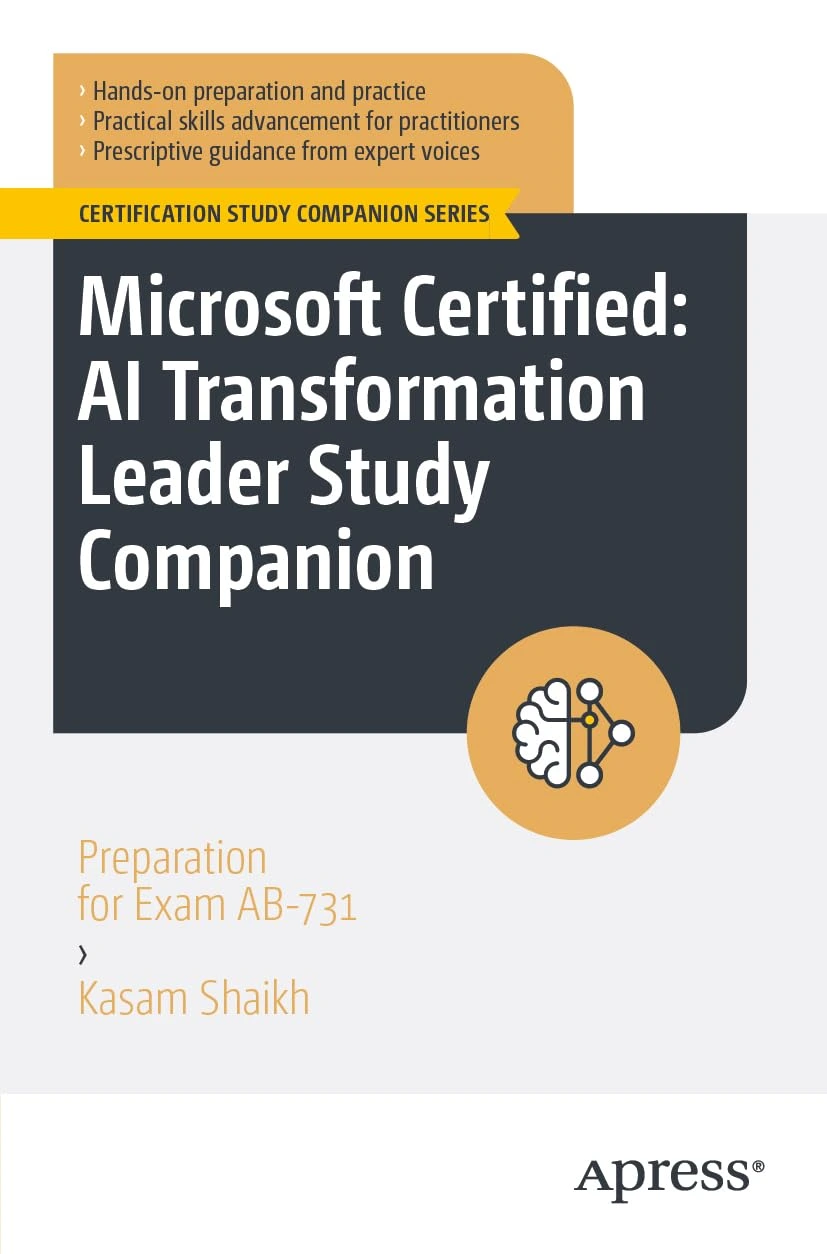
Microsoft Certified: AI Transformation Leader Study Companion: Preparation for Exam AB-731
A study companion for the AB-731 exam by Kasam Shaikh, published by Apress, that works through generative AI value, choosing the right Microsoft AI tools, and adoption and governance from a business leadership point of view. It includes exam-style scenarios and decision frameworks to help you get ready.
On-demand training lets you learn at your own pace, on your own schedule: expert-led video courses, or hands-on modules from Microsoft Learn, whenever you need them.
Not all platforms are the same. Pluralsight relies on vetted authors and curated content, while marketplaces vary in quality. The Pluralsight path below covers all three exam domains, and I only recommend courses that are highly rated and closely aligned with the skills you need.
Recommended
AB-731: AI Transformation Leader
Free trial
A Pluralsight learning path for AB-731, with three courses that follow the exam's three domains: the business value of generative AI, Microsoft's AI apps and services, and an implementation and adoption strategy. It covers the exam end to end on video and is a good place to start if AI is new to you.
AI Transformation Leader (AB-731) - Full Course - Pass The Exam!
Free
A free, full-length AB-731 course on YouTube from the Citizen Developer channel, covering the exam's topics for business leaders: the business value of generative AI, Microsoft's AI apps and services, and adoption strategy. A good option if you want a single video to follow end to end.
These are practice exams, not dumps. Dumps ruin the value of a certification for everyone. Practice tests are a great way to check you are ready once you have studied everything in this guide.
Microsoft offers a free official practice assessment for AB-731, which is the closest thing to the real exam and a great final check.
AB-731 AI Transformation Leader Practice Assessment
Free
A free, official practice assessment from Microsoft, written to the same skills measured as the real exam. It is the best way to check you are ready and to get used to how the questions are phrased.
Microsoft Learn is a great free way to learn the AB-731 content. It is mostly text-based articles, with small quizzes at the end of every module.
The course syllabus below is Microsoft's own list of the learning paths and modules that cover the exam. When you want one topic rather than the whole curriculum, every skill in my study notes links the exact Microsoft Learn page for it.
Course AB-731T00-A: Drive AI transformation in your organization
Free
Microsoft's official AB-731 course page. The syllabus lists every Microsoft Learn path and module the course teaches, and all of them are free to work through at your own pace.
This is the Microsoft Official Course, which you can schedule at a Microsoft learning partner. The classes are presented by Microsoft Certified Trainers. It is the best way to learn any topic, since you can ask a live instructor questions, and also the most expensive one.
Course AB-731T00-A: Drive AI transformation in your organization
Instructor-led
The official instructor-led course for AB-731. A Microsoft Certified Trainer walks you through spotting AI opportunities, aligning AI investments with business goals, and championing responsible AI, the same ground the exam covers.
Some links on this page are affiliate links. If you use them, I may earn a commission at no extra cost to you.
Skills measured and study notes
39 skills, free to study here
Built for the skills measured Microsoft published on 22 July 2026.
0 of 39 studied
The AB-731 exam is written for business leaders, not engineers, so the skills measured are about judgment rather than configuration: knowing what generative AI can and cannot do, matching the right Microsoft AI service to a business problem, and rolling AI out responsibly across an organization. I have broken down every skill below with plain-language explanations, the facts the exam tends to test, and a Microsoft Learn link for each one. This is the same approach I use when I prepare for a Microsoft exam myself. These notes are written to the skills measured as of July 22, 2026.
Here is how the three domains break down by weight:
Tip: The first two domains are worth 35-40% each, so together they make up most of the exam. Domain 3 is smaller, but it is the one technical people tend to underprepare for, because it is about people and process rather than product.
Domain 1Identify the Business Value of Generative AI Solutions35-40% of the exam0 / 15 studied
This domain is the conceptual foundation for the whole exam. It checks that you can explain what generative AI is, tell it apart from traditional AI and machine learning, and judge when it is the right tool for a business problem. Expect questions on models, prompting, grounding, and cost drivers such as tokens, along with the real limitations, like fabricated answers and bias, that a leader has to plan around.
Identify the foundational concepts of generative AI
01
Describe the differences between generative AI and other types of AI
Studied
Generative AI creates new content, such as text, images, code, and audio, from patterns it learned during training. Traditional AI usually classifies, predicts, or recommends based on existing data. For a leader, the practical difference is that generative AI produces a draft or an answer, where earlier AI mostly sorted things into categories or forecast a number.
What you need to know
Generative AI produces original content in response to a natural language prompt; classic machine learning predicts a label or a value from structured data
Large language models (LLMs) are the engines behind most generative AI, trained to predict the next token in a sequence
Traditional AI examples: spam filtering, demand forecasting, product recommendations, fraud detection
Generative AI examples: drafting an email, summarizing a meeting, writing code, generating an image
Generative AI is a subset of AI, a broad field that also includes machine learning, computer vision, and natural language processing
Select a generative AI solution to meet a business need
Studied
Not every problem needs generative AI, and part of a leader's job is knowing when it fits. Generative AI is strong at open-ended language and content tasks; a rules engine, a report, or a classic prediction model is often cheaper and more reliable for structured problems.
What you need to know
Generative AI fits tasks like drafting, summarizing, rewriting, brainstorming, and answering questions over your own content
It is a poor fit where answers must be exact and auditable every time, such as tax calculations or safety-critical control
Match the tool to the task: Microsoft 365 Copilot for everyday work, Copilot Studio for custom agents, Microsoft Foundry when you need to build on models directly
Start with a clear business outcome and success measure, then choose the solution, not the other way around
Consider data readiness, cost, and risk before committing, not just the demo
Describe the differences between AI models, including fine-tuned and pretrained models
Studied
A model is the trained engine that generates output. Most organizations start with a pretrained model that Microsoft or a partner already built, and only some go further and fine-tune one on their own examples. Knowing the difference helps you judge cost, effort, and when each approach is worth it.
What you need to know
Model type
What it is
When to use it
Pretrained
A general model trained by a provider on broad data
Most business needs; fastest and cheapest to adopt
Fine-tuned
A pretrained model further trained on your own examples
Narrow, repeatable tasks where tone or format must be consistent
Grounded (RAG)
A pretrained model given your data at query time
When answers must reflect current, private content without retraining
Fine-tuning changes the model's behavior; grounding leaves the model alone and feeds it your data when you ask
Grounding is usually the first thing to try, because it is cheaper and keeps answers current
Fine-tuning needs quality training examples, time, and ongoing maintenance
Explain the cost drivers in generative AI usage, including tokens and return-on-investment (ROI) considerations
Studied
Generative AI is usually billed by usage, and the unit of usage is the token. A leader needs to understand what drives the bill and how to weigh it against the value the solution delivers.
What you need to know
A token is a chunk of text, roughly a few characters or part of a word; both the prompt you send and the response you get back count
Longer prompts, bigger documents, and longer answers all raise token usage and therefore cost
License-based products like Microsoft 365 Copilot bill per user per month; consumption-based services like Microsoft Foundry bill by tokens or usage
ROI weighs the cost against measurable gains: time saved, faster turnaround, fewer errors, higher output
Pilot with a defined group and measure before scaling, so ROI is evidence rather than a guess
Exam tip: If a question mentions "tokens," it is testing that you understand usage-based cost. If it mentions "per user per month," it is testing licensing.
Identify the challenges of using generative AI solutions, including fabrications, reliability, and bias
Studied
Generative AI is powerful, but it has real limitations that a leader has to plan around rather than ignore. The exam expects you to name these honestly and know that Microsoft's response is grounding, human oversight, and responsible AI practices.
What you need to know
Fabrication (sometimes called hallucination) is when a model produces confident but incorrect content; grounding on trusted data reduces it
Reliability varies: the same prompt can produce different answers, so output needs review for high-stakes decisions
Bias in training data can show up in output; representative data and testing help, but a human still checks
Models have a knowledge cutoff and do not know recent events unless you ground them on current data
Keep a human in the loop for anything consequential; treat output as a well-informed draft, not a final answer
Identify when generative AI solutions can provide business value, including scalability and automation
Studied
Generative AI creates value when it removes repetitive language work, speeds up a process, or lets a team do more without adding headcount. The exam frames this around scalability and automation.
What you need to know
Automation: generative AI handles first drafts, summaries, and routine responses so people spend time on higher-value work
Scalability: an AI solution can serve many users or handle spikes in demand without the linear cost of hiring
Good early wins are high-volume, low-risk tasks: drafting, summarizing, translating, answering common questions
Value shows up as time saved, faster response, higher consistency, and better employee experience
The strongest cases pair a clear pain point with a way to measure the improvement
Identify benefits and capabilities of generative AI solutions
07
Describe the impact of prompt engineering
Studied
The quality of what you get out of generative AI depends heavily on what you put in. Prompt engineering is the practice of writing clear, specific instructions, and it is the single biggest lever most users have over output quality.
What you need to know
A good prompt gives the model a goal, relevant context, a sense of the audience, and the format you want back
Vague prompts produce vague answers; specific prompts produce useful ones
Prompting is a skill your whole organization can learn, and it raises the value of every AI tool you already pay for
Microsoft 365 Copilot offers a Prompt Gallery and prompt suggestions to help people get started
Iterating on a prompt, refining it after seeing the first answer, is normal and expected
Beyond writing clearly, there are repeatable techniques that improve results, and a leader should recognize them well enough to encourage good practice across teams.
What you need to know
Include context: reference the document, meeting, or data the answer should draw on
Be specific about the format and length you want, such as a table, a summary, or five bullet points
Give the model a role or perspective when it helps, for example "act as a financial analyst"
Break complex requests into steps rather than asking for everything at once
Review and refine: treat the first answer as a starting point and correct it with a follow-up prompt
Identify business requirements for grounding solutions
Studied
Grounding is giving a model access to your organization's own data so its answers reflect your reality, not just its general training. It is how generic AI becomes useful for your business.
What you need to know
Grounding connects a model to trusted sources, such as your documents, so answers are relevant and current
It reduces fabrication because the model has real content to draw from instead of guessing
Business requirements to weigh: which data to expose, who can see it, and how permissions are respected
Microsoft 365 Copilot is grounded on your Microsoft 365 data through Microsoft Graph, honoring existing access rights
Grounding keeps your data yours: it is used to answer your prompt, not to train the shared model
Understand how retrieval-augmented generation (RAG) is used for AI solutions
Studied
Retrieval-augmented generation, or RAG, is the most common pattern for grounding. Instead of retraining a model, you retrieve relevant content at the moment of the question and hand it to the model to answer from.
What you need to know
RAG works in two steps: retrieve the relevant content, then generate an answer using it
It keeps answers current without retraining, because it reads live data each time
It lets a general model answer accurately about private or recent information
Azure AI Search is the retrieval engine behind many RAG solutions on Microsoft Foundry
RAG is usually cheaper and simpler than fine-tuning for keeping answers accurate and up to date
Exam tip: If a scenario needs answers grounded in current, private data without retraining a model, the answer is RAG.
Understand the impact of data on AI solutions, including data type, data quality, and representative datasets
Studied
AI is only as good as the data behind it. For grounding, fine-tuning, and machine learning alike, the quality and representativeness of your data shapes the quality of the results.
What you need to know
Data quality matters more than volume: clean, accurate, well-organized data produces better answers
Representative data reduces bias; data that overrepresents one group skews results toward it
Data type matters: structured data suits classic machine learning, while unstructured text and documents suit generative AI and grounding
Getting your content organized and labeled is often the real work before an AI project succeeds
Poor or messy data is a common reason AI pilots disappoint, so data readiness is worth checking first
For a business leader, adopting AI responsibly means protecting the data it touches. Microsoft's approach keeps your data protected while people work, so security enables adoption rather than blocking it.
What you need to know
Enterprise AI like Microsoft 365 Copilot honors your existing identity, permissions, and data protection: it only surfaces content a user could already reach
Your organization's prompts and data are not used to train the foundation models
Data protection tools like sensitivity labels and data loss prevention continue to apply to AI-assisted work
Security lets you say yes to AI with confidence, because the guardrails travel with the data
Governance decisions, such as which data AI can reach, are set by your organization and respected by the service
Identify scenarios when machine learning adds value
Studied
Generative AI gets the headlines, but classic machine learning is still the better tool for many business problems, and the exam expects you to tell them apart.
What you need to know
Machine learning predicts or classifies from structured, historical data: forecasting demand, scoring leads, detecting fraud
It shines when you have lots of labeled examples and need a number or a category, not new content
Generative AI shines when the task is producing language or content, not predicting a value
Many real solutions combine the two: machine learning for the prediction, generative AI for the explanation
Choosing machine learning where it fits is often cheaper and more accurate than forcing generative AI onto the problem
Describe the lifecycle of a machine learning solution
Studied
A machine learning solution is not a one-time build; it is a cycle. A leader should recognize the stages, because each one needs people, data, and ongoing investment.
What you need to know
Define the problem and the business outcome you want to predict or classify
Prepare data: collect, clean, and label the examples the model learns from
Train and evaluate the model, then test it against data it has not seen
Deploy the model so applications and people can use its predictions
Monitor and retrain over time, because real-world data drifts and accuracy degrades if you leave a model alone
Identify security considerations for AI systems, including application security, data security, and authentication requirements
Studied
When AI is built into applications, it inherits the same security needs as any enterprise system, plus a few of its own. A leader should know the categories well enough to ask the right questions.
What you need to know
Application security: protect the app and its connections the same way you would any business system
Data security: control what data the AI can reach, and keep sensitive content protected with labels and policies
Authentication: users sign in with their own identity, so the AI acts within their permissions, never beyond them
Least privilege applies: an AI solution should reach only the data it needs for the task
Auditing and monitoring let you see how AI is used and catch misuse early
Domain 2Identify Benefits, Capabilities, and Opportunities for Microsoft's AI Apps and Services35-40% of the exam0 / 14 studied
This domain is about matching Microsoft's AI products to business needs. It is the widest part of the exam by product coverage, spanning Microsoft 365 Copilot, Microsoft Copilot, Copilot Studio, Microsoft Graph, and the Foundry family. You are not asked to configure any of them; you are asked to know what each one does, who it is for, and when to reach for it.
Identify benefits and capabilities of Microsoft 365 Copilot and Microsoft Copilot
16
Map business processes and use cases to Copilot
Studied
The most valuable skill here is spotting where Copilot fits a real workflow. Copilot earns its keep on the language-heavy, repetitive parts of everyday work, so the exercise is matching common business processes to concrete Copilot use cases.
What you need to know
Communication: draft and summarize emails in Outlook, catch up on long Teams threads
Meetings: summarize a Teams meeting, list action items and decisions, recap what you missed
Documents: draft a first version in Word, rewrite for tone, summarize a long report
Data and slides: surface trends in Excel, build a first-draft deck in PowerPoint from a document
The best early use cases are high-volume and low-risk, where a fast first draft saves real time
Understand differences in capabilities between versions of Copilot
Studied
Microsoft uses the name Copilot across several products, and the exam expects you to tell them apart, especially the free web-grounded chat versus the licensed, work-grounded Microsoft 365 Copilot.
What you need to know
Product
Grounded on
Who it is for
Microsoft Copilot
The web (public data)
Anyone; general-purpose AI assistant
Microsoft 365 Copilot Chat
The web, with enterprise data protection
Included with many Microsoft 365 plans
Microsoft 365 Copilot
Your work data through Microsoft Graph, plus the web
Licensed users, embedded in the Microsoft 365 apps
The paid Microsoft 365 Copilot is the one grounded on your organization's content and embedded in Word, Excel, Outlook, Teams, and PowerPoint
Microsoft 365 Copilot Chat gives web-grounded chat with commercial data protection to a broad set of users
Enterprise data protection means prompts and responses are not used to train the models
Understand capabilities of Microsoft 365 Copilot Chat web and mobile experiences
Studied
Copilot Chat is the conversational front door to Copilot, available in the browser and on mobile. A leader should know what it can do and how its data protection works.
What you need to know
It is a chat experience for asking questions, drafting, and summarizing, reachable on the web and in the mobile app
With a Microsoft 365 Copilot license, chat can be grounded on your work data through Microsoft Graph
Without that license, Copilot Chat still offers web-grounded answers with enterprise data protection
It supports uploading a file to ask questions about it, and can create images
Mobile access means people can use it on the go, with the same data protection as the web
Understand capabilities of the Copilot experience in various Microsoft 365 apps
Studied
Microsoft 365 Copilot is not one feature; it shows up inside each app tuned for the work that happens there. The exam expects you to match the app to what Copilot does in it.
What you need to know
Word: draft, rewrite, and summarize documents, and turn a document into a starting point
Excel: explore data, spot trends, and suggest formulas in natural language
PowerPoint: build a first-draft presentation from a prompt or a document
Outlook: draft replies, summarize long threads, and coach your tone before you send
Teams: summarize meetings and chats, and surface decisions and action items
Understand capabilities of Microsoft Copilot Studio
Studied
Copilot Studio is the low-code tool for building custom agents and extending Copilot. A leader should know it exists, what it is for, and that it does not require professional developers.
What you need to know
Copilot Studio builds custom agents that answer questions and take actions using your own data and systems
It is low-code, so business users and makers can build, not just developers
Agents can be published to Microsoft 365 Copilot, Teams, websites, and other channels
It connects to your data and to hundreds of systems through connectors
It is how organizations extend Copilot beyond what comes in the box, for a specific process or audience
Microsoft Graph is the connective layer that makes Microsoft 365 Copilot aware of your organization's content. Understanding it explains why Copilot's answers are relevant and how permissions are respected.
What you need to know
Microsoft Graph is the gateway to your Microsoft 365 data: emails, files, chats, meetings, calendars, and people
Copilot uses Graph to ground answers in your actual work content, not just the model's training
The semantic index over Graph helps Copilot find the most relevant content for a prompt
Graph honors existing permissions, so Copilot only surfaces content the user could already open
It is the reason Microsoft 365 Copilot answers are specific to your organization rather than generic
Identify benefits and capabilities of an integrated Microsoft AI solution, including risk mitigation and safety benefits
Studied
Microsoft's pitch is that an integrated AI stack, from Microsoft 365 Copilot to Copilot Studio to Foundry, is safer and easier to govern than a patchwork of disconnected tools. A leader should be able to explain that benefit.
What you need to know
One identity, one permission model, and one data protection layer span the whole stack
Enterprise data protection and responsible AI controls are built in, not bolted on
Integration means data does not have to leave your trust boundary to be useful
Governance and auditing are consistent, so risk is easier to manage than with scattered tools
Buying into one ecosystem reduces integration cost and the safety gaps that appear between separate products
Map business processes and use cases to Microsoft's AI apps and services
Studied
Beyond Copilot, Microsoft offers a range of AI tools, and part of a leader's job is routing a business need to the right one. This skill is about choosing among the products, not mastering any single one.
What you need to know
Everyday productivity for licensed users: Microsoft 365 Copilot inside the apps
A custom agent for a specific process or audience: Copilot Studio
Building on models or adding AI to your own applications: Microsoft Foundry and Foundry Tools
Broad, web-grounded assistance for everyone: Microsoft Copilot or Copilot Chat
Start from the business outcome and the users, then pick the product that fits, rather than fitting the process to a favorite tool
Identify when to use Researcher or Analyst in Copilot
Studied
Researcher and Analyst are specialized reasoning agents in Microsoft 365 Copilot for deeper, multi-step work than a normal chat turn. Knowing which to reach for is the point of this skill.
Researcher: Use it for complex, multi-step research that pulls together information from your work data and the web into a thorough, reasoned answer. It is the one to reach for when a question needs investigation, not a quick reply.
Analyst: Use it for data-heavy questions, where it reasons over your data step by step to produce analysis and insight, working through the problem the way a data analyst would.
Exam tip: Match the agent to the task: Researcher for deep research across sources, Analyst for reasoning over data. Both go beyond a standard Copilot chat answer.
Identify when to build, buy, or extend, including the Microsoft 365 Copilot extensibility framework
Studied
Not every AI need calls for building something new. A leader should weigh buying a ready-made capability, extending Copilot, or building a custom solution, and know that extending is often the middle path.
What you need to know
Buy: use Microsoft 365 Copilot as it comes when the built-in capabilities meet the need
Extend: add your own data, actions, and agents to Copilot through the extensibility framework, using agents, connectors, and plugins
Build: create a custom solution on Microsoft Foundry when you need full control over models and behavior
Extending reuses Copilot's identity, security, and interface, so it is usually faster and safer than building from scratch
The right choice weighs cost, time, control, and how unique the requirement really is
Identify benefits and capabilities of Foundry Tools
26
Map business processes and use cases to Foundry Tools
Studied
Foundry Tools are the building-block AI services you compose into custom solutions, for needs that Copilot does not cover out of the box. A leader should recognize the kinds of problems they solve.
What you need to know
Foundry Tools are individual AI capabilities you add to your own applications, such as vision, language, and search
They fit custom scenarios: processing documents, reading images, adding search over your content, building a customer-facing assistant
They are consumption-based, so you pay for what you use rather than per user
They target developers and solution teams, unlike Copilot, which targets everyday users
Reach for them when the need is specific to your product or process and no packaged Copilot fits
Identify capabilities of Foundry Tools, including Azure Vision in Foundry Tools, Azure AI Search, and Microsoft Foundry
Studied
The exam names three parts of the Foundry family, and a leader should be able to say what each one does in a sentence.
Azure Vision in Foundry Tools: Reads and understands images and video, including extracting text, detecting objects, and describing what is in a picture. Use it to automate anything that today relies on a person eyeballing an image or a scanned document.
Azure AI Search: Indexes your content so applications, and grounded AI, can retrieve the most relevant pieces on demand. It is the retrieval engine behind many RAG solutions.
Microsoft Foundry: The platform for building, deploying, and managing AI solutions, with a model catalog to choose from and tools to ground, evaluate, and monitor them responsibly.
Microsoft Foundry offers a catalog of many models, and part of a leader's judgment is knowing that the biggest or newest model is not always the right one. The fit depends on the task, the cost, and the constraints.
What you need to know
Foundry's model catalog includes models from Microsoft, OpenAI, and the open-source community
Bigger models are more capable but cost more and can be slower; smaller models are cheaper and faster for simple tasks
Match the model to the task: a small model may handle classification well, while a complex reasoning task needs a larger one
Consider language support, cost, speed, and any data-residency or compliance constraints
You can start with a capable model and optimize toward a cheaper one once the solution works
Identify the benefits of Microsoft Foundry and Foundry Tools, including scalability and security
Studied
For custom AI, Microsoft Foundry's pitch to a leader is enterprise-grade scale and security without building the platform yourself. Know the benefits well enough to defend the choice.
What you need to know
Scalability: the platform handles growth in users and demand without you managing the underlying infrastructure
Security: it runs on Azure's identity, network, and compliance controls, so enterprise requirements are met
Responsible AI is built in, with tools to evaluate models and filter harmful content
One platform covers the lifecycle: choose a model, ground it, evaluate it, deploy it, and monitor it
Consumption pricing means you scale cost with usage rather than paying up front
Domain 3Identify an Implementation and Adoption Strategy for Microsoft's AI Apps and Services20-25% of the exam0 / 10 studied
This is the smallest domain by weight and the one most technical candidates underprepare for, because it is about people and process rather than product. It covers responsible AI as an organizational policy, the governance structures that keep AI use aligned with your values, and the practical work of driving adoption so the AI you bought actually gets used.
Align an AI strategy with Microsoft responsible AI policies
30
Explain the importance of responsible AI
Studied
Responsible AI is the practice of building and using AI in a way that is fair, safe, and trustworthy. For a leader it is not a compliance checkbox; it is what protects the organization's reputation and its people as AI spreads through the business.
What you need to know
Responsible AI reduces the risk of biased, unsafe, or privacy-violating outcomes that damage trust
It is an ongoing organizational commitment, not a one-time review at launch
Microsoft publishes its own Responsible AI Standard and builds controls into its products
Leaders set the tone: responsible AI succeeds when it is owned at the top, not left to individual teams
Getting it right early is far cheaper than repairing trust after a public failure
Governance is how an organization decides what AI it will use, for what, and within what limits. A leader should know the pieces that make up a workable AI governance approach.
What you need to know
Set clear policies for acceptable use: what AI may be used for, and what is off-limits
Decide what data AI tools may access, and keep that aligned with existing data protection
Define who is accountable for AI decisions and who reviews high-impact use cases
Provide guidance and training so employees know the rules and why they exist
Review and update governance as tools, regulations, and risks change
Establish an AI council to guide strategy, oversight, and cross-functional alignment
Studied
An AI council is a cross-functional group that steers AI strategy and keeps decisions aligned across the business. The exam expects you to know why it matters and who belongs on it.
What you need to know
An AI council brings together leaders from IT, security, legal, HR, and the business, not just technologists
Its job is oversight and alignment: setting priorities, approving high-impact use cases, and resolving cross-team conflicts
It keeps AI strategy tied to business goals rather than scattered pilots
It owns responsible AI policy and makes sure governance is actually followed
Cross-functional membership means risks like privacy, compliance, and culture are considered together, not in silos
Ensure that AI solutions meet responsible AI standards, including fairness, reliability, safety, privacy, security, inclusiveness, transparency, and accountability
Studied
Microsoft frames responsible AI around six principles, and the exam expects you to know them by name. They are the yardstick you hold any AI solution against.
The six Microsoft responsible AI principles:
Fairness: AI systems should treat everyone equitably and avoid reinforcing bias
Reliability and safety: AI should perform consistently and safely, even in unexpected conditions
Privacy and security: AI should protect data and respect privacy throughout its lifecycle
Inclusiveness: AI should work for people of all abilities and backgrounds
Transparency: people should understand how an AI system works and its limitations
Accountability: people, not the AI, remain responsible for its outcomes
Exam tip: Expect a question that gives you a scenario and asks which principle applies. Bias in results points to fairness; an unexplained decision points to transparency; a human staying responsible points to accountability.
Buying AI licenses does not change how people work; a dedicated adoption team is what turns a purchase into daily use. Know what the team is for and who is on it.
What you need to know
An adoption team owns the rollout: planning, communication, training, and measuring progress
It blends roles: an executive sponsor, IT, communications, training, and business unit representatives
The executive sponsor matters most, because visible leadership support drives uptake
The team runs the rollout in phases, learns from each one, and adjusts
Its success measure is real usage and business impact, not licenses assigned
Most AI rollouts stall for predictable reasons, and a leader who can name them can plan around them. The exam tests whether you recognize the usual barriers and their fixes.
What you need to know
Lack of awareness: people do not know the tool exists or what it can do for them
Lack of skills: people are not confident writing prompts or fitting AI into their work
Trust and fear: worries about accuracy, privacy, or being replaced hold people back
No clear use cases: without role-specific examples, people do not know where to start
Weak leadership support: adoption stalls when leaders do not model the behavior themselves
Champions are enthusiastic employees who help their peers adopt AI, and a champions program scales adoption far beyond what a central team can reach alone.
What you need to know
Champions are volunteers from across the business who learn the tools early and help colleagues
They spread role-specific tips and real use cases that resonate more than top-down training
They give the adoption team feedback from the front line about what is working and what is not
Recognizing and supporting champions keeps the program energized
Peer influence lowers the trust and skills barriers better than a mandate does
Understand potential impacts to data, security, privacy, and cost
Studied
Rolling out AI has consequences a leader has to anticipate, not discover later. This skill is about foreseeing the impact across data, security, privacy, and budget.
What you need to know
Data: AI makes existing content far more discoverable, so oversharing and poor permissions surface fast; clean up access before rolling out
Security: more AI touchpoints mean identity and access controls matter even more
Privacy: be clear about what data AI uses and make sure it aligns with policy and regulation
Cost: per-user licenses and consumption billing both add up, so plan and monitor spend
The fix is preparation: tighten data governance and set a budget before scaling, not after
Understand Copilot license types, including pay-as-you go, monthly, and included with Microsoft 365 subscription
Studied
Copilot is licensed in a few different ways, and a leader planning a rollout needs to know which model applies to which product so the budget is right.
What you need to know
Included with a subscription: Microsoft 365 Copilot Chat comes with many Microsoft 365 plans, with enterprise data protection, at no added cost
Per-user subscription: Microsoft 365 Copilot is a paid add-on licensed per user, billed monthly or annually
Pay-as-you-go: agents built in Copilot Studio can be billed by consumption, so you pay for what is used
The included Chat is a low-risk way to start broad, before committing to per-user licenses
Match the model to the audience: per-user licenses for heavy users, consumption for occasional agent use
Microsoft 365 Copilot Chat (browser or mobile app)
Use Copilot in your documents and meetings
Microsoft 365 Copilot in Word, Excel, Outlook, Teams, PowerPoint
Do deep, multi-step research across sources
Researcher agent in Microsoft 365 Copilot
Reason over data step by step
Analyst agent in Microsoft 365 Copilot
Build a custom low-code agent
Microsoft Copilot Studio
Extend Copilot with your data and actions
Microsoft 365 Copilot extensibility framework (agents, connectors, plugins)
Build on models and add AI to your own apps
Microsoft Foundry and Foundry Tools
Add search over your content for grounding
Azure AI Search
Read images and documents automatically
Azure Vision in Foundry Tools
Choose a model for a business need
Microsoft Foundry model catalog
Ground AI on your Microsoft 365 content
Microsoft Graph and the semantic index
Set responsible AI policy and oversight
Your AI council and governance framework
Drive usage after rollout
Adoption team and AI champions program
Additional tips
The best thing you can do after reading this guide is to spend time actually using Microsoft 365 Copilot, so the capabilities in the second domain feel real rather than abstract. Even a few sessions writing prompts and reviewing the answers will teach you things no reading can.
A free Microsoft 365 developer tenant with sample data, so you can explore the Microsoft 365 apps and admin experience hands-on without touching a production environment. Seeing the tools in action makes the capabilities in this exam much easier to remember.
The AB-731 is a beginner-level, business-focused exam with no coding, so most people with some exposure to Microsoft 365 and AI can prepare in two to three weeks of focused study. If AI is new to you, give yourself three to four weeks and start with the Microsoft Learn paths and the study notes above. Because it is a knowledge exam about strategy rather than configuration, reading and understanding matter more than lab time.
Do I need a technical background or hands-on experience to pass?
You do not need a technical background. The AB-731 is designed for business decision-makers and does not expect you to write any code. What helps most is experience leading change or adoption in a business, plus a high-level grasp of what Microsoft 365 Copilot and Microsoft Foundry do.
How does the AB-731 relate to the AB-730 and AB-900 certifications?
All three are part of Microsoft's AI business family, but they target different roles. AB-730, AI Business Professional, is for individuals applying AI in their day-to-day work; AB-731, AI Transformation Leader, is for leaders driving AI strategy and adoption; and AB-900, Microsoft 365 Copilot and Agent Administration Fundamentals, is for the admins who manage Copilot in a tenant. If you lead teams and set direction, AB-731 is the one aimed at you.
What does the AB-731 exam cost, and can I get a discount?
Exam pricing is set by Microsoft and varies by country, so check the exam page for the price where you are. Microsoft regularly runs promotions and offers discounted or free vouchers through community events, challenges, and sometimes as part of instructor-led training, so it is worth looking before you book. Your employer may also cover the cost as part of a Microsoft partnership or a learning benefit.
How often does Microsoft update the AB-731 skills measured?
Microsoft updates the skills measured periodically as the products change, and the AI space moves fast, so expect this exam to evolve. The skills measured document on Microsoft Learn always shows the current version and a change log. I recommend checking it a week or two before your exam date so you are studying the current skills.
Maintained by Vlad Catrinescu, reviewed September 2026 · All study guides
Subscribe to the Vlad Talks Tech Newsletter
Don't miss out on the latest Microsoft and certification news, conference and
certification discounts, tutorials featuring some of your favorite
Microsoft MVPs, and much more!
Not sure yet? Subscribe and find out why THOUSANDS around the globe subscribe.



 Recommended